Playbooks · 5 min read
Several People, One Instagram Inbox: How Not to Collide
On this page
- What the product does not give you
- Takeover is the ownership mechanism, and it is one-directional
- Divide by something other than the conversation
- A seat is access to every private message a customer sent you
- Decide whose voice the account has
- Template ownership, which is where the quiet damage happens
- The shift handover, in two minutes
- The one switch everybody should know

An Instagram inbox with two people in it works fine. At four it stops working, and it does not stop working slowly. One Tuesday, a customer gets two different answers to the same question from two different colleagues who were both trying to be quick.
What follows is what exists to prevent that, which is less than you would like, and the agreements that have to cover the rest.
What the product does not give you
Say it up front so you can plan around it. There is no conversation assignment. No "this one is mine". No ticket status, no queue ownership, no internal notes visible only to the team, no @mentioning a colleague inside a thread, no shift roster, no per-person reply statistics, no SLA timer, and no report on who did what.
If you are coming from a helpdesk, that is most of the helpdesk. This is an inbox with automation attached, not a support platform.
What exists is three things: workspaces, seats, and takeover.
Takeover is the ownership mechanism, and it is one-directional
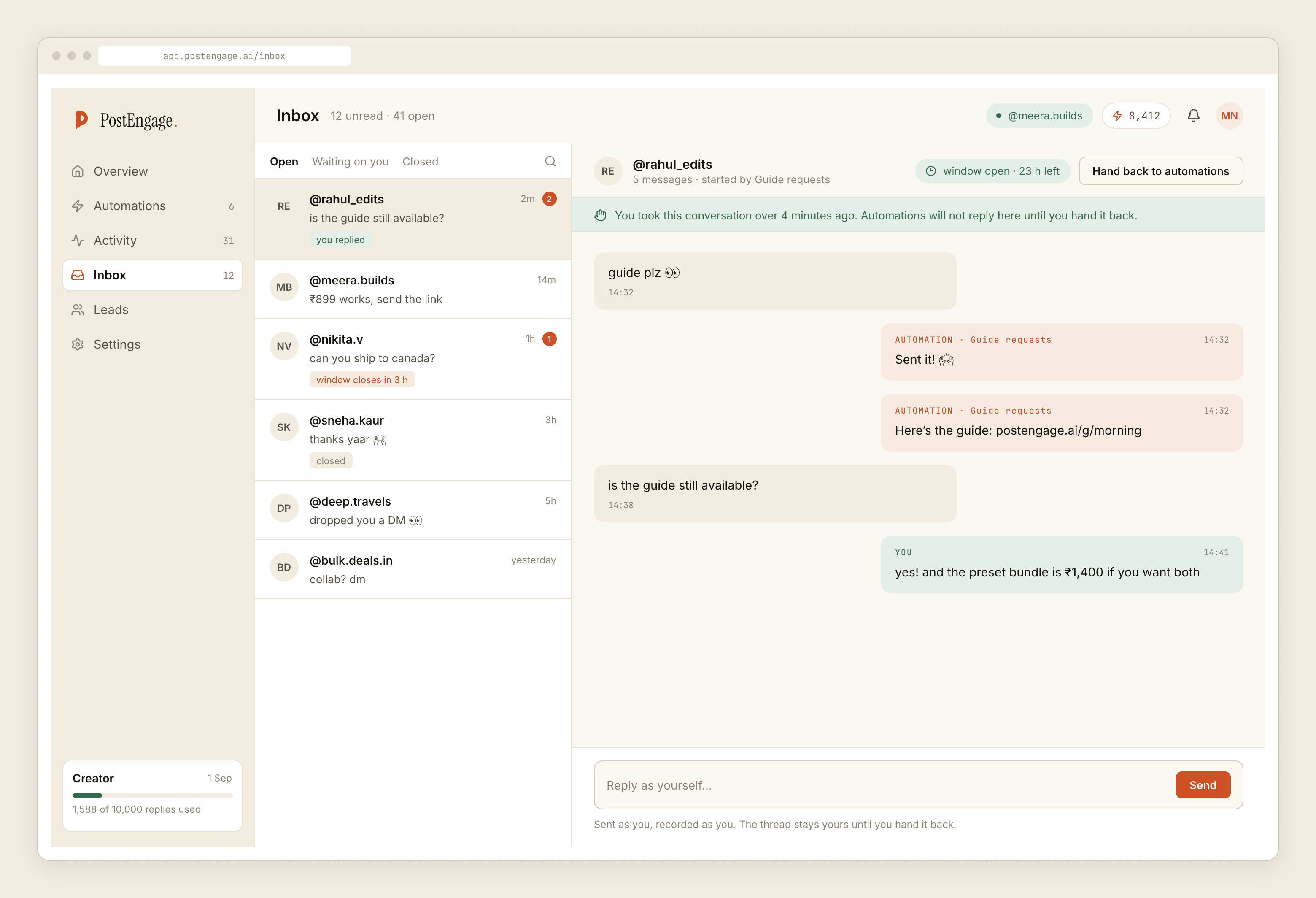
Takeover means automation stands down in a thread the moment a human replies by hand there. Permanently, for that conversation. It sits third in the gate, before window, so it applies even when everything else would have allowed a send.
That is genuinely useful and it solves exactly one of your two collision problems. The automation will never talk over a colleague.
It does nothing about the other one. Takeover does not stop a second human. Two people can open the same thread and both start typing, and neither the product nor Instagram will tell them the other is there.
Automation yields to people. People do not yield to each other, and no setting in this product will make them.
Divide by something other than the conversation
Because there is no assignment, the division has to happen before anybody opens a thread. Three splits work in practice, and which one fits depends on your shape.
- By time. Morning person, evening person, explicit handover. The simplest and the most reliable. It fails only when both are in the app "just checking".
- By surface. One person owns comments and public replies, another owns DMs. Clean because the surfaces are visually separate and the work is genuinely different — comments and DMs run on different clocks.
- By subject. Sales enquiries to one, order problems to another. Requires everyone to read before claiming, which is where it usually leaks.
What does not work is "whoever gets there first". It sounds efficient and it is precisely the behaviour that produces two answers.
A seat is access to every private message a customer sent you
This is the part that gets treated as an IT formality and should not be.
Somebody with a seat can read the inbox. That inbox contains addresses, phone numbers, order complaints, health questions, occasionally things people would be upset to know a stranger read. Giving a seat is not like giving someone a login to a scheduling tool.
Decide whose voice the account has
Voice DNA is built from replies the account owner actually wrote. When one person answers the inbox, that is straightforward. When five do, the profile learns five people, and the account starts to sound like a committee — formal on Tuesday, chatty on Thursday, and never quite like anybody.
So pick. Usually it is the founder, or whoever the customers think they are talking to. That person's replies are the reference; everyone else writes towards it. What the voice profile is built from is worth reading before you let four people train it in four directions.
Template ownership, which is where the quiet damage happens
Anyone with a seat can edit a template. That edit is instant, applies to everybody, and is announced to nobody.
So a colleague fixes a typo in the price reply and simplifies the sentence while they are there, and for the next three weeks every customer receives a slightly different answer than the one your team agreed on. Nobody notices, because nobody rereads templates they did not just change.
One person owns the reply set. Everyone else proposes changes to that person. It is a heavy-sounding rule for a small team and it costs nothing until the day it saves you.
The same applies to the Go live button. Test on myself runs the whole pipeline to your own account and changes nothing publicly; anyone should use it freely. Going live under a real post is the act that reaches customers, and it should have a named person attached.
The shift handover, in two minutes
There is no alerting here — nothing pages anybody when a connection breaks or a thread goes unanswered. So the start of a shift is the only monitoring you have.
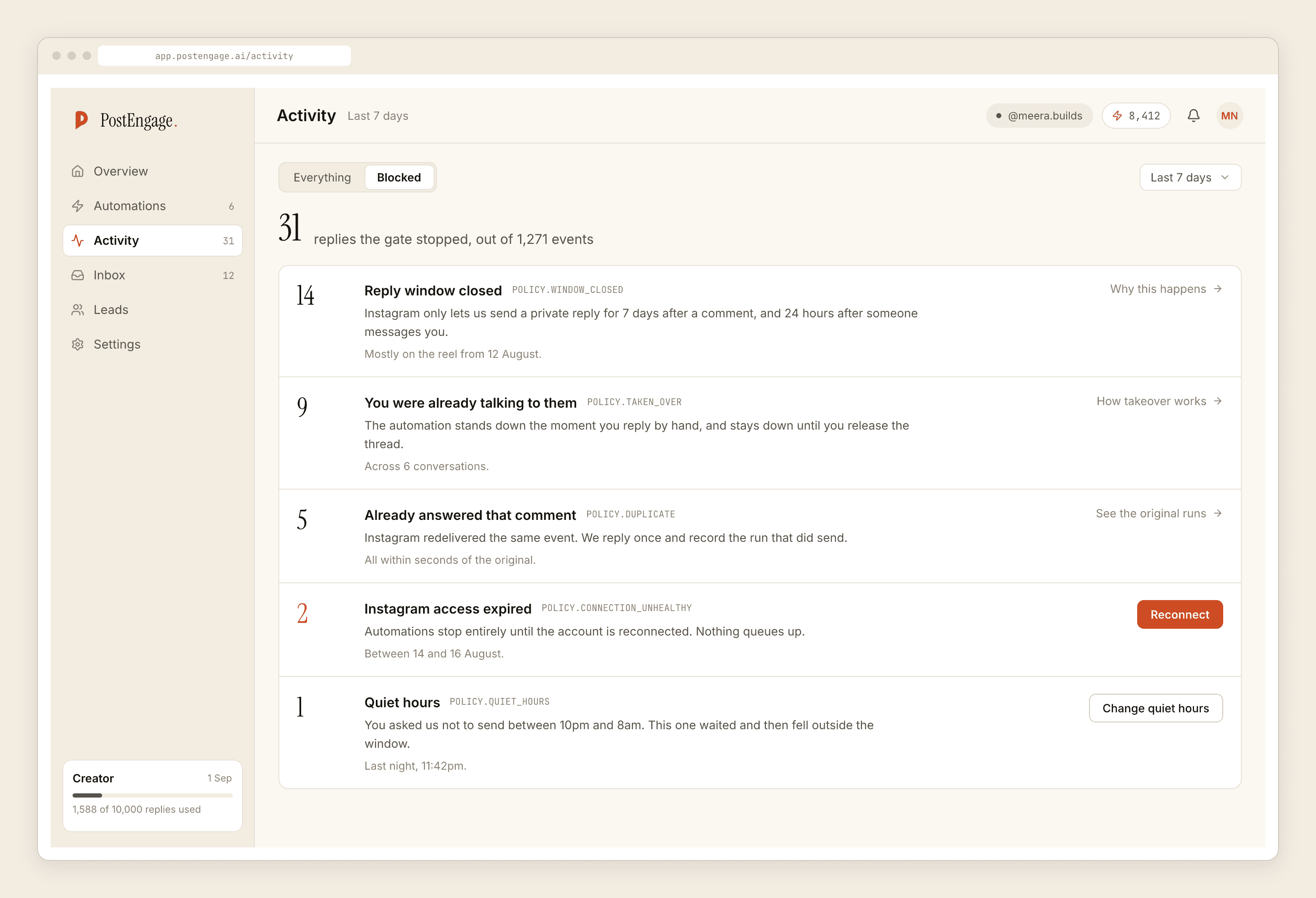
Look for three things. A connection that is not healthy, which means nothing has been going out. A pile of takeovers, which means people are beating the automation to threads it was built to handle and it should probably be narrower. And anything blocked by content_safety, which is always worth a human reading.
The rest — window closures on older posts, duplicates from Instagram redelivering an event, quiet hours holding an overnight message — is the system working, and a team that has been told so once reads it correctly forever.
The one switch everybody should know
The kill switch is first in the gate for a reason. If something is going wrong publicly at 9pm, the person who notices should be able to stop all sending without finding the person who built the automation.
Tell the whole team where it is. Nobody should be learning that during the incident.
For the version of this problem with several clients rather than several colleagues, the agency post is the one. For handing part of this to somebody outside the company, that has different boundaries.