Every other page here assumes this one. It is five stages, and the interesting part is that four of them can decide to do nothing.
1 · Listen
Instagram sends a webhook the moment somebody comments or messages. We normalise it, give it a key, and write it down before deciding anything about it.
That order matters more than it sounds. Platforms retry, and a webhook can arrive twice for the same event. Writing first and deciding second is what makes "answered exactly once" a property of the system rather than a hope about timing.
2 · Match
Which automation, if any, was watching this. The trigger is a post or a set of posts plus keywords, matched any-of or all-of, ignoring case and punctuation. Negative keywords veto a match that would otherwise fire.
If nothing was watching, the run is still recorded. A run exists for every event, including the ones where the answer was "no rule applies" — which is what makes the Activity view answer "why did nothing happen" as well as "what happened".
3 · Decide
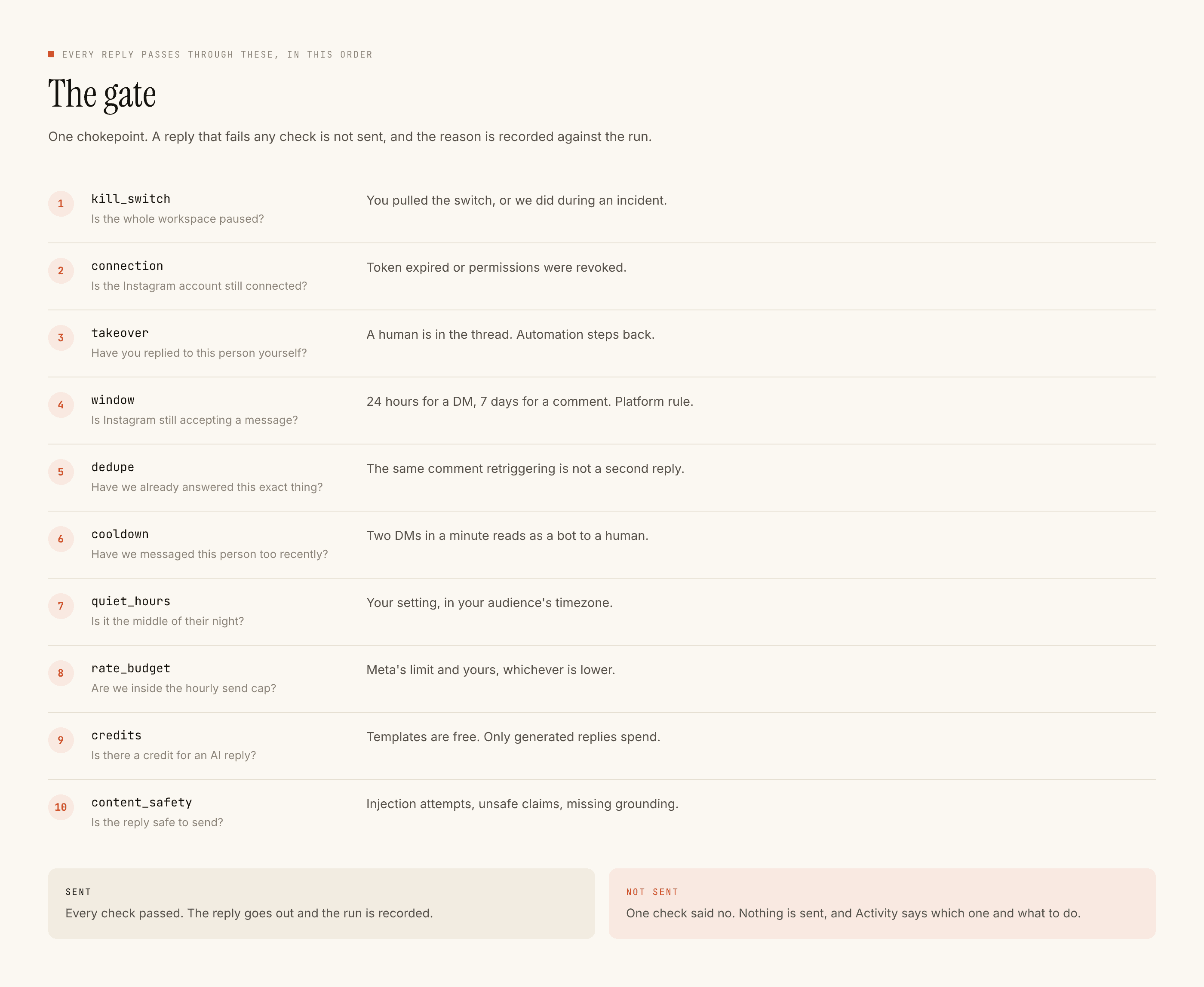
The gate. Ten checks, in this order, any of which ends the run:
- Kill switch — is this workspace live at all.
- Connection — is the Instagram connection healthy, or has the token expired.
- Takeover — has a person already replied in this thread. If so, nothing else matters.
- Window — is the platform still accepting a reply. Seven days for a comment; twenty-four hours from their last message for a DM.
- Dedupe — has this recipient already been answered for this event by this automation.
- Cooldown — has this person been answered too recently.
- Quiet hours — is it the middle of their night.
- Rate budget — are we sending too fast for this account.
- Credits — is there anything to spend, if the model is going to write.
- Content safety — is the thing about to go out acceptable.
The order is deliberate and fixed. Takeover sits above the window and above everything commercial because a human in the conversation outranks every other consideration.
4 · Write
If the automation uses a template, that is what goes out and it costs nothing.
If it uses the model, the reply is drafted against your voice profile and grounded in your knowledge sources. Guards check the result before it leaves — and a draft that cannot be grounded in something you actually wrote falls back to your template rather than improvising.
Something correct goes out, or nothing does. That is the rule the whole generation path is arranged around, and it is why there is a fallback at all.
5 · Send, and write down what happened
The reply goes to Instagram, and the run is closed with what was sent, what it cost, and how long it took.
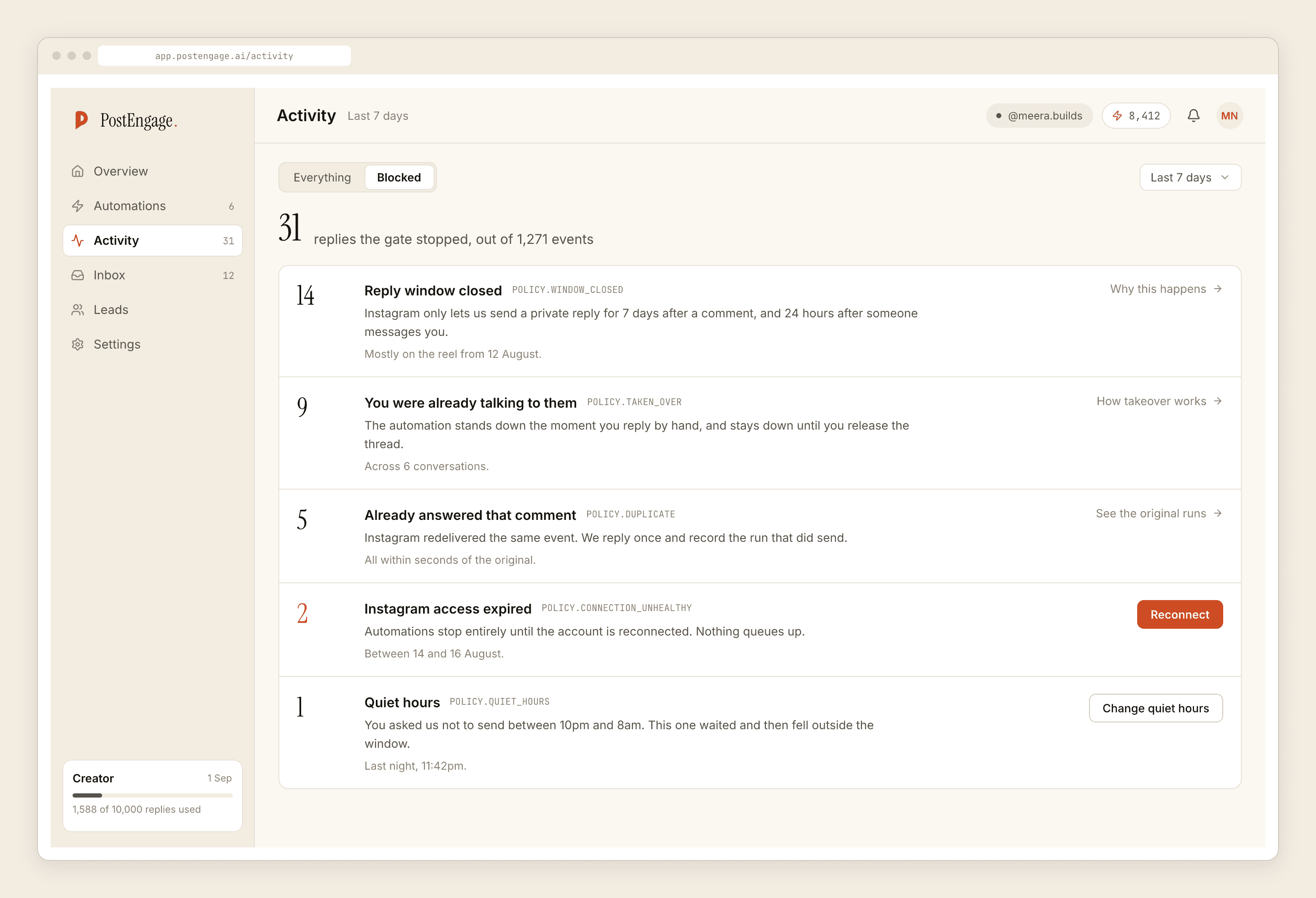
A run that was refused closes the same way, with the check that refused it and the sentence explaining why — written at decision time by the code that made the decision, not mapped from a code afterwards by the interface.
A system that only records its successes cannot answer the question people actually ask, which is why something did not happen.
Where you see all this
Activity is the run list. Blocked is the same list filtered to refusals, each row naming its check and the fix. The inbox is the conversation view with takeover and the window clock. Leads is whoever triggered an automation, with their words and the post they came from.
What this shape costs you
Two things, honestly.
It is less flexible than a canvas. There is no branching flow diagram here. An automation is a trigger, a reply, and an optional capture, and the complexity that would have gone into a diagram went into the checks instead.
It cannot do anything Instagram does not allow. No replying on other people's posts, no messaging somebody who has not written to you, no reopening a closed window. Every one of those is a platform rule, and a tool that offers them is not using the official API.
Where to go next
Build one — about ten minutes, and the fastest way to understand the above. What any of it costs, which for a template-only setup is nothing. Everything it does and does not do, in one list.