Playbooks · 5 min read
Members and Prospects Share One Inbox and Want Opposites

A membership business has two audiences and one Instagram account.
People who already pay you and want something specific — the recording of Tuesday's call, a login that stopped working, whether the renewal went through. And people considering joining, who want the opposite: an explanation, a price, a reason.
Both write to the same inbox. Neither is labelled. And there is no membership data in this product at all — no login, no account lookup, no billing, no CRM sync, nothing that can tell you whether the person typing is inside or outside your community.
So the design question is not "how do I segment them". It is "what can I actually tell from what arrived", and the answer is three things.
The three signals you have
The source post. Your grid is already split whether you planned it or not. Posts about the community — a call recap, a member spotlight, a thing that only makes sense inside — attract members. Posts explaining what the thing is attract prospects. An automation restricted to specific posts under Advanced inherits that split for free, and it is by far the strongest of the three signals.
Whether they have written before. First-time senders only is a binary switch and the only segmentation control in the product. It is blunt, and used per automation it does more work than people expect.
The words they typed. Members use nouns from inside the community. Prospects ask what things are. "Where's the replay of the Q&A" and "what do you actually get" do not need a classifier to separate.
You cannot know who is a member. You can build automations that are only reachable from the places members go.
Prospects: this is the rare business where price is a template
Worth pausing on, because most of this blog says the opposite.
A property valuation, a mortgage rate, a treatment quote, a travel fare — all of those are wrong to automate because the number depends on things the automation cannot see. A membership price does not. It is published, fixed, and identical for everyone.
Which means the prospect side is unusually well suited to automation. What you get, what it costs, how often the calls happen, whether there is a minimum term, how to join. Fixed answers, fixed wording, free to send, correct at three in the morning, and better than the vague version most membership accounts give by hand because you wrote it once and thought about it.
The one caveat is dated content. A cohort start, a founding-member window, an open enrolment — each of those is perishable and gets its own automation with a switch-off date decided the day it is built. "Doors open Monday" is wrong on Wednesday and keeps saying so to anyone who finds the post in August.
Members: route almost everything
The member half is the opposite. Very little of it should meet a template, and the reason is not risk. It is that a member who gets an obviously automated reply feels demoted.
- Access problems route immediately. Nothing here can look up an account, reset anything or see whether a payment cleared. An automated reply that sounds like it checked has lied about the only thing that mattered. One honest line and the actual support route.
- Billing and renewals route. Same reason, plus the cancellation rule: never build an automation whose job is to slow one down. Put
cancel,refund,billing,charged,renew,pauseon the negative-keyword list and let a person handle it. - Switch first-time-senders-only off for anything a member might send. Filtering by whether somebody has written before is exactly backwards for an existing customer.
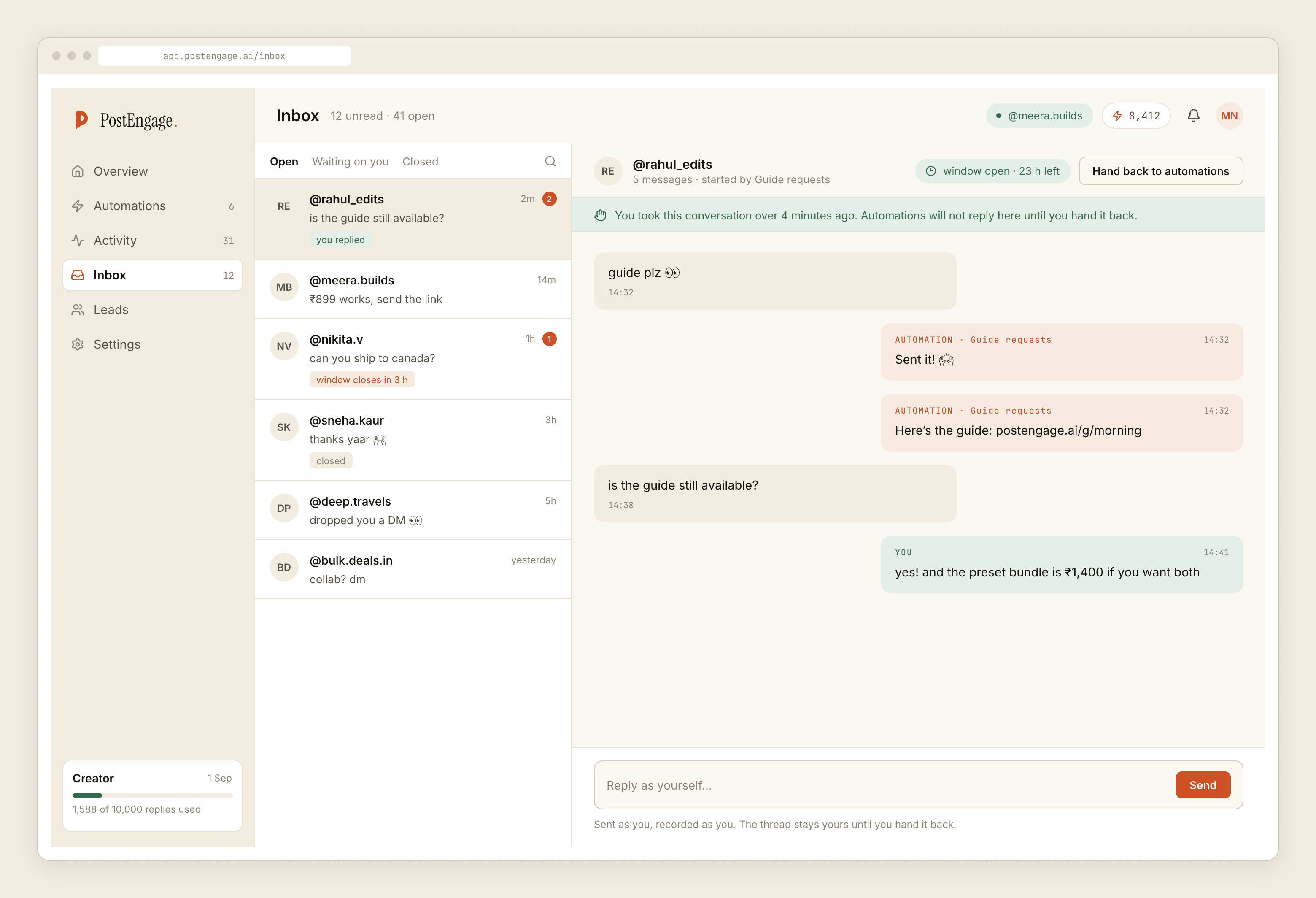
- Let takeover do its job. The moment anyone on your team replies by hand, automation is out of that thread permanently. In a community business that is not a safety feature, it is the product.
- Automate exactly one member-facing thing: the pointer. Where the recordings live, where the schedule is, where the community platform is. A link, sent instantly, at no cost, to somebody who is trying to find something. That one is genuinely useful and nobody resents it.
The public reply says something you may not intend
A comment automation replies in public. Under a member-only post, a warm reply naming somebody tells their followers that this person is in your community.
Usually that is fine and occasionally it is not — a recovery community, a professional group somebody has not told their employer about, a paid programme somebody would rather not advertise. The safe default costs nothing: keep the public half content-free. "Sent it over." Everything specific moves into the DM.
What the lead record is for here
The capture is thinner than membership businesses expect: a handle, the source post, what they typed, and a timestamp. No membership status, no join date, no plan, no value. There is no field for any of that and none can be added.
Used honestly it is a callback queue for the prospect side — people who asked and did not join yet — and a source of language for your own marketing, because the words prospects use when they ask what you do are better than the words you invented for the sales page.
Leads export as CSV. No CRM sync, no connector into your community platform, no automatic invitations. Somebody downloads the file and works it, and if nobody is named, nobody does.
Cost, and the limits
Templated replies are free and unlimited, which fits this business almost perfectly: the prospect FAQ is a handful of fixed answers and it costs nothing however many people ask. A credit is spent only when the AI writes a new reply, one credit per reply. Free tier is 100 credits with no card; packs start at ₹499.
Official Graph API only. Seven days to answer a comment, counted from each comment; twenty-four hours inside a DM thread, restarted only when they write again. There are no sequences, no broadcasts and no scheduled messages, so you cannot announce a call to your members from here — that is a post, an email, or your community platform.
No WhatsApp, no payments, no calendar, no analytics, and no way to message anyone who has not written to you first.
If you run cohorts or courses rather than an open membership, the course sales post is the closer fit. For the community-management side rather than the inbox, that has its own writeup.