Product · 5 min read
Appointment Reminders Are the One Thing We Cannot Send

We cannot send appointment reminders. Not on a smaller plan, not with a workaround, not with a clever trigger. The feature does not exist and the platform would not permit it if it did.
That is the whole answer, and if you came here from a search looking for an Instagram reminder tool, you now have it in one paragraph rather than after eight hundred words of hedging. What follows is why, because the reason is worth understanding, and then what actually reduces no-shows given the constraint.
Two separate walls, either of which is enough
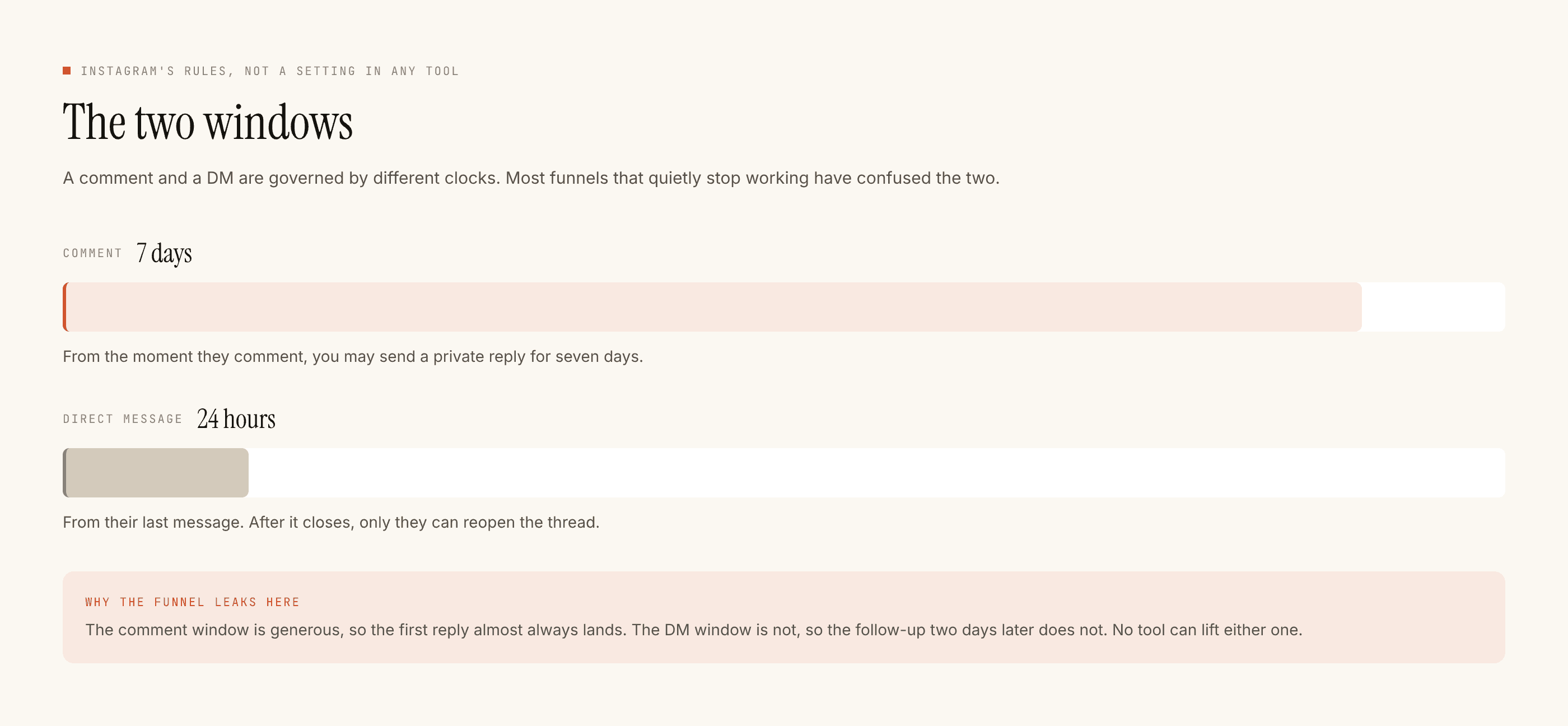
The window. A DM thread stays open to you for twenty-four hours, and that clock restarts only when the other person messages you. Not when you message them. A reminder, by definition, is sent later than the conversation that produced it — the evening before, the morning of, an hour ahead. By then the thread has almost always closed, and a closed thread cannot be written to. There is no override.
The scheduler. Even inside the window there is nothing to schedule with. Automation here is reactive: something arrives, the gate runs, a reply goes out or is blocked. There is no queue of future sends, no "in 23 hours", no delay step, no broadcast. Every message this product sends is a reply to a message somebody just sent you.
Every message we send is a reply. A reminder is not a reply to anything, which is why it cannot exist here.
Note also that we run on the official Instagram Graph API and nothing else. The tools that appear to do this are either using a different channel, or they are a booking system sending its own reminders by SMS and email, which is a real and sensible thing that has nothing to do with your Instagram DMs.
Reminders belong on channels built for them
Being useful here means pointing away from ourselves. If no-shows are costing you money, the reminder should come from wherever the appointment actually lives — your booking software, an SMS, a phone call from the desk. Those channels are designed for outbound messaging to a known contact at a chosen time. This one is not.
Nothing in this product syncs with any of them. There is no calendar integration, no CRM sync, no booking-system connection. Captured enquiries leave as a CSV file and whatever happens next happens in your systems.
What can happen, and it happens at exactly one moment
There is one moment when the thread is definitely open: right now, while they are typing to you. Everything a reminder would have carried has to be loaded into the reply they get in that moment.
This is less of a compromise than it sounds. Most reminder messages are not really reminders — the customer has not forgotten the appointment exists. They have forgotten, or never knew, the details around it. So put the details in the first message and make it the artefact they scroll back to.
- The address as a human would give it. Not the map pin, which is wrong for a startling number of small businesses. The landmark, the floor, which gate, where to park.
- What to bring or do beforehand. Documents, a previous prescription, arrive with clean hair, do not eat for two hours, bring the old part. This is the single most common reason an appointment is wasted rather than missed.
- What happens if they are late. Ten minutes is fine, twenty means a shorter session, thirty means rebooking. Saying it in advance is not unfriendly, it is the thing that makes enforcing it possible.
- How to cancel or move it, with the hours somebody answers. A route that only works between ten and six should say so, or silence reads as being ignored.
- A reason to write back. Not a trick — just an open question they might actually answer, because if they do message you again, the thread is open again.
That last point is the only legitimate way the window ever reopens, and it is worth being precise about it. If a customer messages you the day before to ask something, you can reply, and that reply can include the appointment details. But they reminded you. You did not remind them.
The no-show is usually a design problem, not a memory problem
Sit with why people miss appointments and very little of it is forgetting.
They were not sure they had actually booked, because the confirmation was ambiguous. They could not find the place. They did not know the cancellation policy so ghosting felt easier than a phone call. They booked on a whim at 11pm and the enthusiasm did not survive the week. Nothing in that list is fixed by a reminder, and all of it is fixed by a first message that was clear, specific, and easy to find again.
What this leaves you with
Templated replies are free and unlimited; a credit is spent only when the AI writes a new reply. A detailed pre-appointment template is exactly that kind of fixed content, so the message doing the reminder's job costs nothing however many times it goes out. The free tier is 100 credits with no card and packs start at ₹499.
And the honest list of what is not here: no reminders, no scheduled sends, no broadcasts, no follow-up sequences, no calendar or booking integration, no SMS, no WhatsApp, no payments, and no messaging anybody who has not messaged you first.
The related question — whether an automated message can serve as a booking confirmation — has a different answer and a different set of workarounds, and it has its own post. If you run an appointment business and want the version of this argument with a diary in it, the hair salon post is the one to read, and the salon booking handoff covers designing that first message properly.