Playbooks · 5 min read
The Webinar Reminder You Cannot Send, and What to Do Instead

The registration half of this works, and it works well. You post about the session, put a word in the caption, and people comment it. A free template sends the registration link within seconds, at any hour, to as many people as ask.
Then somebody says the obvious next thing: "and we'll DM everyone an hour before it starts."
You cannot. Not with this, not with anything on the official API, and it is worth understanding exactly why before you design a launch around it.
The window forbids the reminder
A DM thread stays open for twenty-four hours from the person's last message to you, and only their next message restarts it. That is the platform's rule, not a plan limit and not a setting anyone can raise.
Somebody comments on Tuesday for a Saturday session. Your reply goes out on Tuesday. The window closes on Wednesday. By Saturday morning there is no thread you are permitted to write into, and the person has not messaged you since.
There are no scheduled messages here, no sequences, no broadcasts and no drip. Not held back for a later release — the message you would want to send is one the platform does not allow, so no compliant tool has it.
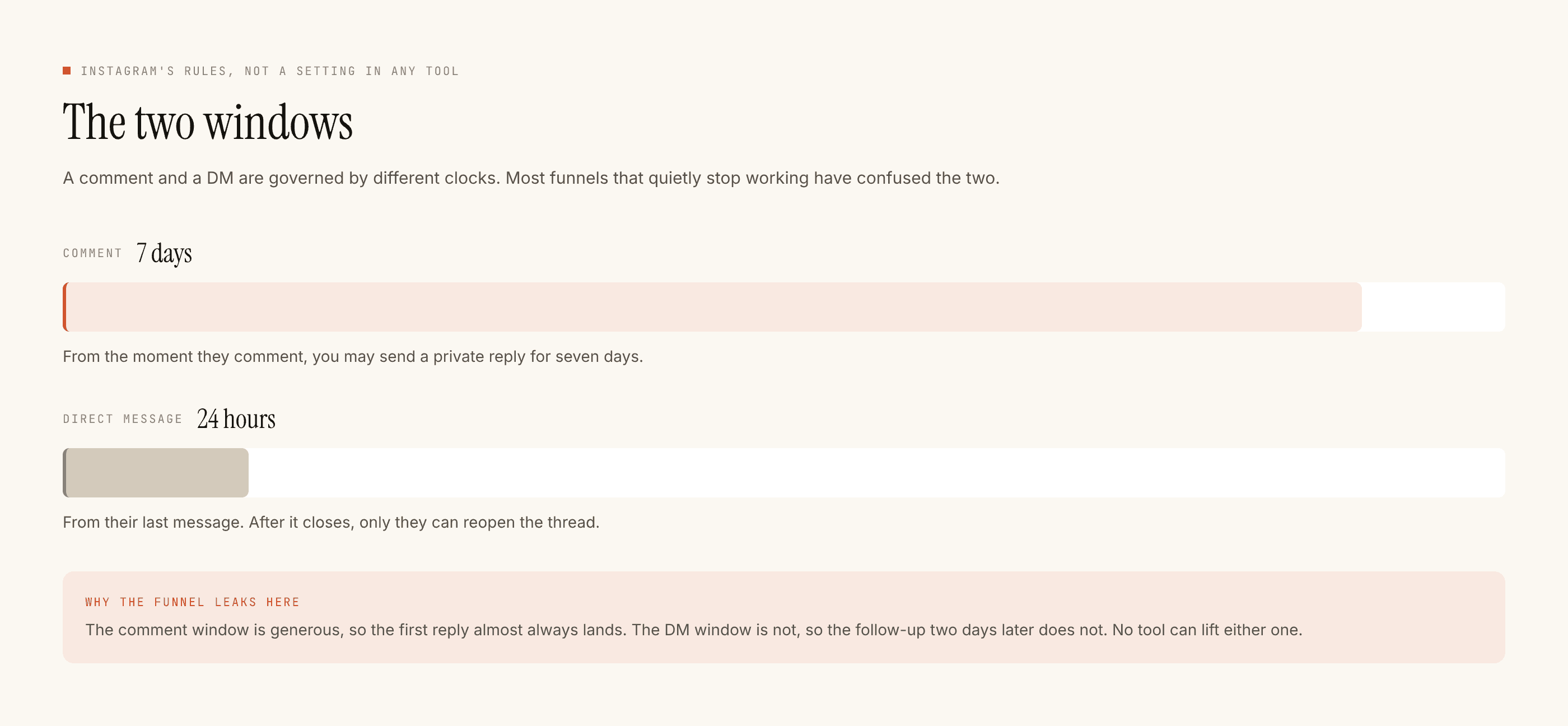
Everything you would have put in the reminder has to be somewhere else before the reminder would have gone out.
So the handoff is the design
Reminders belong to email, or to whatever your registration system already does. That is not a workaround. It is the correct architecture, and the Instagram side has exactly one job: get the person onto that list, fast, while they are still holding their phone.
Which produces one strong rule for the reply.
Send the registration link. Do not collect the email in the DM.
The instinct is to ask "what's your email and I'll register you". Resist it. An email typed into a DM arrives with typos, arrives without any consent record, arrives in a lead export that then has to be reconciled by hand, and creates a second step that a meaningful number of people simply do not finish. Your registration page already has a field, a confirmation and a consent line. Let it do its job.
- One automation per session, restricted to that post under Advanced. Not an account-wide
WEBINARtrigger. Sessions have different links and you will run more than one. - Trigger word specific to the session. Not
LINK, which is already in half your comment section. Something that only fires when somebody means it. - Public reply short and varied. Everyone scrolling reads it and learns the word works. That is where a lot of the volume actually comes from.
- Private reply: the registration link, one line saying what the session is, and nothing else. No second ask. There is no follow-up message to recover a lost tap with.
- Say plainly that the details come by email. One sentence — "you'll get the joining link by email" — sets the expectation correctly and stops people waiting in the DM for something that is never coming.
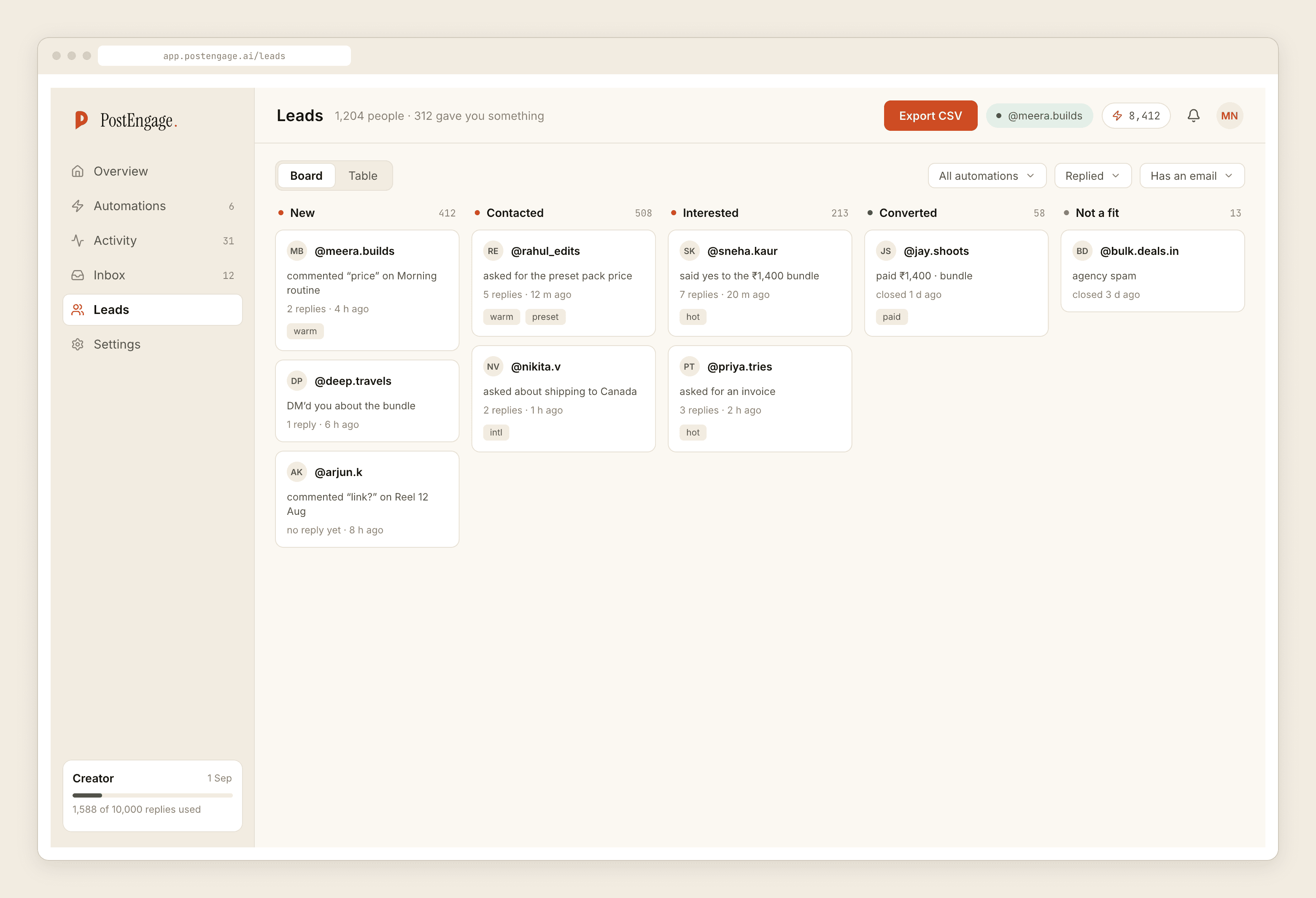
- Capture on. The list is not the registration list, and should not be treated as one. It is a record of who asked, from which post, in their own words.
The seven-day tail nobody plans for
The comment window is seven days, counted from each comment rather than from the post. Generous, useful, and the source of the classic webinar automation failure.
The session happens on Saturday. On Monday somebody finds the post and comments the word. The automation, which nobody switched off, cheerfully sends them a registration link for an event that already finished.
So the switch-off is not optional and it does not happen automatically. Put it in the run-of-show, the same list as the thank-you email.
And do not put the date in the template if you can avoid it. "Registration and current dates are here" survives a reschedule. "Saturday at 6pm" is wrong the moment the speaker moves, and keeps saying so from your account.
What this cannot tell you
No analytics, no attribution, no click tracking, no way to know whether somebody who received the link registered, and certainly no way to know whether they turned up. There is no chart here.
The honest measurement is whatever your registration platform already reports about where signups came from, plus the crude one: how many people commented the word, which you can count. Anything more precise would be a number invented to look like a number.
The same goes for the show-up problem generally. Attendance is decided by the reminder sequence, the calendar invite and how badly people want the thing — all of which live in your email tool. Instagram's contribution to a webinar is at the top, and pretending otherwise leads to plans that fail quietly.
Cost
Templated replies are free and unlimited, so a registration automation costs nothing however many people comment. That is the whole reason this works for a free session with a big push behind it. A credit is spent only when the AI writes a new reply, one credit per reply — the handful of unusual questions about the session. Free tier is 100 credits with no card; packs start at ₹499.
Set a rate budget before a launch post goes up. A session with a well-known guest behaves nothing like your usual grid, and an uncapped automation answering thousands of comments in an hour is how a good launch starts looking like spam. Seven days per comment means the queue drains comfortably inside the window.
Takeover stands the automation down the moment you reply by hand, which for the pre-session questions is usually what you want.
Official Graph API only. No CRM sync — leads export as CSV. No WhatsApp, no calendar, no payments, and no way to message anybody who has not written to you first.
If the whole event rather than the registration is what you are planning, the event marketing post covers the shape, and building an email list from this channel is the piece that makes the handoff work.