Playbooks · 4 min read
Automating Appointments on WhatsApp Without Annoying People
Appointment automation looks like one workflow and is really two, running on opposite sides of a boundary. Confusing them is why so many salon and clinic setups half-work.
Booking happens because a customer messaged you. That opens a 24-hour customer service window, inside which you can reply freely and hold a normal conversation. This half is easy and genuinely valuable.
Reminding happens a day or two later, when that window has long closed. Reaching them then requires a pre-approved template and a recorded opt-in. This half is where the rules live.
Booking is a conversation. Reminding is a permission. Build them as separate things and both get simpler.
The booking half
Someone writes "appointment chahiye Saturday ko". Inside the window you can ask what they need, offer slots, confirm, and collect whatever your front desk would have collected. No approval, no fixed text.
Three things make the difference between this working and irritating people:
- Ask for the fewest fields you can act on. Service, day, name. Everything else can be gathered when they arrive. Every extra question is a place the conversation stops.
- Offer specific slots, not availability. "Saturday 11:30 ya 4:00, dono khali hain" is answerable in one tap. "What time works for you?" starts a negotiation.
- Confirm in one message with everything in it. Date, time, service, address, and what to bring. This is the message they will scroll back to, so it should stand alone.
Interactive buttons and list messages are worth using here — a slot picker as three buttons produces clean input, where free text produces "sat evening kabhi bhi" and a parsing problem.
The reminder half
A reminder sent the day before is an outbound message to a closed window. That means:
- A template, submitted to Meta and approved as written. You cannot compose it fresh on the day.
- An opt-in, obtained before sending. Meta requires businesses to have permission for template messages. The natural place to capture it is during booking itself, where it is contextual and honest: you are telling someone you will remind them about the thing they just booked.
- A category. An appointment reminder for a booking the customer made is transactional in nature; a message nudging someone to book again is not. Categorise honestly, because Meta reviews the classification and prices accordingly.
The reply is the point of the reminder
A reminder template is not a notification you fire and forget. If the customer replies to it — "thoda late aaunga", "reschedule kar sakte hain?" — the window reopens and you can talk freely again.
That is worth designing for. A reminder ending in a question they might answer is more useful than one ending in a full stop, because rescheduling inside a live window costs you nothing extra and prevents a no-show.
Reminder that works
Reminder that gets muted
No-shows, follow-ups and the line you should not cross
After the appointment, the temptation is a sequence: a thank-you, a review request, a rebooking nudge, a seasonal offer. Each of those is a separate outbound conversation, each needs a template, each is metered, and each is a chance to be blocked.
The version that stays healthy is narrow. One post-visit message if you genuinely need something from them — a review, a follow-up date — and nothing else unless they engage. A rebooking nudge four months later to someone who has not replied since is where quality ratings go to die.
Where a human has to be
Cancellations with money attached, medical specifics, anything where the customer is upset. Route those to a person, and make sure that when a person replies by hand the automation stands down for that thread — on Instagram we enforce that as a hard gate, and it is the right default anywhere.
If your bookings come from Instagram
Worth saying, because for a lot of salons, clinics and studios in India the demand actually originates on Instagram, not WhatsApp. Someone comments "slot available?" under a reel.
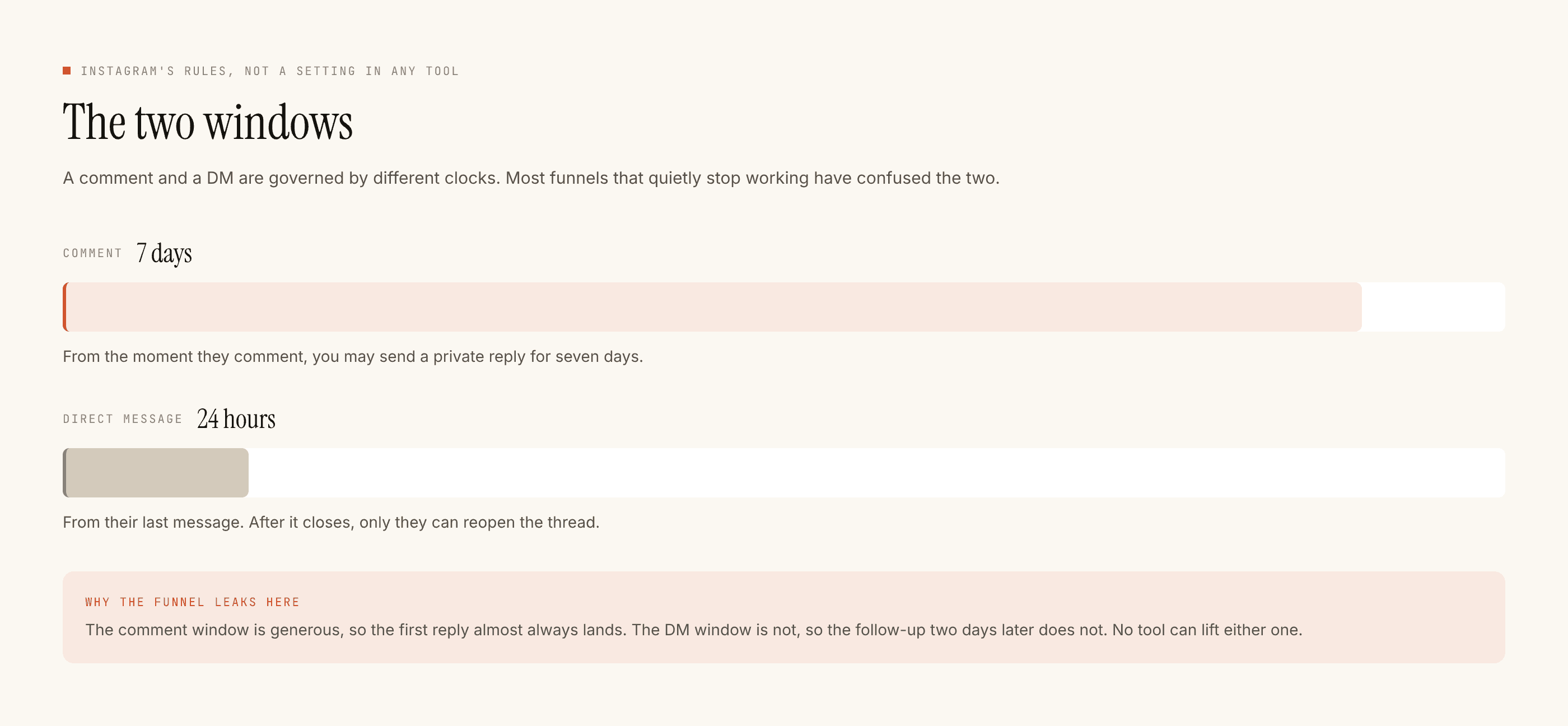
That is a public entry point WhatsApp does not have, and it is the channel PostEngage runs on today: a comment matching a keyword gets a short public reply and a private DM with the details, inside the 7-day comment window and the 24-hour DM window. If bookings are your bottleneck and your audience is on Instagram, that flow is documented here and the comment-to-DM pattern here.
The two channels solve different halves of the same problem: Instagram is where people discover you and ask, WhatsApp is where the reminder can legitimately be sent. The honest comparison is here.