Playbooks · 5 min read
Photographers: Every Enquiry Is a Date You Cannot Check

"Hi, are you free on the 14th?"
That is the enquiry. Not a brief, not a budget, not even what the shoot is — a date, on its own, usually from somebody who sent the same six words to four other photographers the same evening.
Most businesses get questions an automation can answer out of fixed information. A photographer gets a question whose answer lives in a calendar, changes the moment you say yes to somebody else, and is worth a great deal of money when it is wrong.
There is no calendar behind this
Be clear about what you are working with. There is no diary integration, no booking system, no hold, no deposit, no availability lookup. The automation knows which words arrived under which post. That is the entire input.
So "yes, the 14th is open" is a sentence your account is not entitled to send. It is unverifiable when it goes out, and it can go stale within the hour, because you are talking to three other people about the same Saturday in November and one of them is about to say yes.
A date confirmed by software that never saw your calendar is a double booking with a delay built into it.
The good news is that the date is not the hard part of the conversation. Everything around the date is fixed, repeatable and yours to send instantly at eleven at night.
What a date-shaped enquiry should actually get back
- Say the date back to them. "14th December — let me check properly." It proves a human system received the specific thing they asked, which is more than most photographers manage in the first hour.
- Ask what the shoot is. A wedding, a pre-wedding, a newborn session and a product day are four different businesses that happen to use the same camera. You cannot price or plan anything until you know.
- Ask where. City at minimum, venue if they have it. Travel decides whether the 14th is even a one-day question.
- Name who confirms and when. "I check the calendar myself and come back the same evening." No promise about the date, a real promise about the reply.
- Capture it to Leads with the date in their own words. "Mid-December, ideally the 14th" is a different lead from "14th, invitations printed."
Nothing in that sequence commits you to anything, and it removes the four messages you normally spend getting to a point where you can answer.
The date is doing your qualification for free
Every other vertical has to invent qualifying questions. You get one handed to you in the first message.
A date plus a city tells you more than any budget question would. A date eleven months out is a wedding with a planner. A date next Thursday is a corporate shoot or a passport photo. A date somebody will not name at all — "sometime in summer" — is a person still deciding whether to hire a photographer, and that is a slower, gentler conversation than the one you would have had if you had sent a package list.
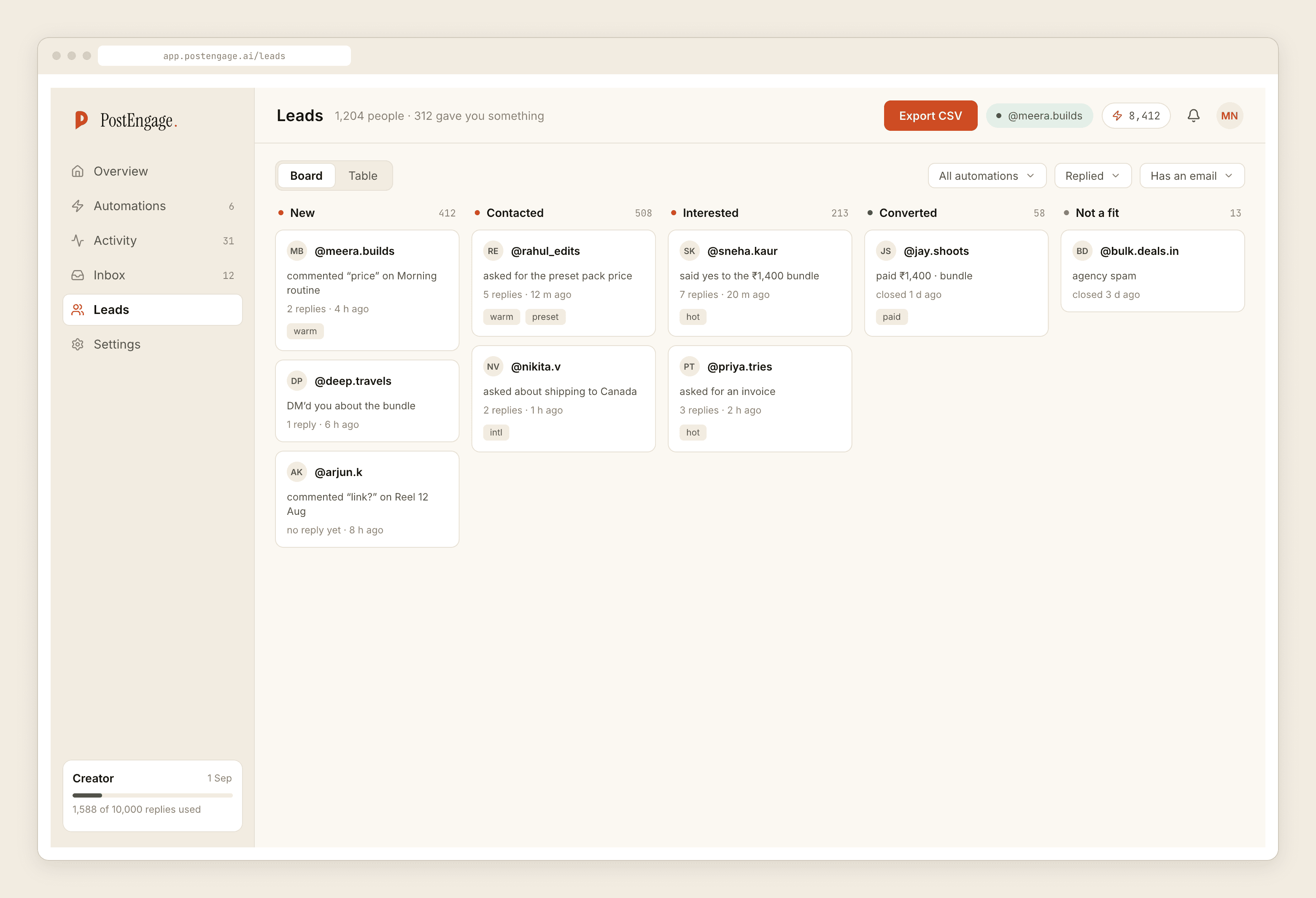
Leads leave as a CSV. There is no sync into whatever you use for contracts and invoices, and no automatic follow-up. Somebody has to open the file. If that person does not exist, you are collecting dates nobody acts on, which feels like progress and is not.
The second inbox: people you have already shot
This is the part photographers forget when they think about automation, and it is often half the volume.
Past clients keep messaging. "When will the album be ready?" "Can I get the raw files?" "Can you re-edit the one where my eyes are closed?" "Bhai wedding ke photos kab tak aayenge?" These arrive months after the shoot, on the post you made from their day, and they are emotionally loaded in a way an enquiry never is — the person waiting for their wedding photographs has been waiting a while and has probably asked once already.
Automate the boring half of that honestly. A template can state your standard turnaround, explain the stage the work goes through, and say who to nudge. It must not state where their specific set is, because it does not know, and "your album is nearly done" sent automatically to someone who has been waiting nine weeks is a message you will have to answer for.
Raw files and re-edits should reach you every time. Both are policy questions with money and rights attached, and both are the sort of thing where a fast, generic yes becomes an expectation.
The clocks, and why they hurt here specifically
Official Graph API only. A comment stays answerable for seven days. A DM thread stays open for twenty-four hours from their last message, and only their next message restarts that clock.
Look at how a shoot is actually booked. Somebody enquires on Sunday night, talks to a partner, checks with a venue, compares two other photographers, and comes back on Thursday. Your side of that thread closed on Monday night. There is no sequence, no reminder, no scheduled nudge — those do not exist here and cannot be built within the platform's rules.
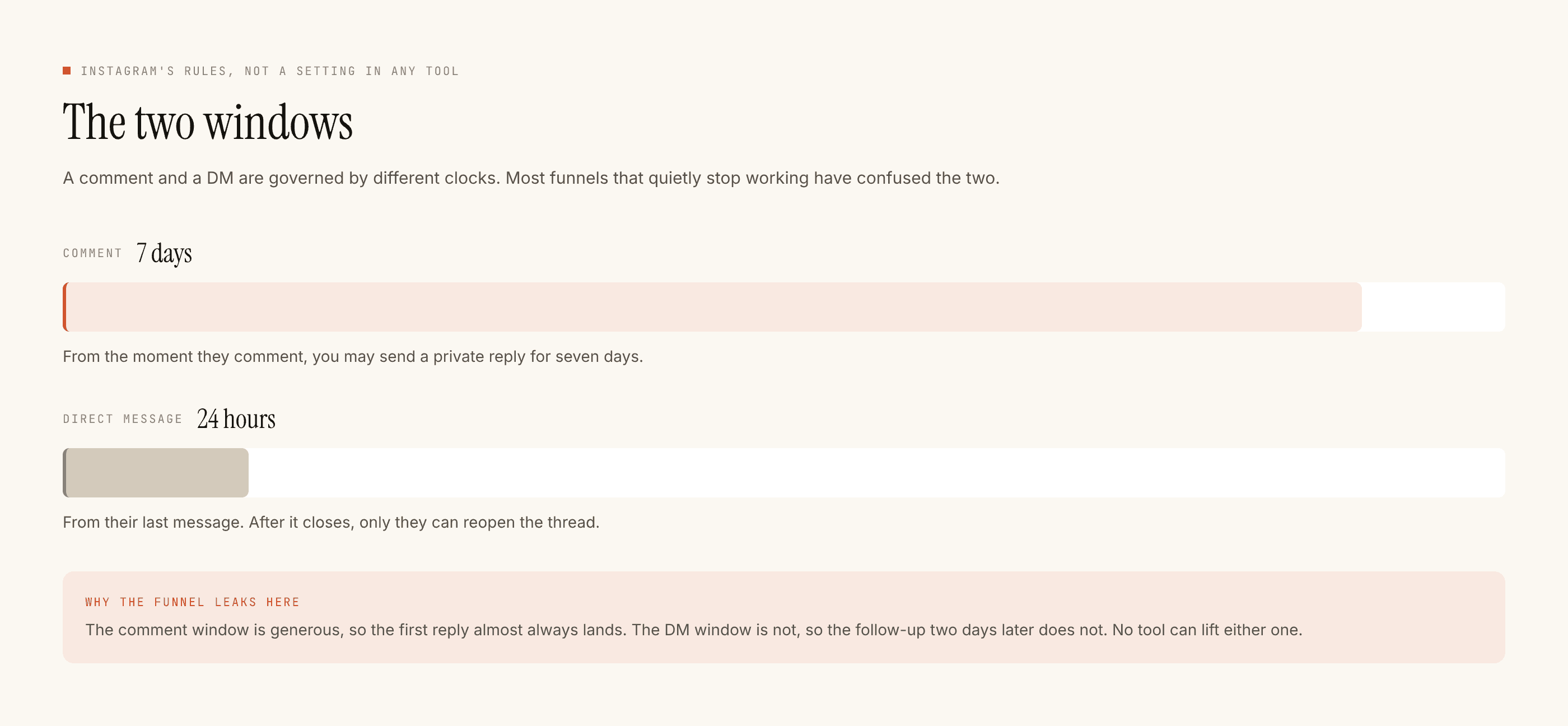
Which means: put everything in the first reply. Portfolio link, the page that answers the package question, your number. Do not design around a follow-up you are not permitted to send.
Cost, and what it will not do
Templated replies are free and unlimited. A credit is spent only when the AI writes a new reply, one credit per reply. Most of a photographer's inbox — turnaround, travel, what a session includes, whether you shoot on Sundays — is fixed information, which means the repetitive majority costs nothing at any volume. The free tier is 100 credits with no card, and packs start at ₹499.
It cannot check or hold a date, take a deposit, send a contract, or message anyone who has not messaged you first. It does not post, schedule or caption anything. It does not do WhatsApp.
If you run a team rather than a single camera, the routing problem is different enough to have its own post. Otherwise build one comment-to-DM flow on your best-performing wedding reel, watch it for a week, and read what got blocked before you build the second one.