Playbooks · 5 min read
Studio Inboxes: Working Out Whose Enquiry This Actually Is

A solo photographer's inbox problem is that every enquiry is a date and there is no calendar to check it against. We wrote that one separately, and if you shoot alone that is the post you want.
A studio has a different problem, and it is not answering. Your desk is perfectly capable of answering. The problem is that a message arrives on one account, could belong to any of four shooters, and sits there while everybody assumes somebody else has it.
The account is one door into four businesses
Look at what actually shares that handle. A wedding lead who books eleven months out and talks to the owner. A maternity and newborn shooter with her own following inside your following. A corporate and product desk that quotes on a brief. A rentals or studio-hire line, if you have the floor space.
They have different lead times, different prices, different tone, and different people whose week gets ruined when an enquiry is missed. The grid mixes them together because the grid is a portfolio, and the inbox inherits the mixing.
Every enquiry a studio loses is lost between two people who both thought it was the other one's.
The automation cannot assign. Route by post instead.
Be plain about this before you design anything. There is no assignment, no round-robin, no owner field, no team inbox with queues, no CRM the leads flow into. Leads export as a CSV. Nobody gets pinged.
What you do have is that an automation is attached to specific posts and fires on specific words. That is enough to route, if you accept the routing happens at the moment of publishing rather than the moment of reading.
- One automation per shooter, scoped to their posts. The Advanced settings let an automation run on specific posts only. Your newborn shooter's carousels get her automation; the corporate case study gets the commercial one.
- Give each one a distinct trigger word. Not a shared
PRICEacross the account.NEWBORN,WEDDING,SHOOT,STUDIO. The word a person types is the first fact you have about which business they are in. - Write the private reply in that shooter's register. A newborn enquiry and a factory shoot enquiry should not receive the same paragraph, and the person who eventually replies will sound like neither if you use a house template.
- Ask the one routing question the trigger did not answer. Usually "what is the shoot?" for anything that came in off a general post. One line, and it does the sorting the automation could not.
- Capture to Leads and read the source-post column. That column is your assignment field. It is the shooter's post, so it is the shooter's lead.
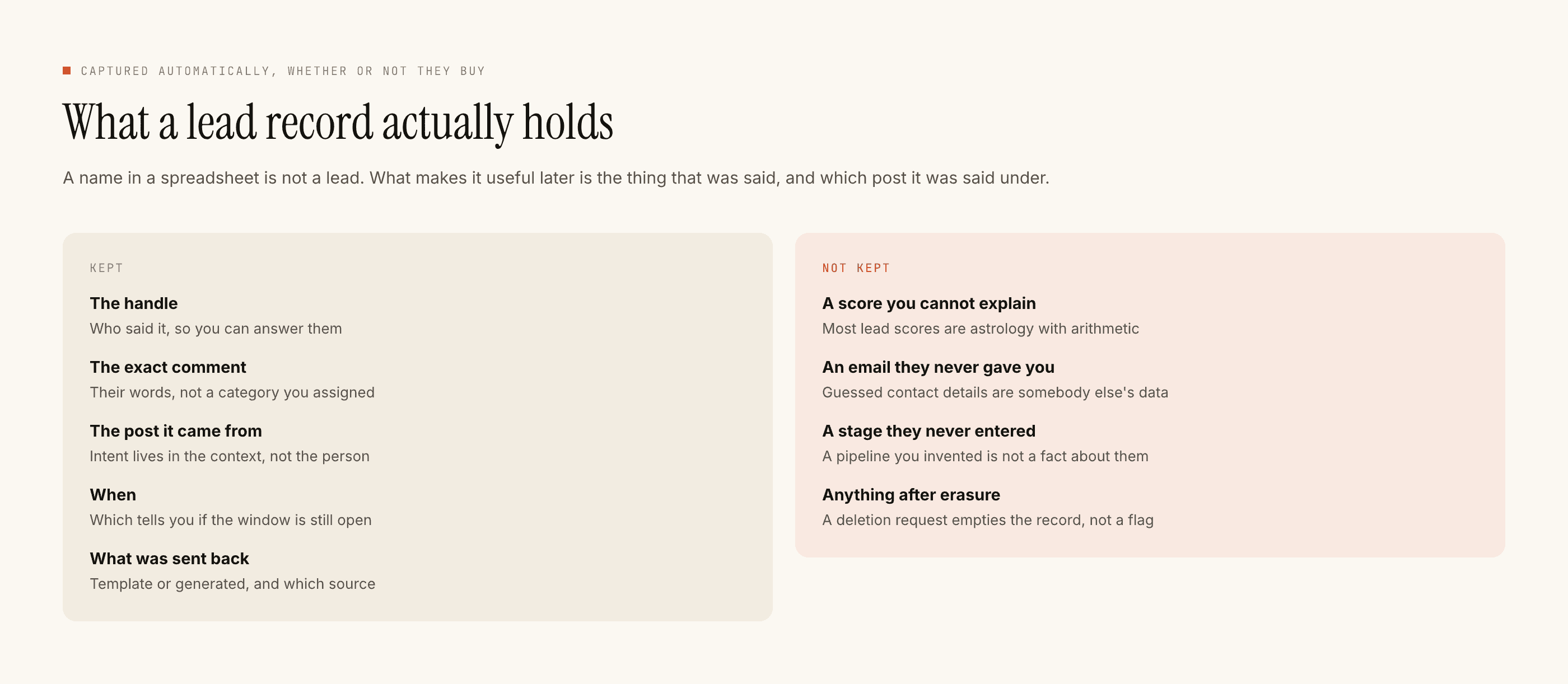
Then somebody exports the CSV on a schedule a human keeps, splits it by source post, and sends each shooter their rows. That is a ten-minute Monday job and it is the whole system. If nobody owns that ten minutes, do not build any of this — an unread lead list is worse than no lead list, because it looks like the problem is solved.
Takeover is the safety net a shared account actually needs
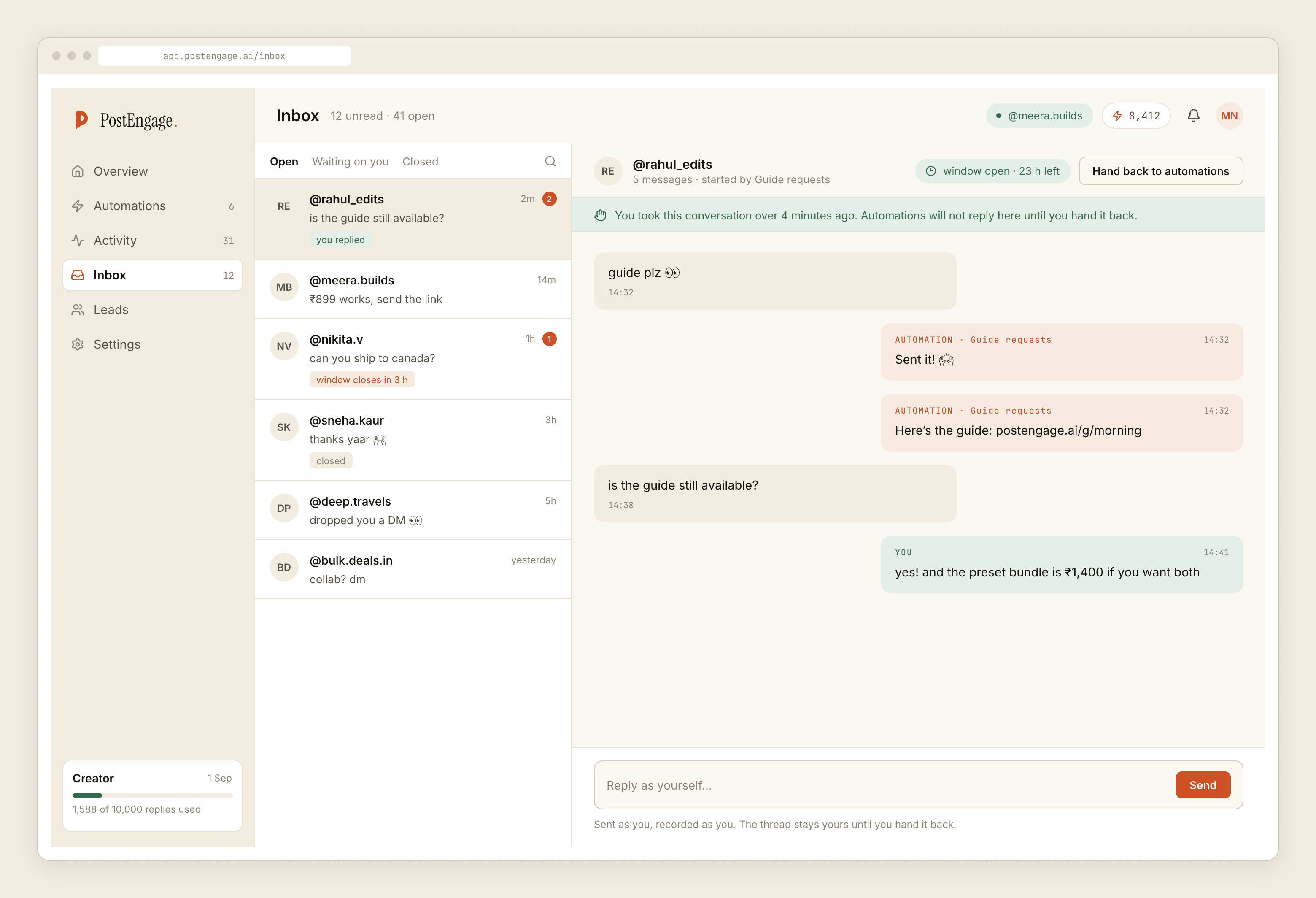
In a solo account takeover is a nicety. In a studio it is the thing standing between you and a genuinely embarrassing thread.
Here is the shape of the failure. The desk sees an enquiry at 10:40 and replies warmly. Forty seconds later the automation, which matched a keyword in the sender's second message, posts a cheerful template underneath. The couple now has evidence that nobody is really there.
Automation stands down the moment a human replies by hand, permanently, in that thread. Which means the rule your team needs is not technical, it is social: if you open a thread, reply in it. Half-opening a conversation, deciding it belongs to someone else, and leaving it is the one behaviour the system cannot protect you from — it will not un-stand-down, and the shooter who finally arrives will find a dead thread with the desk's greeting in it.
Volume behaves differently when four people post
A studio publishes more than a solo shooter, and a single wedding film can carry a comment section on its own. Two settings matter more here than they do for one camera.
Rate budget. An uncapped automation answering a thousand comments in an hour under a viral wedding reel is how a normal good day starts looking like spam. The cap turns the spike into a queue and the queue drains.
Quiet hours, set in your clients' timezone rather than whichever clock the account was configured against. This is the setting studios get wrong and notice last, usually because whoever set it up was not the person reading the replies.
Leave the rest of the gate alone. Every blocked reply is recorded with its reason in Activity, and for a multi-shooter account that log is the honest answer to "why did nobody hear back" — usually the DM window had closed, occasionally a negative keyword did exactly what you asked it to.
The things a studio asks for that do not exist
No assignment or ownership. No notifications to a shooter. No CRM or calendar sync. No shared-inbox roles, no internal notes, no per-user seats that change what an automation does. No payment links, no contracts, no scheduling or publishing of any kind.
Official Graph API only, so a comment can be answered for seven days and a DM thread for twenty-four hours from their last message, restarted only when they write again. For a studio the practical consequence is brutal and simple: an enquiry parked over a weekend because it was nobody's is usually unrecoverable by Monday, and no tool can reopen it.
Templated replies are free and unlimited; a credit is spent only when the AI writes a new reply. The studio-shaped consequence is that the four routing templates cost nothing however many people comment, and credits go on the handful of enquiries that were genuinely unusual. Free tier is 100 credits, no card; packs start at ₹499.
Build one shooter's automation first — pick the one whose enquiries you drop most — and read what got blocked after a week before you roll it across the rest. The paced setup guide has the right order for everything else.