Tutorial · 4 min read
Wiring Shopify Into WhatsApp: Events, Templates, Consent

Shopify integrations get sold as a plug. In reality the plug is the easy part — Shopify emits webhooks, the Cloud API accepts requests, and something in the middle translates. What takes the thinking is deciding which store events deserve a WhatsApp message at all, and what each of those messages is allowed to be.
Get those two right and the wiring is a weekend. Get them wrong and you have built a machine for annoying your best customers.
The events, and which ones earn a message
Shopify will happily tell you about dozens of things. Most of them are not worth a notification on someone's phone.
- Order created. Worth it. A confirmation is the message customers actively want, and it establishes your number as one that sends useful things.
- Fulfilment created or updated. Worth it. "Shipped, arriving Thursday" with a tracking link is the highest-value message in the whole set.
- Delivery completed. Sometimes. Useful for high-value or fragile items, noise for a ₹300 order.
- Checkout abandoned. Worth it, once, and only with opt-in. This is promotional in nature and should be treated as such.
- Refund or cancellation. Worth it, and this one should route a human into the thread rather than end at a notification.
Everything else — back in stock, review requests, win-backs, seasonal offers — is a separate programme with its own consent question, not part of an order integration.
Category is decided by the message, not by the trigger
This trips up teams who think of it as "transactional because Shopify fired it".
An order confirmation and a shipping update are genuinely transactional: the customer bought something and you are telling them what happened to it. A cart reminder is promoting a purchase that has not occurred. A back-in-stock alert is marketing. Meta categorises by what the template says and reviews accordingly, and the category affects what Meta charges.
Consent belongs at checkout
Every outbound message in this integration goes to a closed window, which means every one of them needs an approved template and a recorded opt-in.
Shopify's checkout is the right place to capture it, because it is the moment where "send me updates on WhatsApp" is both useful and obviously understood. What to get right:
- Separate the transactional consent from the promotional one if you intend to send both. Someone who wants a shipping update has not agreed to a Diwali offer.
- Store the evidence per customer — when, where, and what wording they saw. Aggregate consent is not evidence.
- Honour opt-out immediately and everywhere. A customer who stops one programme should not keep receiving another because it lives in a different tool.
The checkout field is the whole integration's licence to exist. Treat it as the important part, because it is.
The unglamorous engineering
Three things break in production, always the same three.
Phone number format. Shopify stores whatever the customer typed. The API wants a number in international format. Normalise on write, validate before send, and decide explicitly what happens to a number you cannot parse — dropping silently is a bad default.
Idempotency. Shopify retries webhooks and can deliver the same event more than once. Key on the event ID, record what you sent, and never let a retry become a second message to a customer.
Ordering. Fulfilment updates can arrive out of order. A "delivered" followed by an "out for delivery" is a support ticket you created yourself. Timestamp-check before sending.
App-store route
Custom route
The traffic problem nobody mentions
An order integration only reaches people who already bought. That is valuable and it is also downstream — WhatsApp has no public surface, no comments, no discovery. Nobody finds your store on WhatsApp.
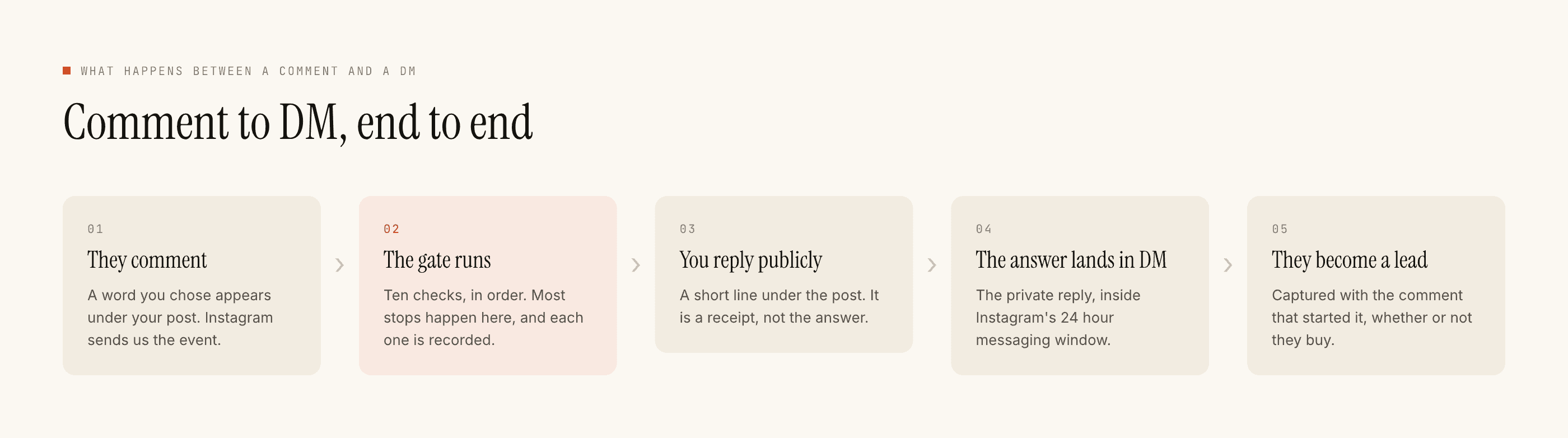
This is the honest structural difference between the two channels for a Shopify store. Instagram is where someone who has never bought from you asks "price?" under a reel, and where a comment can be turned into a DM conversation inside the 7-day comment window. WhatsApp is where the order they eventually placed gets its updates.
If your problem is that people are not discovering you, a WhatsApp order integration will not fix it. Instagram automation for Shopify stores is the front end of the same funnel, and the channel comparison covers which end to build first.
A sensible build order
Order confirmation first, on its own, for a couple of weeks. It is the least risky message in the set and it teaches you your number formatting problems cheaply. Then shipping updates. Then, only if the first two are clean and consent is genuinely separated, cart recovery — which has its own rules worth reading.