
There are two kinds of Instagram automation and the pricing pages look identical. One kind talks to Meta's official API with permissions you grant on Meta's own screen. The other logs into your account the way you do, with your password, and clicks things.
The second kind is cheaper to build, which is why it exists. The risk sits on your account rather than on the vendor's.
Check one: how you connect
This is the whole test, and it takes thirty seconds.
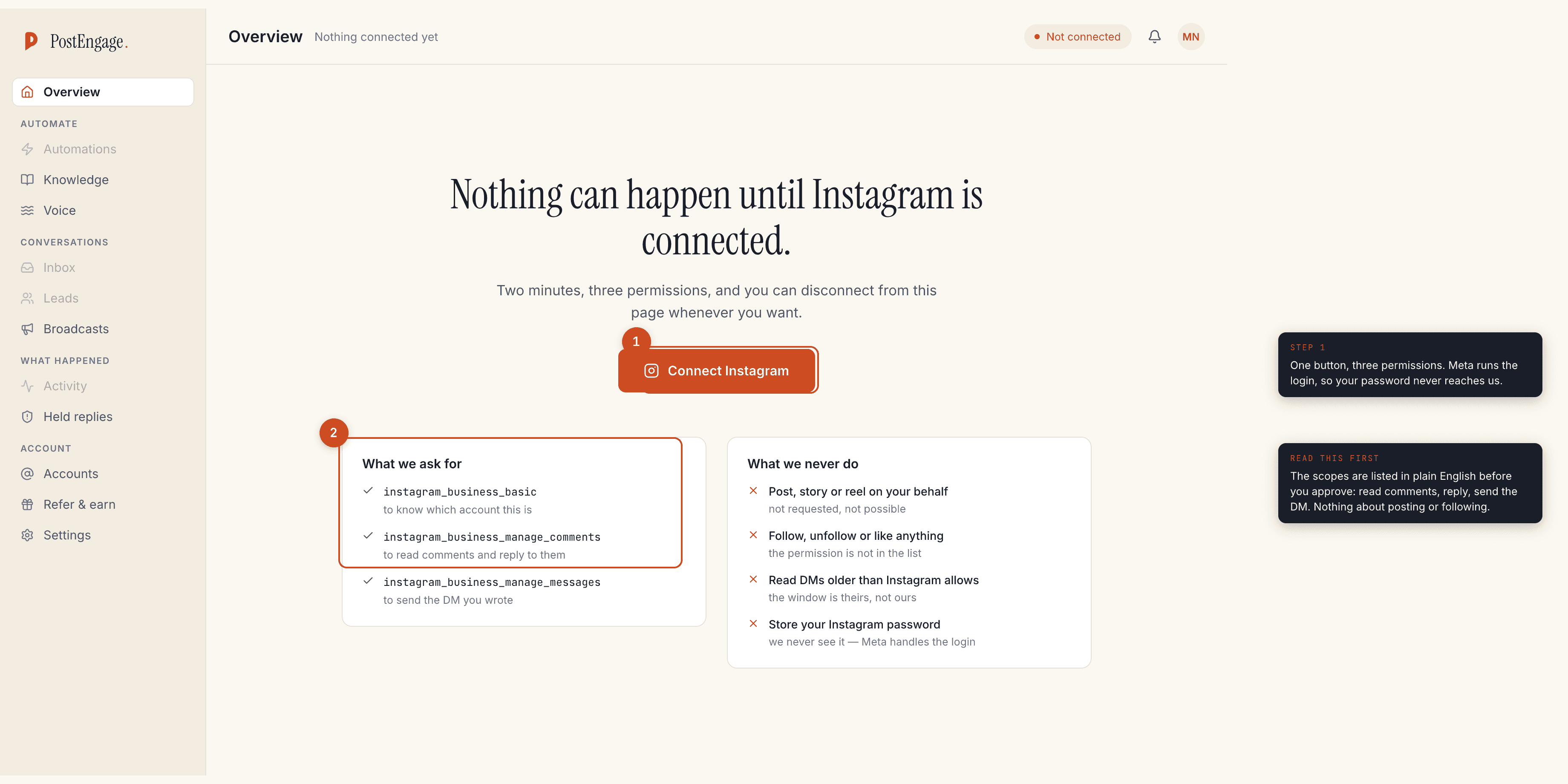
A tool on the official API sends you to Meta's login and permission screen. You see Instagram's own page, the scopes are listed, and you approve them. The tool never sees your password because Meta handles the login.
A tool that is not asks you to type your Instagram username and password into its own form, or asks you to install a browser extension that acts as you, or wants a "session". If that is what you are looking at, close the tab.
Check two: the words on their own pages
Vendors on the official API say so, because it is the strongest thing they
can say. Look for Graph API, Instagram Graph API, Meta tech provider,
Meta Business Partner or official Meta API written on the product or
pricing page, not only in a blog post.
Several Indian tools state it plainly. DMGO's pricing page says every plan runs on the official Meta API and describes the company as a Meta-verified tech provider. LinktoDM's site says it is built on Meta's official Graph API with zero password access. ReplyMitra states it uses Instagram's official API with built-in rate limits. ReplyKaro states the same as a Meta tech provider. All read on their own pages, on 24 September 2026 except ReplyKaro, read on 8 September 2026.
If a page is silent on this, ask support directly and keep the answer.
Check three: the permissions you are asked for
On the official API you approve a list of scopes. For comment-to-DM, that list should be short and boring:
instagram_business_basic— which account this isinstagram_business_manage_comments— read comments and reply to theminstagram_business_manage_messages— send the DM
What should not be there is anything about publishing posts, following accounts or liking. Comment-to-DM does not need them, and a tool asking for more than its job requires is worth a question before you approve.
Check four: what the tool admits it cannot do
This is the check nobody runs, and it is the most revealing.
Every tool on the official API is bounded by the same two clocks: a DM can be sent within 24 hours of that person's last message, and a comment can be answered within 7 days. Nobody sells an exemption from either.
So ask the vendor what happens when the window closes. An honest product says the reply is refused and tells you why. A product that claims it can DM anyone, message old followers in bulk, or reopen a closed conversation is describing something other than the official API, whatever its pricing page says.
- Ask: can I DM people who have never messaged me? The correct answer is no.
- Ask: can I broadcast to my Instagram followers? The correct answer is no.
- Ask: what happens 25 hours after somebody's last message? The correct answer is that the send is refused.
- Ask: where do I see refused sends? The correct answer is a screen you can read, with reasons.
What happens when a tool is not on the official API
Meta detects automated behaviour on accounts, and the account it acts against is yours, not the vendor's. Nobody can tell you in advance what that looks like for a specific account, which is precisely the problem: the downside is uncapped and the upside is a slightly cheaper subscription.
For a business whose enquiries arrive in Instagram DMs, that is a bad trade at any price.
Checklist
The window rules in detail are in is Instagram DM automation safe, the Indian tools and what each one publishes are compared in free plans of Indian Instagram tools, and the setup on an official API tool, screen by screen, is in the India setup guide.