Lead generation · 5 min read
We Have No CRM Integration. Here Is the CSV Story Instead

There is no CRM integration. Not with HubSpot, not with Salesforce, not with Pipedrive, not with Zoho, not with the one you are about to ask about. Leads leave the product as a CSV file that you download and import yourself. That is the entire story, and the rest of this post is about how to run that handoff well rather than about a feature that does not exist.
If real-time two-way sync is a requirement for you today, stop reading and go look at something else. That is a legitimate requirement and we do not meet it. Better you find out in the first paragraph than in week three.
What is actually in a lead
Worth being concrete, because it decides what a CSV import can do for you.
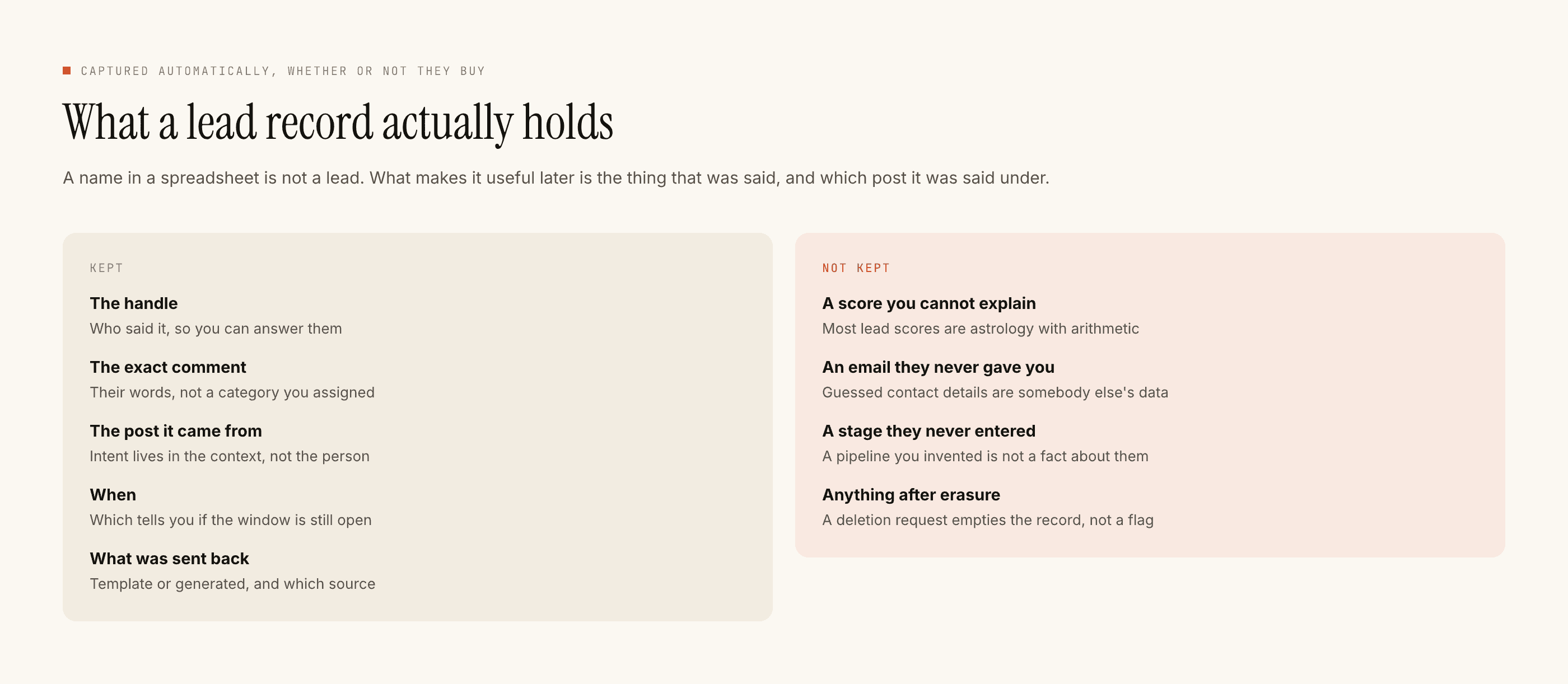
A lead holds the handle, whatever contact detail the person actually typed, the post it came from, the trigger that matched, the message text, and the time. It does not hold a company, a title, a deal size or a lifecycle stage, because nobody told us any of those things. A CSV of these rows is a list of people who raised a hand and what they raised it about.
What the CSV handoff genuinely does
More than people assume, if you stop expecting it to be a sync.
- It carries intent, not just an address. The trigger keyword and the message text come across. "Commented PRICE on the September launch Reel" is a better sales note than most CRMs generate on their own, and it survives the import if you map the columns rather than dropping them.
- It batches naturally. Lead follow-up on Instagram is rarely a per-second business. If you sit down twice a week, export, import and work the list, you lose very little compared to a live sync.
- It is auditable. A file is a thing you can open, count and keep. Sync failures are silent; a missing file is not.
- It has no failure mode of its own. Nothing to reauthorise at 2am, no field-mapping change that silently drops records for a month. The cost is your attention, paid up front and visibly.
A sync you have to check is not less work than an export you have to do. It is the same work, moved somewhere you will forget to look.
What it cannot do, plainly
It is not real time. If your sales motion depends on a rep being pinged within minutes, a twice-weekly export is not that. The mitigation is that the automated reply already happened — the person is not sitting unanswered while your file waits. But the human follow-up is on your rhythm.
It does not write back. Your CRM knows the deal closed. The lead record does not, and never will. Anything you mark, tag or score in the CRM stays there.
It does not dedupe against your CRM. If the same person comments on three posts over two months, you get rows that your CRM has to reconcile on email or phone at import time. Most CRMs can do this; you have to switch it on, and the first import is where you find out you did not.
It carries no attribution beyond the source post. You will know the lead came from a Reel and a keyword. You will not get a funnel report out of the file, because we do not have an analytics product and a spreadsheet does not become one by being exported.
The import that goes wrong, and the one that does not
The failure is always the same and it is always column mapping. Somebody imports on the first Monday, maps email and name, ignores the trigger and message columns because the CRM has no field for them, and three weeks later the sales team is calling people with no idea what they asked about.
Fix it once, at the start:
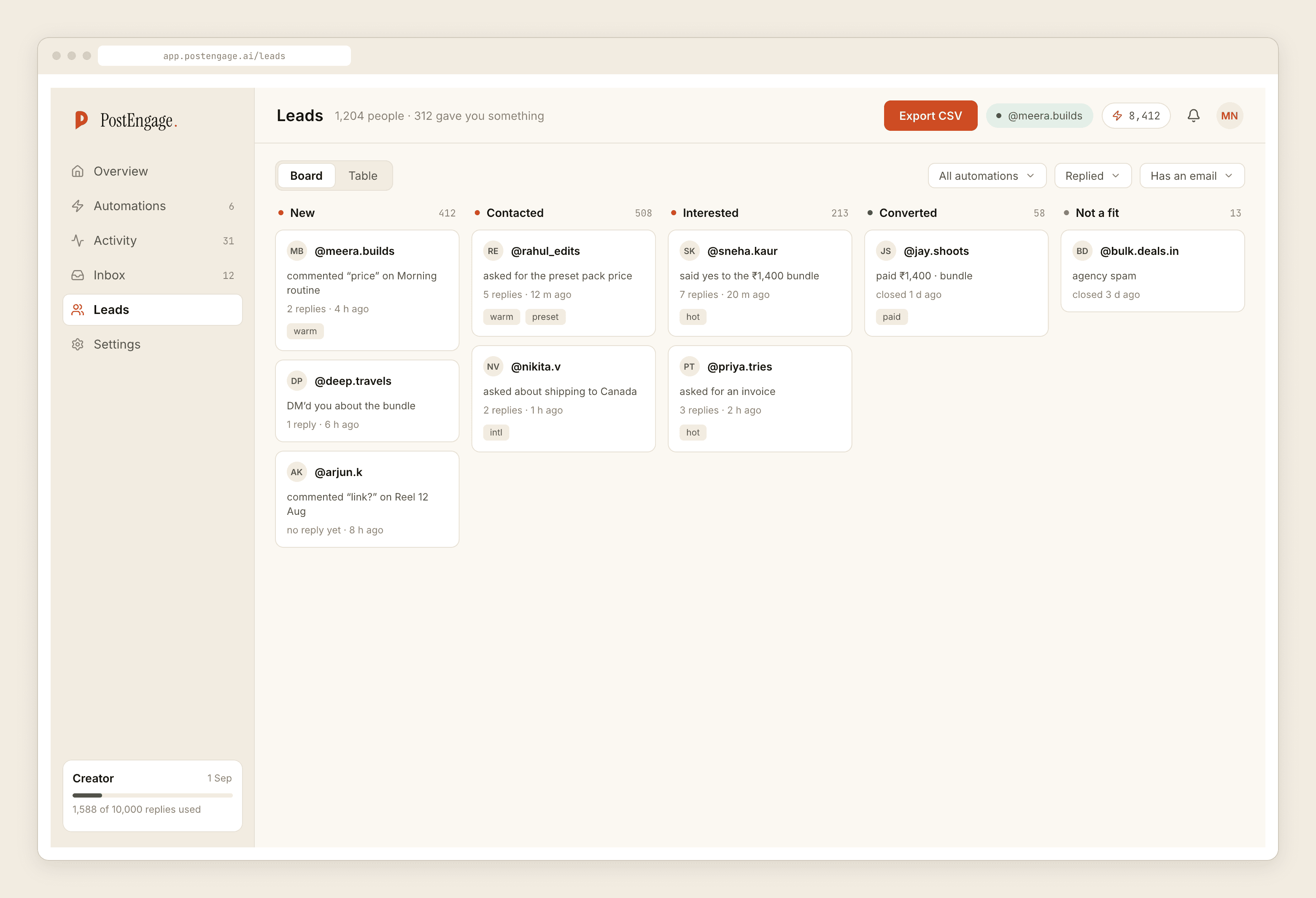
Make a custom field in your CRM for the trigger keyword and another for the first message. They are free, they take five minutes, and they turn a cold list into a warm one. Set the import to match on email so repeat commenters merge instead of multiplying. Then save the mapping as a template so the second import is thirty seconds.
The Hinglish problem nobody warns you about
Indian audiences type contact details in whatever shape is natural. Phone numbers arrive with and without the country code, with spaces, with a leading zero. Emails arrive with a trailing full stop because the person wrote a sentence. Somebody writes "mera number 98xxxxxxxx hai" and the number is in the middle of a clause.
The capture takes what was typed. That is deliberate — inventing a normalised version of somebody's phone number is a good way to call the wrong person — but it means your import step should normalise, not your assumptions. If you are dialling from the CRM, put a formatting rule on the phone field at import. Do it once.
What I would actually do with a small list
Under a hundred leads a month, skip the CRM discussion entirely. Export, work the list in the file, and message people back inside the twenty-four hour window while they still remember commenting. The CRM matters when you have a team that needs to not call the same person twice, and that problem starts later than most people plan for it.
Above that, the export cadence is the whole design decision. Pick a day, put it in a calendar, and treat a missed export the way you would treat an unanswered inbox — because that is what it is.
If you are still setting up the capture side, getting your first hundred leads is the more useful post, and what counts as a hot lead will change what you bother exporting at all.