Product · 5 min read
There Is No CRM Integration: What a CSV Can and Cannot Do

PostEngage has no CRM integration. Not with Zoho, not with HubSpot, not with Salesforce, not with a spreadsheet in Google Drive, and not through a one-click connector to any of them. There is no webhook out, no API push, no sync of any kind, on any channel.
What exists is an export. Leads captured from conversations go into a list, and that list downloads as a CSV file. Somebody moves the file. That somebody is you.
If a connector is a hard requirement, that is a reason not to buy this, and it is better to know now than after a trial. What follows is the useful half: what a file handoff genuinely gives you, what it genuinely costs you, and why the gap is narrower than the word "integration" suggests.
An integration is a promise about ongoing correctness
The pitch for sync is that data flows automatically. The reality of sync is that two systems now hold overlapping records and something has to arbitrate between them forever.
That arbitration is where the work is. Which system wins when a phone number exists in both with different names? What happens when somebody is deleted on one side? If a person opts out in the CRM, does the messaging tool know before the next send? Does a failed sync retry, and if it retries, does it duplicate?
Every one of those has a defensible answer, and every one of those answers is a decision somebody made on your behalf, usually invisibly, usually only discovered when it produces a wrong outcome six months in.
A file does none of that, because a file does not do anything. It sits there. That is a limitation and it is also the source of every advantage below.
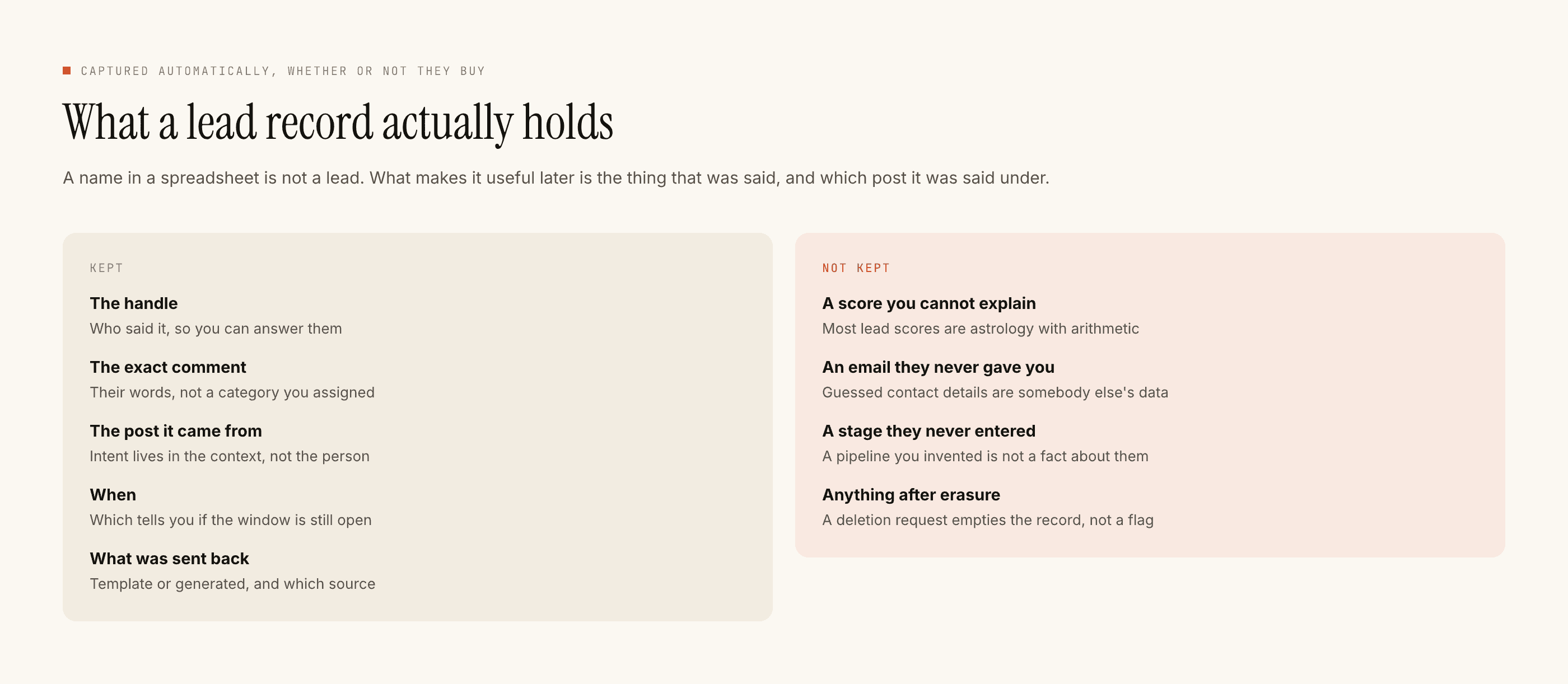
What a CSV handoff can honestly do
Move a list, once, with certainty. You know exactly what left, because you can open it.
Be inspected before it lands anywhere. A file is reviewable. You can see the rows, spot the test entries, notice the person who typed their number wrong, and fix it in a spreadsheet before it contaminates a system of record. No sync offers you that pause.
Be a point-in-time record. "Here is who came in during August" is a useful artefact for its own sake, and it does not change under you afterwards.
Be reshaped. Columns renamed, merged, split, filtered. Every CRM import wants a slightly different shape and a spreadsheet is a better tool for that than a connector's field-mapping screen.
Be deleted. Which matters more than it sounds, and comes up below.
What it plainly cannot do
Anything in real time. A lead captured at 11am is in your CRM whenever you next export. If your sales process depends on a minute-level handoff, the file is the wrong mechanism and you should say so.
Update an existing record. The export knows nothing about what is already in the destination. Every import is additive unless the destination deduplicates, and most do it imperfectly.
Track a status. Nothing flows back. The file cannot know that a lead became a customer, went cold, or asked to be removed. Whatever you learn in the CRM stays in the CRM.
Carry consent state forward by itself. This is the one that bites. If somebody opts out after the export, the file in your downloads folder does not update, and neither does the copy already imported into three tools.
The file is a snapshot. Everything you build on top of it has to assume the world moved after the snapshot was taken.
The discipline it forces, which is a hidden benefit
Because you touch the file, you have to decide what a lead record actually is. Teams with automatic sync almost never make this decision — every field flows, nothing is chosen, and the CRM fills with columns nobody reads.
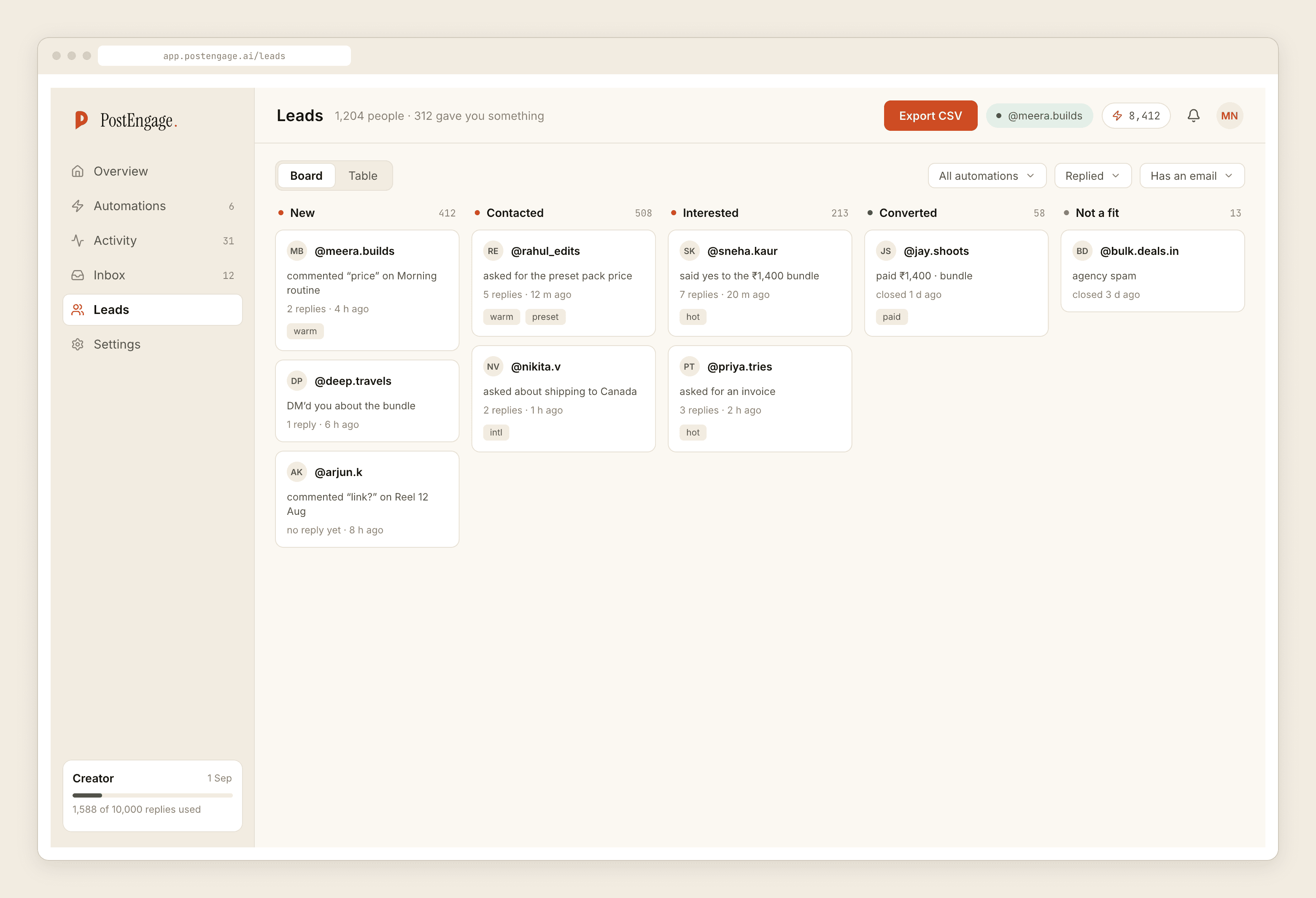
Four fields do most of the work:
- What they said, verbatim. The exact first message or the keyword that caught them. This is the highest-value column and the one most often dropped, because it is the only thing that tells a salesperson what the conversation was about.
- Which door they came through. Which post, which link, which campaign. Attribution is going to be partial, and partial is much better than absent.
- When. With a timezone, because somebody will eventually argue about it.
- Consent provenance. What the person was shown and agreed to, and on what date. Not a yes/no flag — a note that means something later.
The weekly ritual
Ten minutes, Friday. Export. Open it. Skim the verbatim column — this is the part where you learn what changed in the market this week. Delete the obvious noise. Import. Then delete the local copy.
That last step is not tidiness. A CSV of phone numbers and message text is personal data sitting in a downloads folder, backed up to whatever your laptop backs up to, possibly forwarded over chat to a colleague. Decide where these files are allowed to live, who may open them, and how long they are kept — and remember that a copy you forgot about is still a copy you hold. What data protection law requires of your specific business is a matter for someone qualified to advise you; the privacy considerations for this channel are their own subject.
Where this stands today
PostEngage does not ship WhatsApp. On Instagram it answers comments and DMs, captures leads from those conversations, and exports them as a file. The absence of connectors is a current fact about the product rather than a philosophy — but the file works today, and a file you move on Friday beats an integration you are waiting for.
For where those leads come from and what to record at the moment of capture, the lead generation post is the companion. For the same honest answer on the Instagram side, it is written up here.