Playbooks · 5 min read
Automation Health Checks: Connection, Tokens and Activity

"Account health monitoring" describes two completely different things, and conflating them is how people end up believing a dashboard is watching something it cannot see.
The first is your standing with Meta — whether your account is in good order, whether anything has been restricted, whether a post was actioned. We do not monitor that. There is no quality score here, no restriction alert, no reach diagnostic, no shadowban detector. That information is not exposed to an integration, so nobody on the official API can show it to you, and a product that claims to is showing you an inference. For your standing, the place to look is Instagram itself, in the app, under your own account settings.
The second is the health of the automation: is the connection alive, is anything sending, and what is being refused. That we do show, in detail, and it is what this post is about.
The failure that looks like nothing
Start here because it is the one that costs the most and produces the least evidence.
A token expires. The connections screen still shows your account name and handle, because the name was stored when you connected. Nothing looks broken. And nothing sends — no replies, and no blocked rows either, because the second check in the gate is connection and a run that fails it produces silence rather than noise.
The signature is an Activity screen that has gone quiet. That is also the signature of a keyword list nobody is matching, which is why the connection is the first thing to check and not the last.
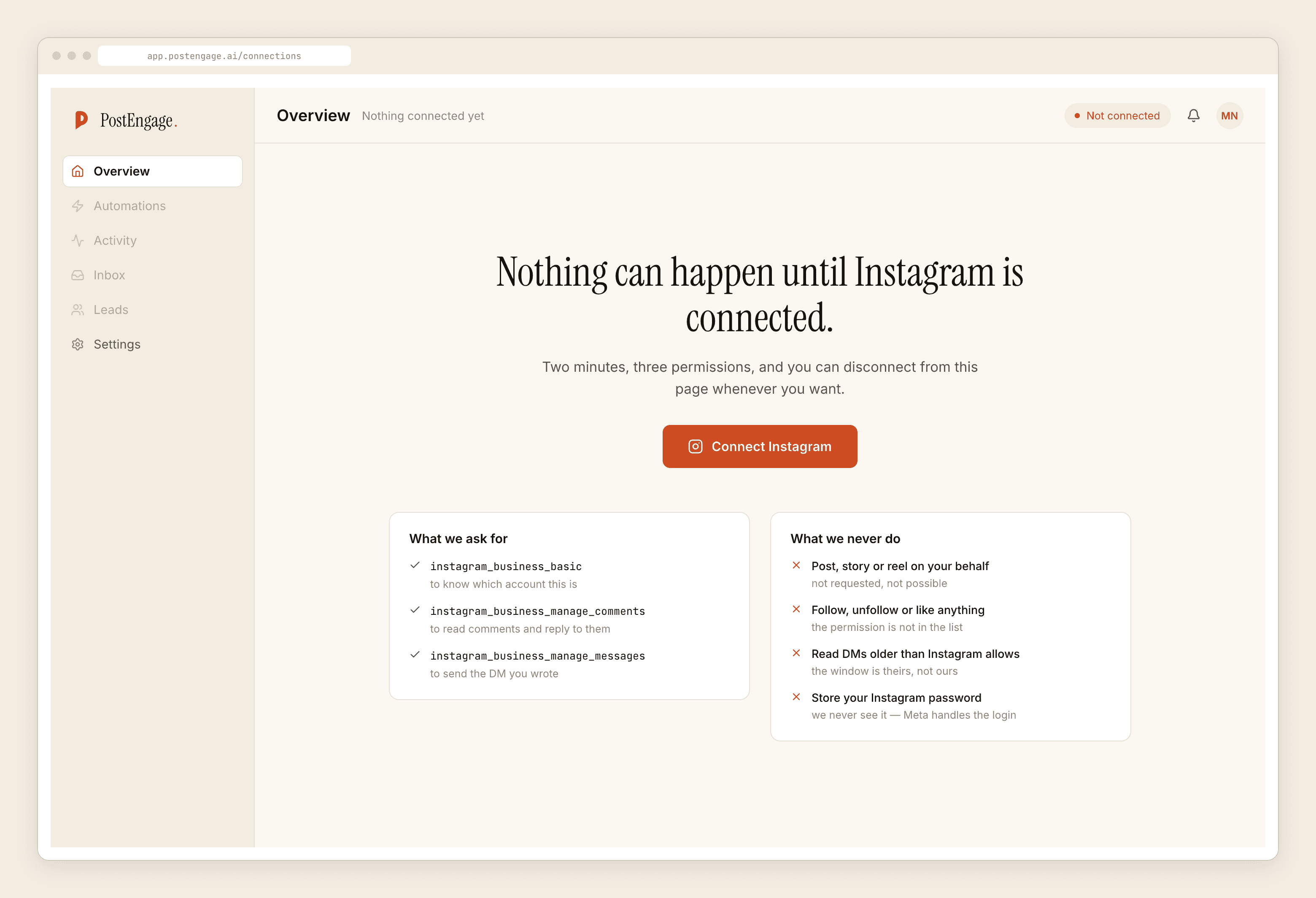
Things that quietly end a connection: someone changed the account password, someone removed the app in Meta's settings, the Instagram account was switched back to personal, the linked Facebook Page changed, or somebody's role on the Page was removed. All of them are normal business events. None of them announces itself here.
The fix is always the same and takes a minute: reconnect through Meta's login and grant the permissions again.
The weekly check, in five minutes
- Connection first. Is it healthy, and does reconnecting resolve anything that looks stale. Everything downstream depends on this and nothing else is worth reading if it is broken.
- Did anything send at all this week? One glance at Activity. An empty screen on a live automation is a fault until proven otherwise.
- Read the refusals by reason. Not the total — the mix. What that mix should look like is the next section.
- Clear the review queue. Held replies are cheap to skim in a batch and expensive to leave sitting, because a held reply is a customer waiting.
- Check the credit balance and the ledger. Not for billing. The ledger is a list of the questions you have no template for, which is the most useful document the product produces.
- Know where the kill switch is. It is the first check in the gate. Being able to find it in three seconds is worth more than any alert.
Reading the refusal mix as a health signal
Ten checks run before every send, in fixed order: kill_switch, connection, takeover, window, dedupe, cooldown, quiet_hours, rate_budget, credits, content_safety. Only the first one to object gets recorded, which matters when you read the list — a window refusal can be hiding a keyword problem underneath it.
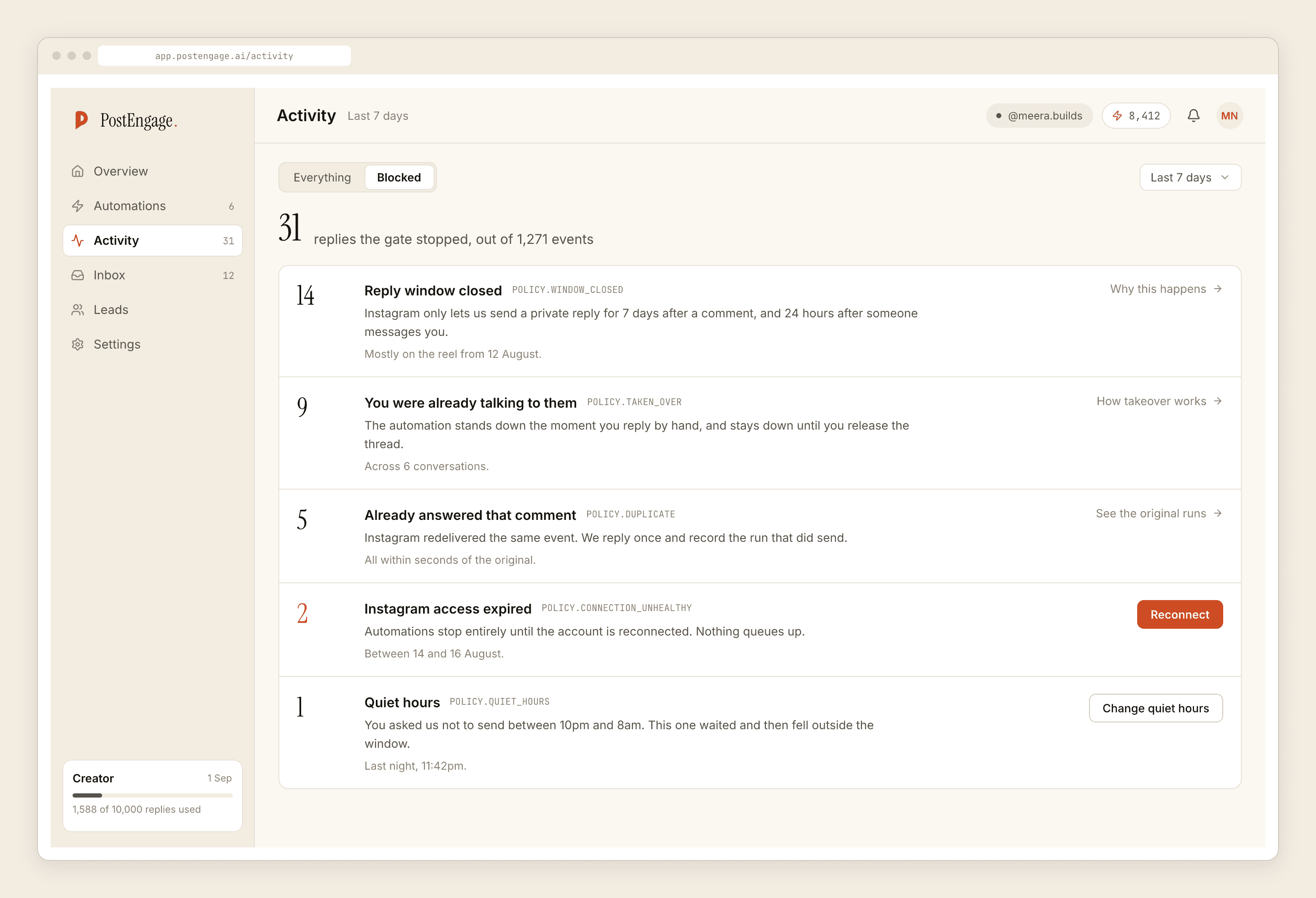
Normal, and not a problem. A steady base of window refusals means comments arriving on posts older than seven days, which cannot be answered by anyone through any tool. dedupe rows mean Instagram redelivered an event and the safety net caught it.
Worth a look. A cluster of quiet_hours refusals during what you consider working hours means the timezone is set wrong, and the rows will be shifted by exactly the offset. A burst of rate_budget means a post travelled further than usual and the cap turned a flood into a queue, which is the cap doing its job.
Worth acting on. A large number of takeover blocks means you are consistently answering faster than the automation, which usually means it is scoped too broadly for conversations you were always going to take personally. credits rows on an account you believed was running templates mean an automation is set to generate where a template belongs. And content_safety rows are worth reading individually rather than counting.
A health screen that is always green teaches you nothing. A list of refusals with reasons attached teaches you what your configuration actually does.
What monitoring cannot do for you
Three honest limits, stated plainly.
It will not tell you a reply was bad. It can tell you a reply was refused and by which check. Whether a reply that passed all ten landed badly is a judgement that lives with the person who received it. Read twenty of your own sent replies on a phone every so often; that finds things no screen does.
It will not warn you before Meta does something. We do not see enforcement, warnings, or reach changes. If your account is restricted, you will learn it in the app, not here.
It does not run itself. There is no alerting product, no pager, no weekly email that tells you the connection died. The five-minute routine above exists precisely because the system does not chase you.
For what is actually safe and what is not on the official API, the safety post walks the checks individually. For hardening the account and the people who can reach it, the security practices post is the one. And if something has already gone wrong with the account itself, the recovery post starts from there rather than from here.