Compliance · 5 min read
If Your Instagram Connection Breaks or the Account Is Restricted

Start with the part that matters, because search results for this phrase are full of people implying otherwise.
What we can do is tell you, precisely, what our side of the connection is seeing — which is genuinely useful, because half the people who arrive at this page do not have a restricted account at all. They have a broken token, which looks identical from the outside and is fixed in about a minute.
Two different problems that feel the same
Your automations stop working. The symptom is identical. The causes are not.
A broken connection
A restricted account
The distinguishing test takes ten seconds. Open Instagram on your phone and send a DM by hand. If that works, your account is fine and the problem is the connection. If it does not, the problem is between you and Meta.
What our side shows when a connection breaks
Connection is the second check in the gate, immediately after the kill switch, which means it is evaluated before anything else can go wrong. When it fails, nothing is sent and nothing is queued.
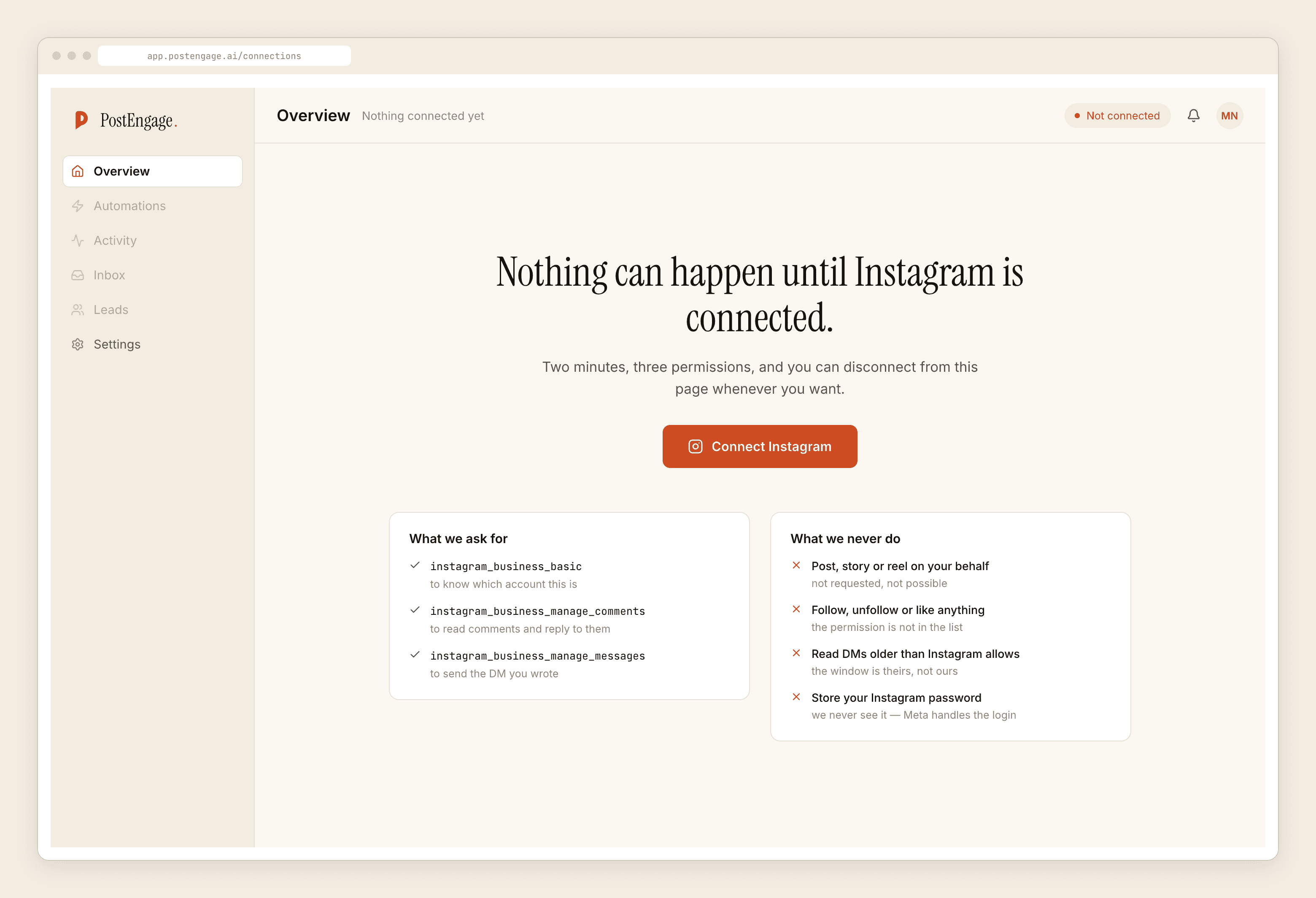
That last point catches people out. A dead token does not blank the screen; the handle still sits there looking correct. The thing to read is the health state, not the name.
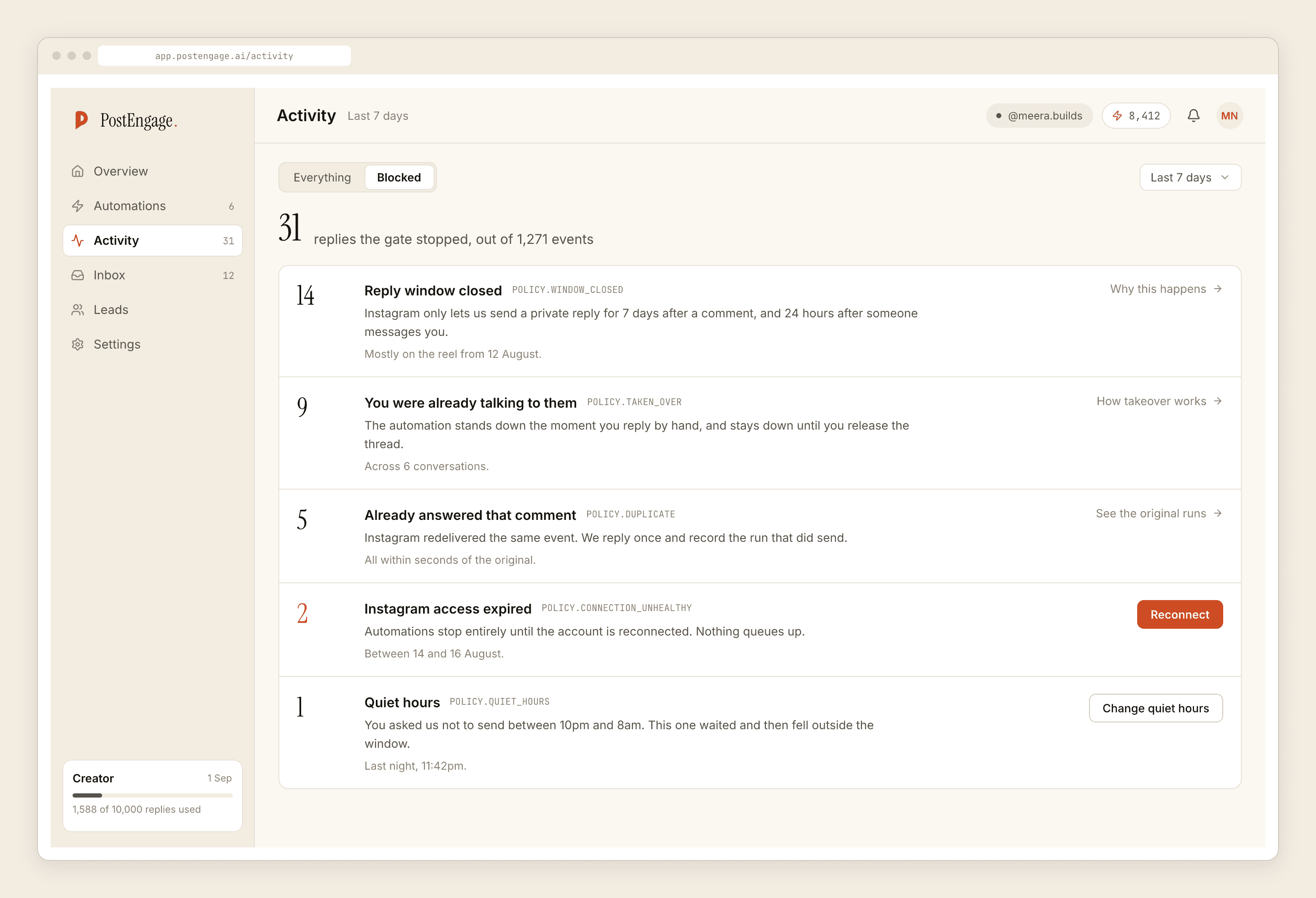
The other place to look is Activity, filtered to blocked. A wall of connection refusals, all starting at roughly the same timestamp, is the clearest signal you will get, and the timestamp usually tells you what happened — it tends to line up with a password change, a Business Suite cleanup, or someone removing an app in Meta's settings.
Fixing a broken connection
- Confirm Instagram itself is healthy. Post a comment, send a DM by hand. If either fails, stop here — this is the other problem.
- Check the account is still a professional account and still linked to its Facebook Page. That link is Meta's requirement and it gets broken accidentally more often than anything else, usually by someone tidying up Pages.
- Reconnect through Meta's consent screen. Same handshake as the first time. Read the account name on the screen before you confirm; people with several accounts on one Page reconnect the wrong one surprisingly often.
- Check your automations are still enabled. They do not switch themselves back on, and this is the step people skip before concluding the reconnect failed.
- Test on yourself before assuming it works. A full run to your own account is the only proof.
If the account itself is restricted
Here the honest advice is short, and none of it involves us.
Use Instagram's own appeal flow — the in-app notice usually carries the link, and the Help Centre has the form otherwise. Appeal once, properly, with your real details. Do not submit the same appeal repeatedly; it does not help and it makes the record messier.
While you wait, do not create a second account and start moving followers to it. Do not buy a "recovery service". Do not hand your login to anyone, including anyone claiming to be from Meta — Meta does not ask for your password, and neither do we, because an official API tool never sees it.
On our side: disconnect nothing in a panic. Your automations, templates, voice profile and Leads are unaffected by a platform restriction. When access comes back, the connection is a reconnect, not a rebuild.
Nothing in this product touches your standing with Meta, in either direction. That is a feature of using the official API, and it is also the limit of what we can help with.
Reducing the chance of the next one
Most of what people call "recovery" is really prevention that did not happen.
Know who owns the Facebook Page. A depressing share of stuck accounts are stuck because the Page is under a former employee's or an ex-agency's personal profile. Fix that while nothing is on fire.
Keep more than one admin. A single admin with a single phone is a single point of failure.
Never share the password. A tool on the official API authorises through Meta and comes back with a scoped token. If anything asks for the password itself, or a browser extension, or a phone that must stay online, that is the category of software that causes this page to exist — the enforcement staircase is documented properly here.
Read your blocked list weekly. Connection failures show up there before they show up as a customer complaint. Hardening the things that are actually on your side covers the rest.
The one-line summary
If you can DM by hand, it is the connection, and you can fix it in a minute. If you cannot, it is Meta, and Meta is the only party who can fix it. Everything between those two sentences is detail, and anyone selling you a third option is not telling you the truth. When you are back, the week-one guide is a reasonable way to restart deliberately rather than switching fourteen things on at once.