Voice DNA · 4 min read
How to Respond to Instagram DMs Faster Without Sounding Automated

Everyone who has run a busy Instagram inbox knows the specific shape of this problem. You can be fast or you can be personal. Fast means saved replies that everyone recognises. Personal means answering at 11pm and still being behind.
The trade is real but it is not evenly distributed. Most of your inbox does not need warmth. A small part of it needs nothing else. The trick is sorting them before you answer, not while.
Sort your inbox before you speed it up
Spend twenty minutes with a month of your DMs and put every message in one of three piles.
Pile one: the same question, again. Price, sizes, delivery time, "is this in stock". Your answer is identical every time. This is usually more than half the inbox and it is where all the speed lives.
Pile two: a real question you have not seen. Specific, answerable, needs composing but not judgement. A bulk quantity enquiry, a question about whether the product suits their use case.
Pile three: leave it alone. Complaints, refunds, anything about somebody's health or money, anything where the person is upset. These need a human and they need one who has read the thread.
Pile one: templates, and they should be yours
Write these by hand. Not a tone dropdown, not a generated draft you approved. Type the answer you would type.
Four or five of them covers most accounts. They send instantly, they are free and unlimited, and because you wrote them they sound like you by construction.
The mistake here is writing them formally. People write templates in a register they never use, because writing a template feels like writing a document. If you would normally say "haan available hai, ₹1,499, 2-3 din mein deliver ho jayega", write that.
Pile two: generated, in a voice built from your own replies
This is the part where AI earns its place, and only here.
The voice profile is built from replies you wrote yourself. Not a personality setting. The reference is your own text, so the model is imitating a specific person rather than an average of the internet. The realistic outcome is that it sounds like a slightly flatter version of you, which is a much better result than sounding like nobody.
Two guardrails matter more than the writing quality.
Model writes, model sends
Model writes, checks decide
The fallback is the important half. A person getting a slightly generic real answer in four seconds is a better outcome than a person getting a beautifully specific wrong answer in twenty.
Pile three: the takeover rule
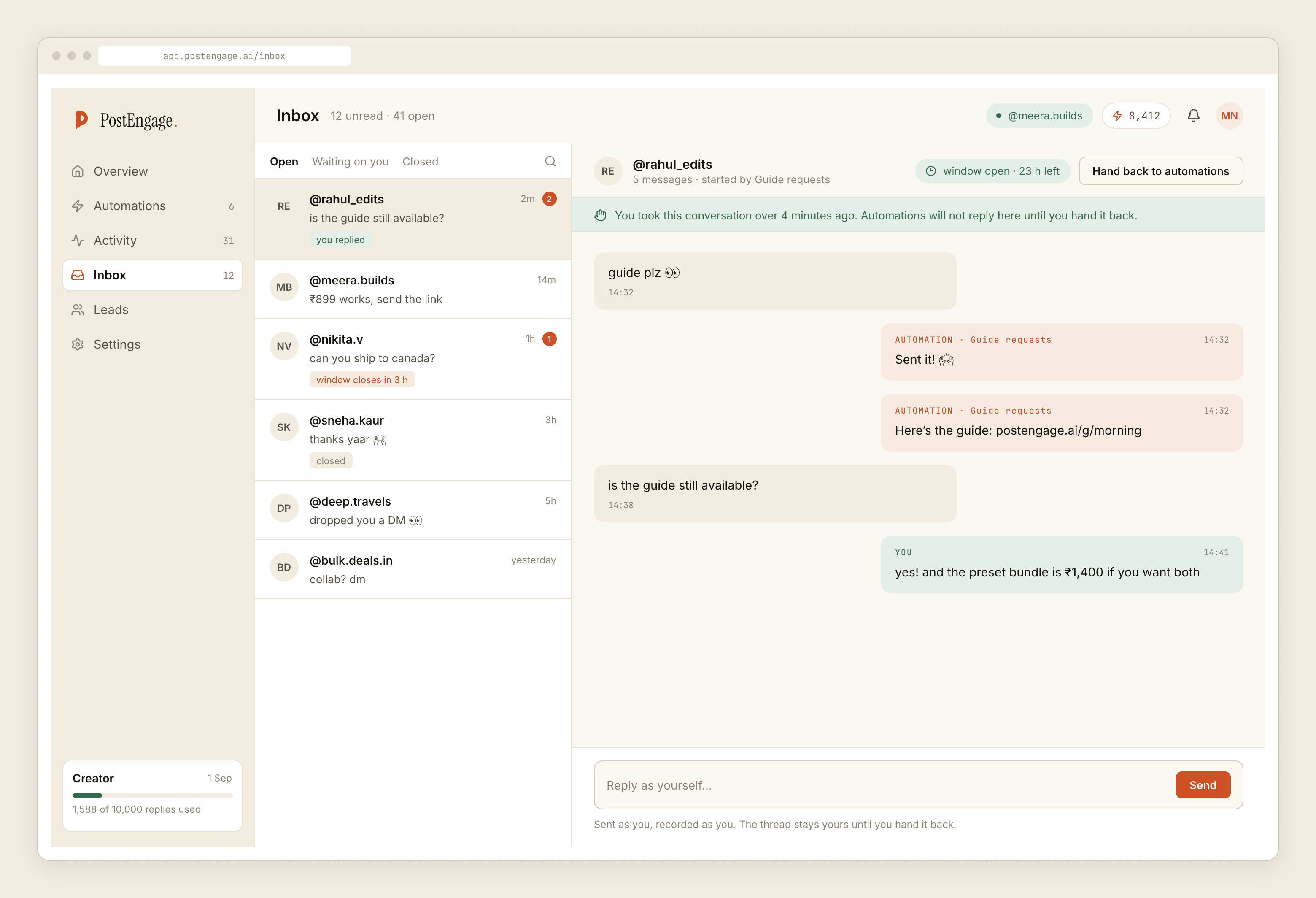
The moment you reply to a thread by hand, automation stops on that thread. Nothing else needs to be configured, and this single rule prevents the failure that damages accounts most: your careful personal message about a delayed order, followed forty seconds later by a cheerful automated one.
takeover runs third in the check sequence, before the window check, because if you are in the thread nothing else about it matters.
What actually makes it sound automated
Not the fact that it was. Four specific things.
- 01
Answering something nobody asked
A reply that addresses the trigger word rather than the message. "Thanks for your interest in our sizing!" to someone asking about delivery is the tell.
- 02
Length that does not match the question
Four sentences to a one word question reads as a machine. So does one word to a paragraph. Match the effort.
- 03
Arriving twice
Two replies for one person is the loudest possible signal. A dedupe rule handles it, and if a tool does not have one, that is the thing to ask about.
- 04
Arriving at 3am
Nobody types at 3am. Quiet hours are not politeness, they are camouflage, and the morning batch gets read more anyway.
Notice that only one of those is about the writing. The rest are about timing and repetition, which are settings rather than prose.
Nobody minds a fast answer. They mind an answer that was clearly not for them.
A realistic outcome
Here is what changes and what does not.
Most of your first replies go out in under a minute instead of under a day. The threads that need you are fewer and easier to spot, because the noise has been handled. You stop opening Instagram at 11pm out of guilt.
What does not change: the number of people who were never going to buy, the hard conversations, and the fact that a fast reply to a weak offer just reaches the objection sooner. There is more on that in DM marketing tips, which is mostly a list of things that are downstream of speed rather than caused by it.
If the question underneath all of this is whether an AI should be answering your DMs at all, that one has its own post, and the answer is a narrower yes than most tools would like you to believe.