Playbooks · 5 min read
Instagram Automation KPIs: Which Ones You Can Actually Count

There is no analytics product here. No dashboard, no charts, no funnel report, no click tracking, no attribution, no conversion events. If you were expecting a metrics screen, there is not one and there is not going to be a smaller version of one.
What exists is three stores you can read and count: Activity, Leads, and the credit ledger. Everything below is derived from those by hand, on paper, in about twenty minutes a month.
The useful exercise is not "which KPIs should I track". It is taking the list you already brought — from an email tool, from an agency template, from a course — and sorting it into what can be counted, what can be counted with effort, and what cannot be known at all. Most people are surprised by how much lands in the third pile, and being clear about it is what stops a report becoming fiction.
The list, sorted
Countable
Not knowable here
The right column is not withheld. Open rate needs a read receipt the API does not expose to a tool like this. Click-through needs link tracking, which does not exist here. Conversion and attribution need a join between a person in your leads list and a payment in your bank account, and there is no such join — not a weak one, not one behind a paid tier. None.
The three that are actually worth watching
Most KPI lists for this product are the wrong list, copied from email. Here are three that are specific to what this thing does, all countable, and all of which will change a decision.
Template coverage
The share of your replies that went out as a template rather than as something the AI wrote.
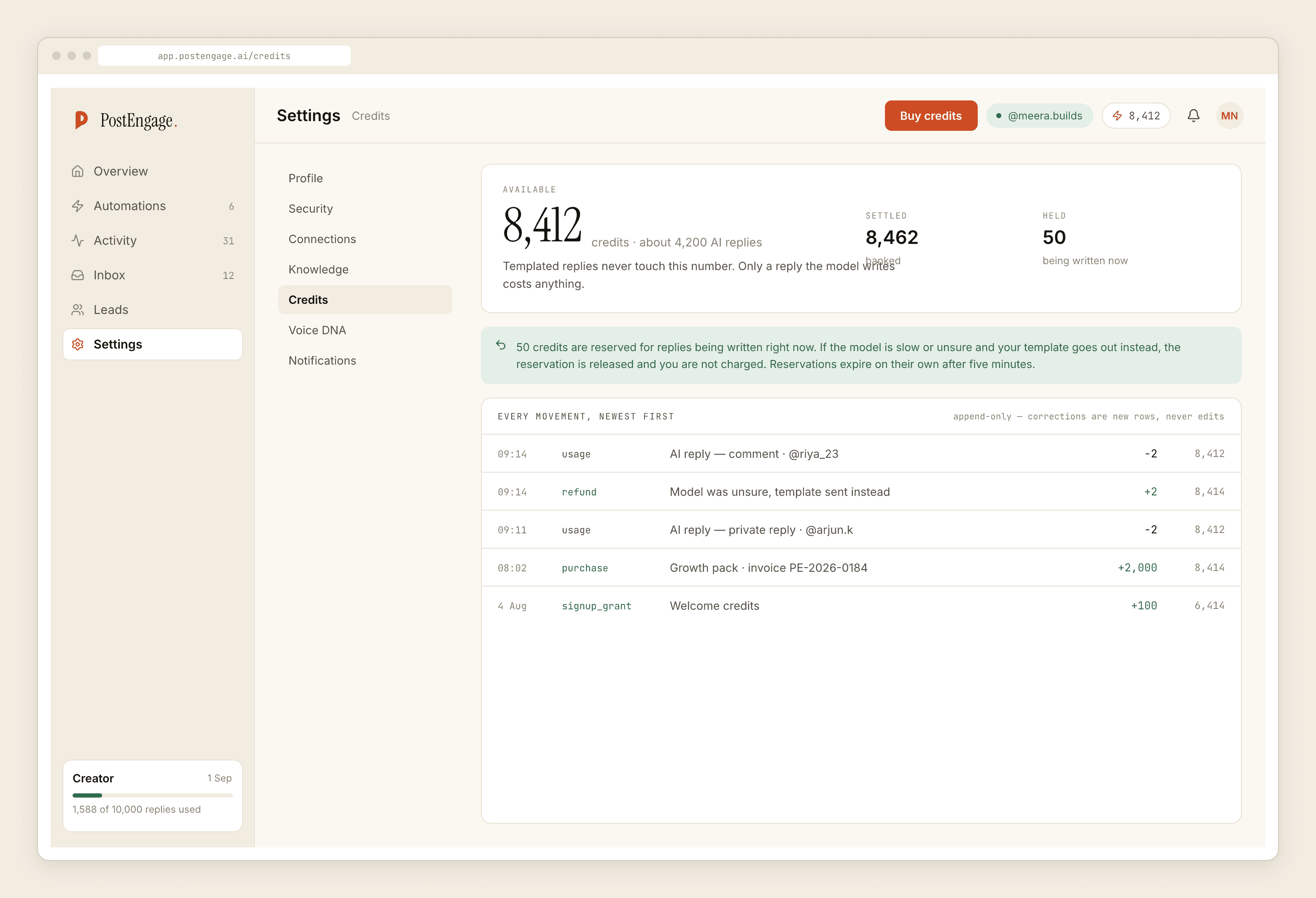
You get it from two numbers. Total replies sent, from Activity. Generated replies, from the credit ledger — one credit, one reply, so the ledger is an exact count. Everything else was a template, and templates are free and unlimited.
This is the single most actionable number available, and it is not a cost metric. A rising share of generated replies means your inbox is asking questions you have no answer written for. Read those questions and you have next month's templates. A very low generated share on a big inbox means four answers are covering nearly everything, which is the state you want.
The refusal mix
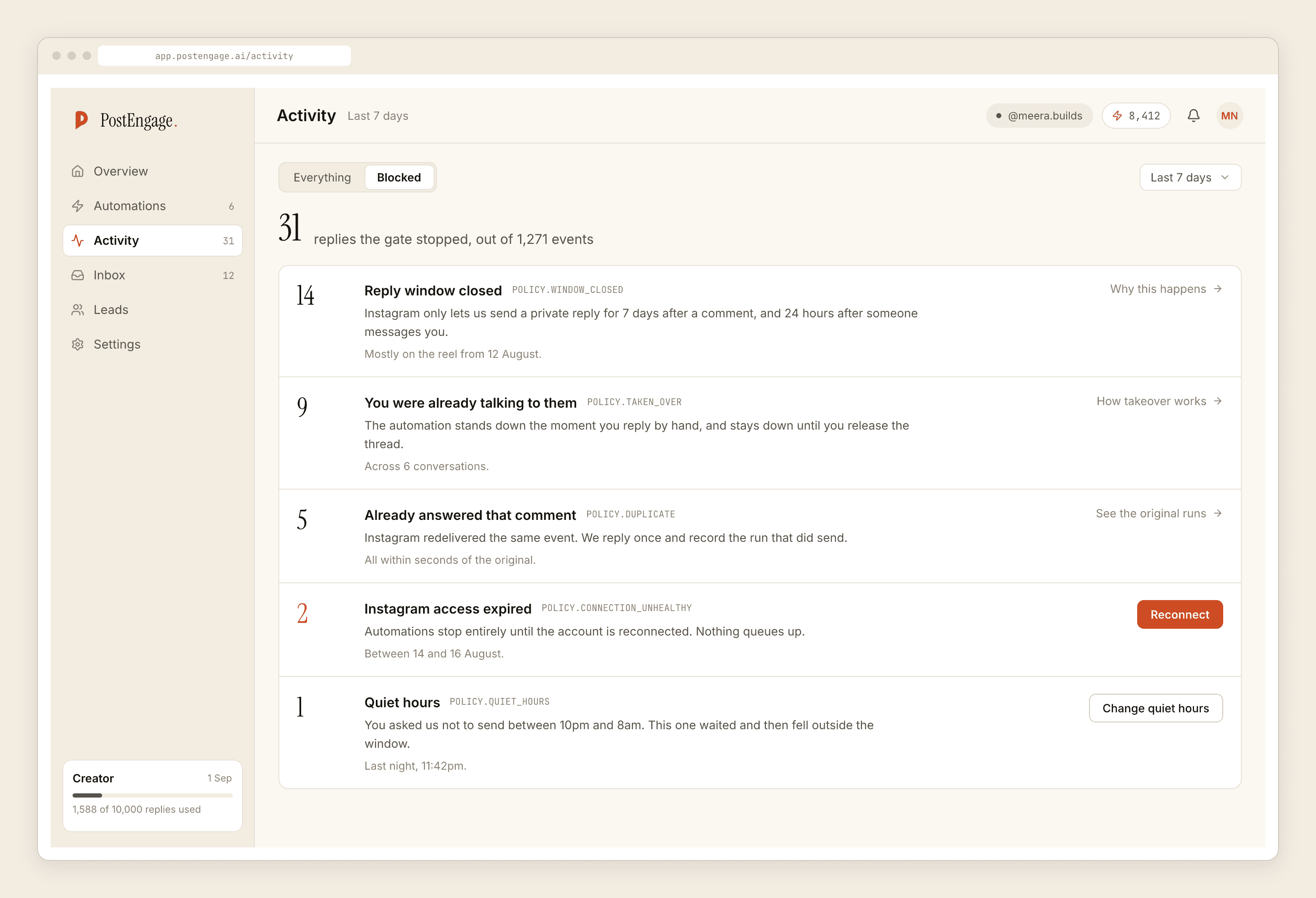
Ten checks run before every send, in a fixed order, and a blocked reply is recorded with the reason. Group a week of blocked rows by reason and the shape tells you something specific.
A stack of window rows means people are commenting on posts older than seven days, or messaging threads that have gone cold. A stack of rate_budget means a post travelled and the cap held the queue, which is the system working. quiet_hours means overnight questions are waiting until morning — fine, unless your customers are overnight. content_safety on your own template means go and read the template. connection means the account has been sending nothing at all, and it is the one that should stop your day.
Reply rate on captured leads
Of the people written into Leads, how many wrote back after the automated reply.
A reply is the only unambiguous evidence in the whole system that a real human read your message and engaged with it. No inference, no modelling. They typed something.
It is also the one number that responds to how you write. A reply ending in a closed question — "M ya L?" — gets answers. One ending in "let us know if you have any questions" does not. Change the template, count again in a month, and you have run the only clean experiment this product supports.
Three counts, all from screens you already have, none of them requiring you to believe anything.
Counting them without a dashboard
There is no export of Activity and no reporting view, so this is a reading exercise rather than a query.
- Pick a fixed window and keep it fixed. A calendar month. Comparability matters more than precision here, and changing the window is how people accidentally show themselves an improvement.
- Read Activity for the period and tally two things. Replies sent, and blocked rows grouped by reason. Tally marks on paper is a completely reasonable method at this volume.
- Take the generated count from the credit ledger. Exact, no estimation.
- Count leads captured, and how many are flagged as having replied. Both are on the Leads screen. Leads leave as a CSV if you would rather count in a spreadsheet.
- Write the four numbers in the same place every month. The trend is the whole value. A single month's figures tell you almost nothing.
What to do when someone asks for revenue
Say that the channel is untracked, that no tool on the official Instagram API attributes a DM to a sale, and that you will report cost exactly, activity exactly, and outcomes as evidence rather than arithmetic. Then ask "how did you hear about us" at your own checkout, which is imperfect, self-reported, and the only real link between the inbox and the money.
The full shape of an honest monthly report is written up separately and is the piece to read before you promise anybody a dashboard. What a single row in each of the three stores can and cannot tell you is the detail underneath these counts, and the wider analytics question covers what to measure elsewhere.