Compliance · 5 min read
Asking for Reviews on Instagram Without Gaming Them

There is a version of review automation that gets sold constantly and should not be built. It goes like this: ask the customer how their experience was, and branch. Happy ones get pushed to the public review page. Unhappy ones get quietly routed to a private feedback form.
It has a name — review gating — and every platform that hosts reviews has a policy against it. Google, Amazon, the app stores, Trustpilot. Not a guideline. A policy, with enforcement attached, because the practice manufactures a rating that does not describe reality.
It is also, more simply, a lie you are telling with a flowchart. So let us get the shape of the honest version straight first, and then talk about what automation can genuinely do here.
You cannot run a review campaign on Instagram anyway
Start with the structural fact, because it prevents most of the bad designs before you get to the ethics.
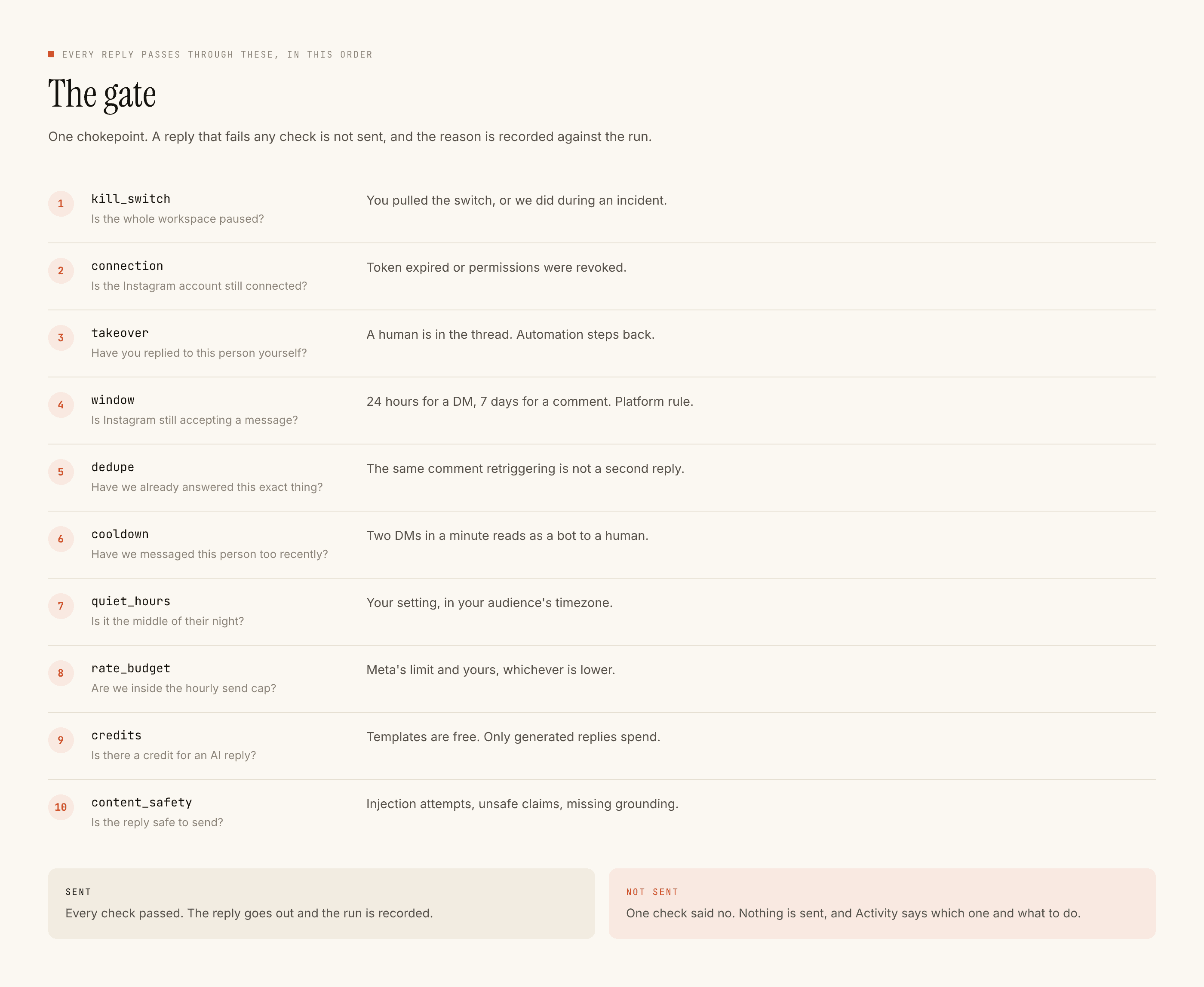
You cannot message someone who has not messaged you. There is no way to fire a review request at everybody who bought last month, because Instagram does not let an automation open a conversation. Every reply you send lives inside a window that their message opened — 24 hours from a DM, 7 days from a comment, restarted only when they write again.
So on this platform a review ask is never a campaign. It is a sentence you add to a conversation that was already happening, and only when the conversation was going well on its own.
If you have to go looking for someone to ask, this is not the channel. If they are already in your inbox saying nice things, it is the best one.
The three moments where the ask is fair
They said something good, unprompted. "Loved the fit yaar", "course was actually worth it". This is the whole opportunity. Somebody volunteered a positive opinion in writing. Asking whether they would put it where other people can see it is not a manipulation, it is a follow-up question.
They came back. A repeat order, a second course, a renewal conversation. The action already said what a review would say.
You fixed something and they said thanks. Handled carefully, and never by an automation — see below.
That is the list. Notice what is not on it: everybody who bought, everybody who opened a DM, everybody on a schedule.
What automation is allowed to do
Three things, and they are all narrow.
- Send the same ask to everyone who hits the same trigger. Same words, same moment, no branch on sentiment. If you would not send it to a customer who was lukewarm, do not send it to the enthusiastic one either.
- Ask once.
dedupeandcooldownexist for exactly this. One person, one ask per trigger, with enforced time between automated messages. A second ask is pressure; a third is harassment with a friendly emoji. - Make the no easy and visible. "No pressure at all if you'd rather not" costs you one line and it is the difference between a request and a squeeze.
And three things it must not do, which are worth stating as flatly as the policies state them.
Never
Why it comes back on you
That last point is the honest version of the thing gating pretends to do. You are not hiding the unhappy customer. You are giving them the more expensive response, not the cheaper one.
Write the ask yourself
This is a place to spend words carefully and not to generate them.
A review request written by a model tends to arrive with a compliment attached — "we're so glad you loved it!" — and the compliment is doing sales work the customer did not agree to. It also, reliably, sounds like a form letter, which is the exact quality that makes people not respond.
Write it as a template. Templated replies are free and unlimited, so the cost argument does not apply, and the voice argument is decisive: you wrote it, so it sounds like you.
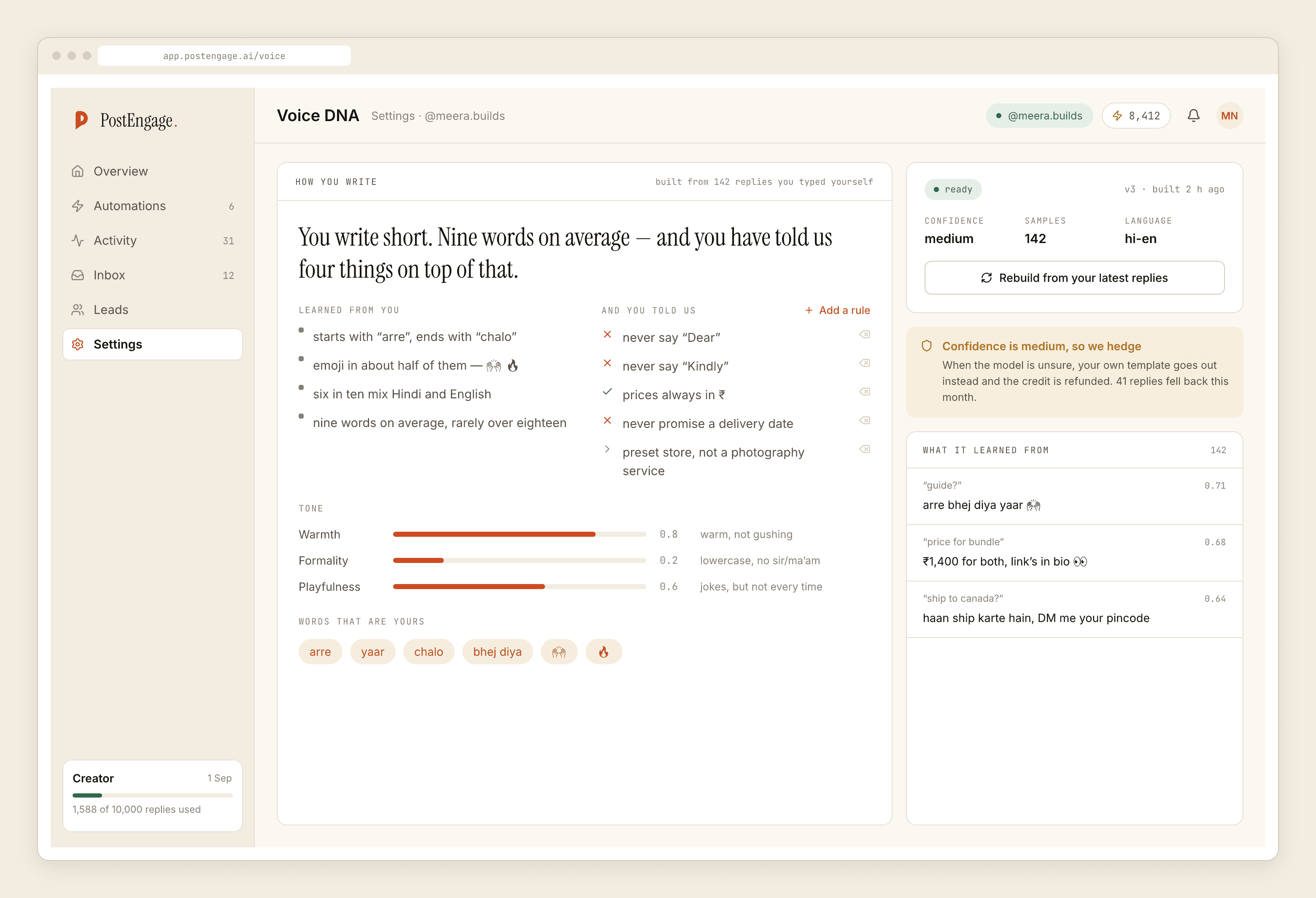
A version that works, in the register most Indian D2C accounts actually use:
"Bahut accha laga sunke 🙏 Agar do line likhne ka mann ho toh yahaan chhod dena (link). Bilkul optional hai, koi baat nahi agar nahi."
Short, no incentive, no second ask, an explicit out.
What to do with the reviews you get
Keep the negative ones up. A page of uniformly glowing reviews reads as purchased, and buyers have learned to scroll for the bad one to see how the business responds to it. The response is the actual asset.
Do not automate those responses either. A generated reply to a public complaint is the single most recognisable thing a brand can post, and it converts a solvable problem into a genre.
The short version
Automation should make the ask consistent, singular and easy to decline. It should never decide who is worth asking. The moment it filters, the number it produces stops describing your business and starts describing your flowchart, and eventually somebody notices — a platform, or a customer, or both.
If you are building the moment before this one, the post-purchase welcome is where the relationship gets set up. If you are unsure which messages should reach a human at all, that boundary is drawn here. And what a voice profile can and cannot know covers why "sounds like you" is not the same as "should be said by you".