Comparison · 6 min read
Choosing an Instagram AI Tool in a Single Afternoon

Most people spend three weeks reading about this decision and then make it on a demo video. The reading does not work, for a reason that is nobody's fault: the feature grids are written by vendors, the ranked lists are frequently ordered by affiliate rate, and none of it tells you the only thing you need, which is how a specific product behaves on your specific inbox.
Four hours with a real account settles it. Here is the run sheet. It is written to be followed literally, with a notebook open, and it works for evaluating any tool in this category including this one.
If you want the taxonomy first — the categories these products fall into and which is which — that is a different post and it is worth twenty minutes before you start.
Before you begin: write three sentences
Ten minutes, before you open any product. Write down, in plain language:
- The thing that actually goes wrong in your week. Not "I want to grow". Something like: "comments from Tuesday's reel sat unanswered until Friday" or "two of us reply and customers get answered twice".
- The four questions you answer most. Copy them verbatim out of your inbox, in the words customers use, not the words you would use.
- What you would never let software send. Refunds, medical, anything about somebody's money. This becomes the list you deliberately try to break each tool with.
Those three sentences are the test. Everything below is checking a product against them rather than against a feature list.
Hour one: connect it, and read what you granted
Sign up and connect the account. Two things to notice, and both are information rather than accusations.
Whether you can reach a working state without a card. Here that is 100 credits, no card, and packs start at ₹499 afterwards — you should be able to see a real reply go out before you pay anything. Where a product wants payment details before it will show you anything working, that is a fact worth writing down next to the others.
And read the permissions screen properly instead of clicking through it. On the official Graph API it is the honest ceiling for anything the tool can ever do, and it is the same ceiling for every compliant product on the shelf. A tool promising things that screen does not permit is telling you something about how it works.
Hour two: build exactly one automation and send it to yourself
One post, one keyword list, one public reply, one private reply. Use one of your four real questions.
Then use the test that sends to your own account rather than the preview that shows you text in a box. The difference is the whole hour: a test that runs the real pipeline tells you what would genuinely have been sent, and reading a reply as its recipient is the only reliable way to judge whether it sounds like you. Text you approved in a builder always reads better in the builder.
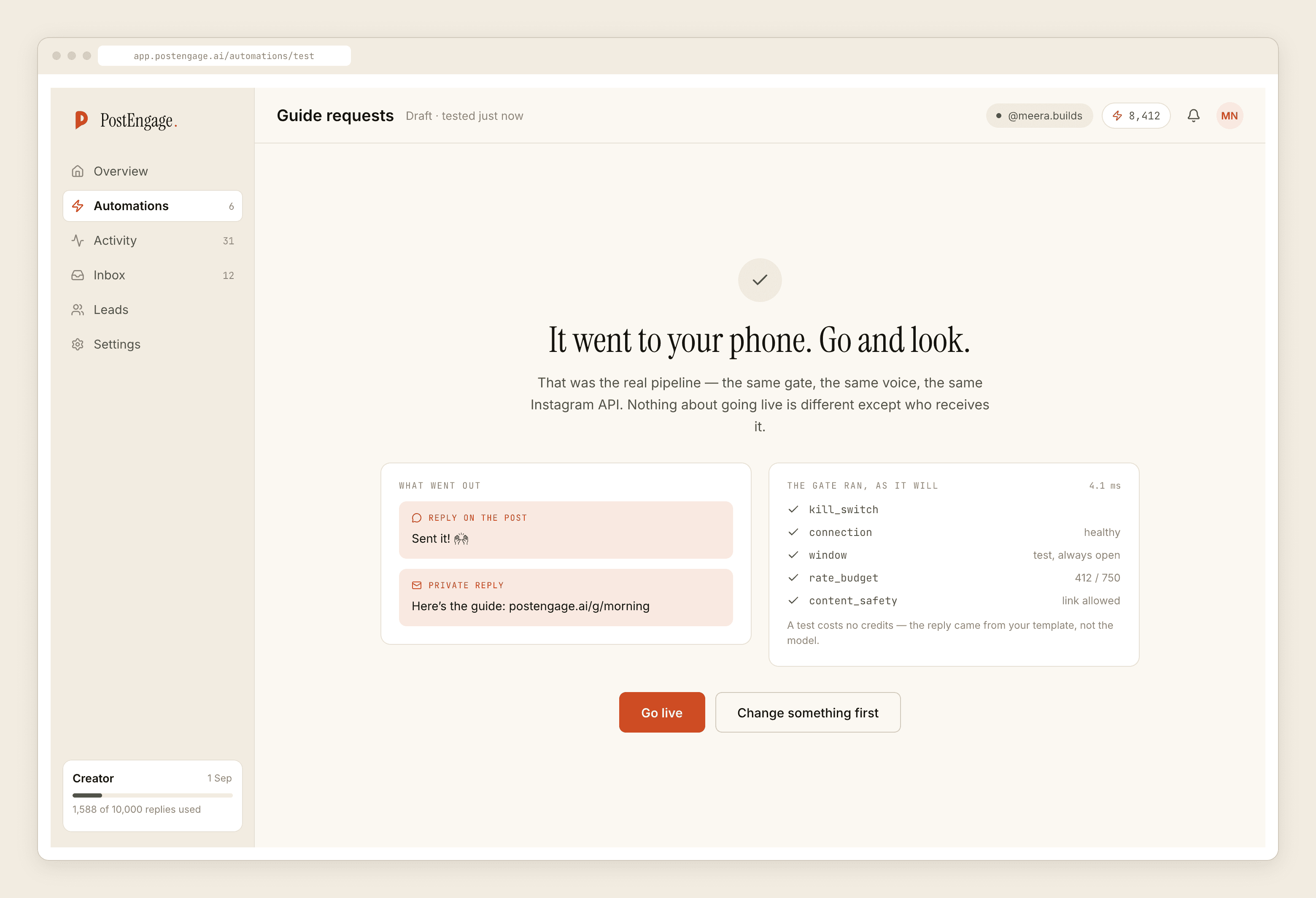
Write down how long the whole thing took. Under fifteen minutes and the product respects your time; over an hour and you have learned something about what maintenance will feel like.
Hour three: try hard to make it misbehave
This is the hour that actually separates products, and almost nobody does it.
- Ask it something it cannot know. A price you never gave it, a delivery date, whether a specific item is in stock. You are looking for whether it invents a confident answer, refuses, or puts the draft somewhere a human sees it first.
- Send it your never-automate message. Type a refund demand. It should not answer. If there is a negative keyword mechanism, this is where you find out whether it is a list you control or a model's opinion.
- Trigger the same thing twice. Platforms redeliver events. A tool without deduplication will answer twice, and your customer sees both.
- Reply by hand mid-conversation. Then watch whether the automation keeps talking over you. Standing down when a human takes over is not a nice-to-have with two people on an inbox.
Then find the log. Every one of those four attempts should have left a row somewhere saying what happened and why. Ten checks run here in a fixed order before any send — kill_switch, connection, takeover, window, dedupe, cooldown, quiet_hours, rate_budget, credits, content_safety — and a blocked reply is recorded with its reason. Whatever you are evaluating, the question is the same: when it declines to send, can you find out why in under a minute.
A tool that never refuses anything has not been built carefully. It has been built optimistically.
Hour four: the meter and the exit
Two questions, fifteen minutes each, and they are the ones people discover the answer to in month four.
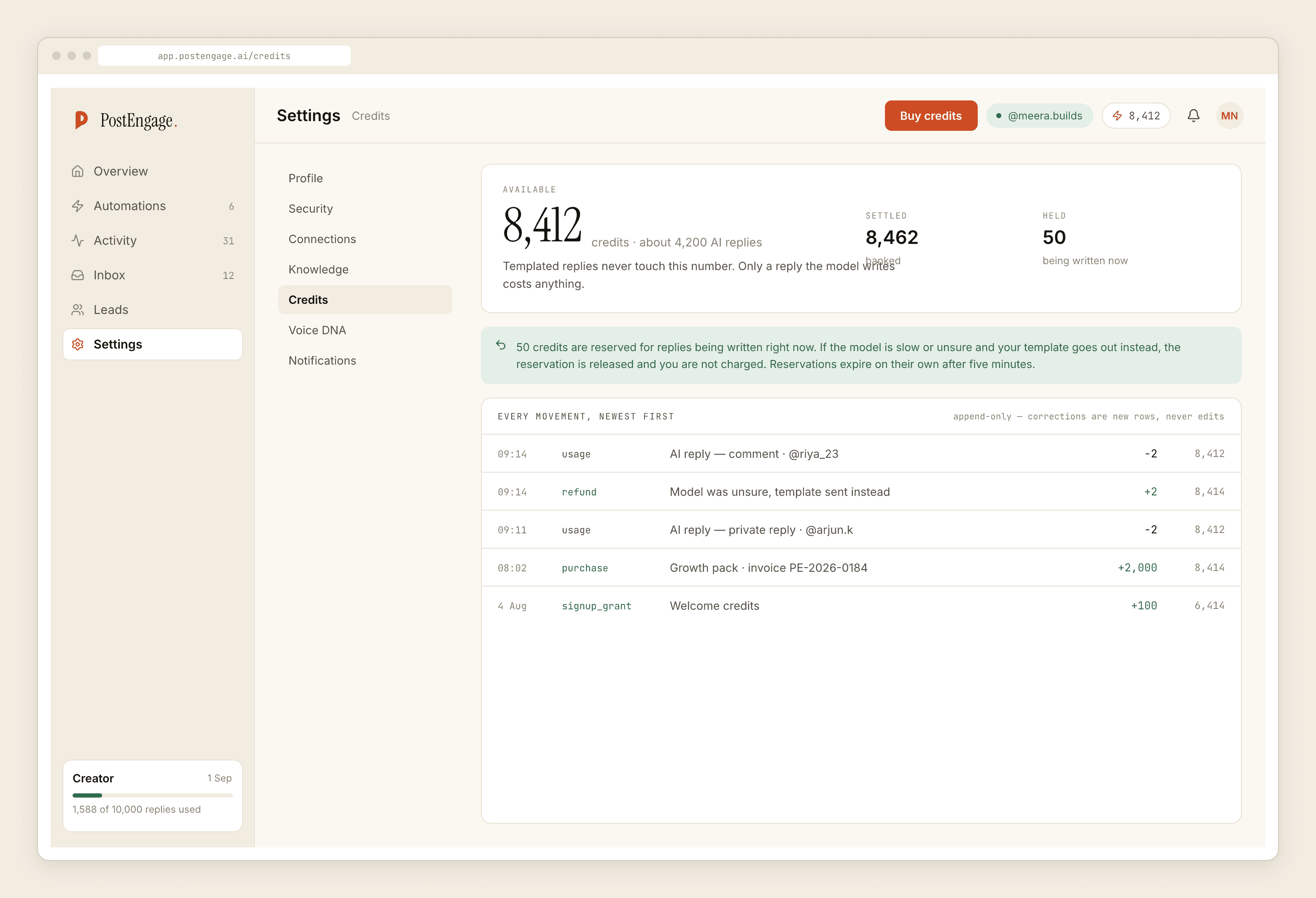
What does the meter count? Not the price — the unit. Per reply sent, per contact stored, per seat, per month regardless. Here a credit is spent only when the AI writes a new reply, one credit per reply, and templated replies are free and unlimited, which means a well-configured account spends very little. Elsewhere the unit is different and rewards different behaviour. Work out which of your daily actions is the one being counted.
Can you get your data out today? Not on request, not by emailing support. Export the leads now, while you are still evaluating, and open the file. Here that is a CSV, and it is deliberately the handoff because there are no one-click integrations. Whatever the answer is elsewhere, find it out on day one rather than on the day you want to leave.
The scoring, which is four yes-or-no answers
Did it answer one of my four real questions in a way I would have sent? Did it refuse the thing I told it never to send? Could I find out why, in the log, within a minute? Can I take my data with me?
Four yeses means it works. Three means keep it on the list. Anything less and no ranking post will change the answer.
For the two questions that separate these products most sharply once you have narrowed to a shortlist, meter and refusal is the deeper read. For sorting the shelf by what the model is actually being asked to do, that is here.