Tutorial · 5 min read
Your Instagram Token Expired and Nothing Told You
This is the failure that costs the most and looks like the least. Nothing errors. No red banner. Your account name and picture sit on the connections screen exactly as they always have. And nothing has sent for nine days.
We know the shape of it well because a previous version of this product got it wrong in an instructive way, which is the part worth reading even if you use something else.
Why the screen lies
The name and the profile picture on a connection screen were fetched once, when you connected, and stored. They are being read from a database.
Instagram is not consulted to draw that screen, because doing so on every page load would be a request per view for information that changes almost never. So the avatar renders, the handle renders, the little green dot renders — all of it from a row that was written weeks ago and knows nothing about whether the token beside it still works.
A connection screen shows you a record of a connection. That is not the same as a connection.
What a token actually does, and when it stops
A long-lived Instagram token lasts around 60 days. It can be renewed while it is still valid and has been used recently. Once it has lapsed, it cannot be renewed at all — there is nothing to exchange — and the only route back is reconnecting through Meta.
That asymmetry is the whole problem. Refresh has to happen before the deadline, on a schedule, without anyone thinking about it. If the refresh misses, you do not get a degraded connection. You get no connection, and a screen that has not noticed.
Here is what ours does, described because the mechanics are the same wherever they are done properly:
- A sweep every six hours looks for connections whose token expires within the next week, and renews them. Six-hourly rather than daily so a failed attempt has several more before the deadline.
- The new expiry comes from Meta's response, never from an assumption about how long the new token should last. Assuming is how a token quietly expires earlier than the record says it will.
- On success the connection is marked active and healthy, and — this matters — any earlier warning is cleared. A warning that stays up after the problem is fixed makes the next real one invisible.
- On failure a counter increments and the connection moves to
expiring, with one message at the transition rather than one per sweep. A product that repeats the same warning every six hours is one people stop reading. - On failure past the deadline the connection is marked
expired, an event is written, and an email goes out saying the automations have stopped and how to resume them.
The state worth naming there is expiring. It is a real status stored on
the row, set seven days out, not a warning computed when someone happens to
open a page. That is the difference between a system that can email you and
one that can only tell you if you were already looking.
The one that misses the sweep entirely
There is a class of dead connection that an expiry-based sweep never finds: the ones with no usable token at all.
A row can carry an expiry date months in the future with nothing behind it — after a migration, an import, or a partial write. The sweep selects on recorded expiry, sees a date well outside its window, and skips it. Forever.
So the connection is dead, the automations are silent, and nobody is told. The owner opens the app, finds it broken, and leaves.
That happened. The fix is a second sweep that looks for connections with no token rather than for connections nearing expiry, marks them expired, and sends one deduplicated notification per connection rather than four a day.
Reconnecting, and the two things that break during it
Reconnecting takes under a minute. Two things go wrong in that minute and neither announces itself.
A permission does not get re-granted. Reading comments and sending messages are separate scopes on Meta's consent screen. On a reconnect people click through fast, because they have seen the screen before. Miss the messaging scope and the tool can watch every comment arrive and send nothing — which looks exactly like a broken automation and is actually a missing tick box.
The webhook subscription does not come back. The connection is restored, the token is fresh, everything reads as healthy, and no events arrive because nothing is subscribed to deliver them. On our own connection history there are 46 connect events, 29 webhook subscriptions and 14 unsubscribe events — so losing the subscription is not an edge case, it is something roughly half of long-lived connections experience at some point.
Checklist
Why this is worth fifteen minutes a quarter
The cost of an expired token is not the reconnection, which is trivial. It is the days between the token dying and you noticing.
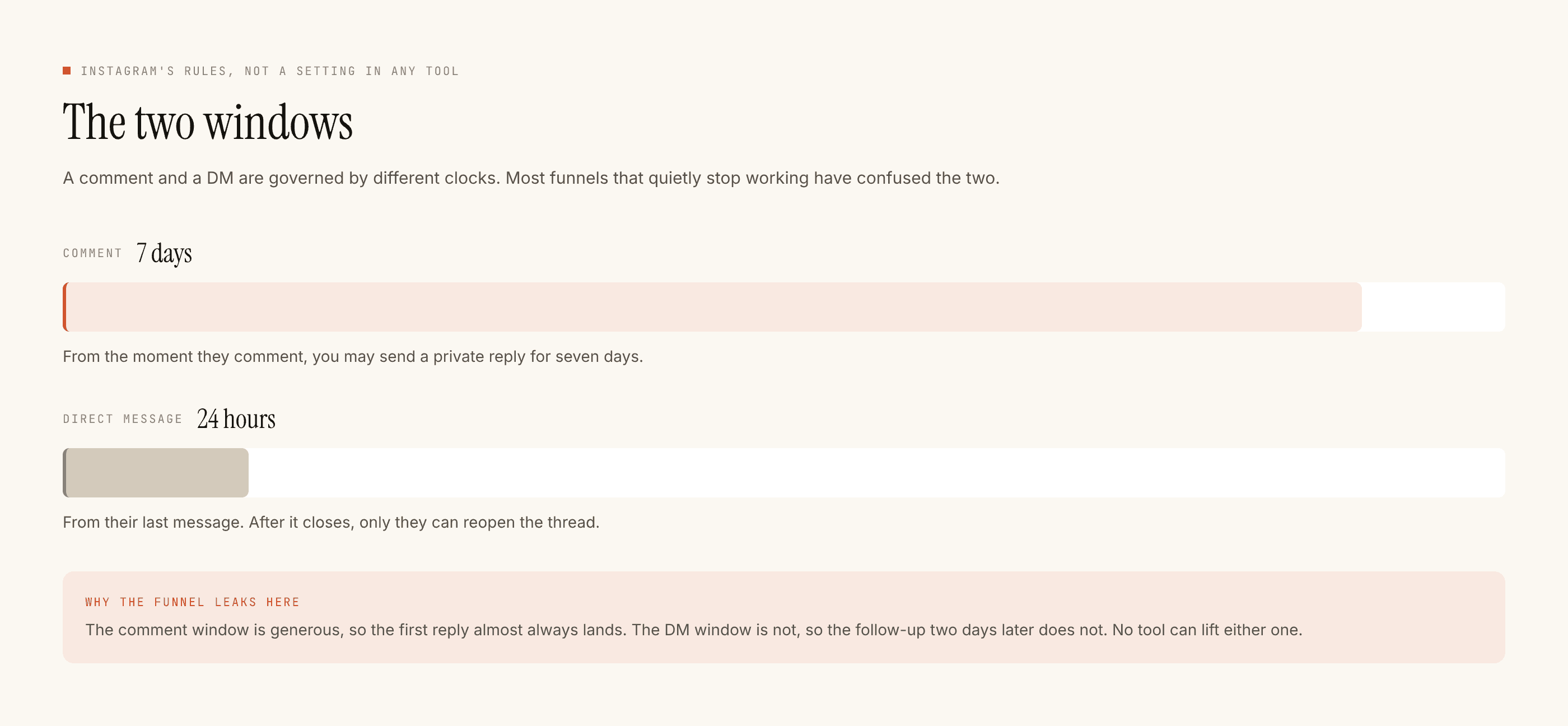
Every comment in that window arrived, went unanswered, and aged out of its seven-day reply window. Every DM aged out of its twenty-four hours. Those people are not in a queue waiting for you to fix the connection — the window closed and no tool on the official API can reach them now.
That is the real bill: not downtime, but a specific set of people who asked you something and got nothing, permanently.
If nothing has sent for a while and you are not sure why, the ordered checklist starts with the cause that is right about four times out of five — and it is usually not this one. But when it is this one, it is invisible, which is why it gets its own page.
Questions people ask
How long does an Instagram access token last?
A long-lived token lasts around 60 days. It can be renewed while it is still valid and has been used recently, which is why a tool refreshes on a schedule rather than waiting for the deadline. A token that has already lapsed cannot be refreshed at all — it can only be replaced by reconnecting.
Why does my account still show as connected when nothing is sending?
Because the name and picture on that screen were saved when you first connected and are being read from a database, not from Instagram. They will keep rendering perfectly long after the token behind them stopped working. The screen is showing you a record, not a live check.
How do I know if my token has expired?
The reliable signal is silence — no events arriving at all, rather than some failing. If your tool has a connection status beyond a name and a tick, read it: a well-built one distinguishes active from expiring from expired and says which. If it only shows a name, test by commenting your trigger from a second account.
Can a tool refresh my token automatically?
Yes, while the token is still valid. Ours sweeps every six hours and renews anything within a week of expiry, reading the new expiry date from Meta’s response rather than assuming it. Refresh can still fail — a revoked permission, a changed password, a disabled account — which is why the failure needs to produce a message rather than a silent retry.
Why did my automation stop right after I reconnected?
Two usual causes and both are silent. A permission may not have been re-granted on the consent screen, and messaging is a separate scope from reading comments — an account that can read but not send looks fine and does nothing. Or the webhook subscription did not come back with the connection, so no events arrive to act on.
What should a tool do when a token is about to expire?
Tell you, once, at the transition — and stop telling you when it clears. A product that repeats the same warning every few hours is one people stop reading, and a warning that stays on screen after the problem is fixed makes the next real one invisible.