Compliance · 5 min read
How to Auto DM on Instagram Without Getting Banned

Auto DM sounds like one feature. In the Meta API it is four different capabilities with four different rules, and knowing which one you are using is the difference between a working setup and an account that quietly stops delivering.
This is the version we wish had existed when we built ours.
What you need before anything works
Three things, all of them non-negotiable:
- A professional account. Business or Creator. Personal accounts cannot be connected to the Messaging API at all.
- A linked Facebook Page. Instagram uses it as the identity that owns the connection. You do not have to post to it.
- Messaging access turned on in the Instagram app, under Settings, then Messages and story replies, then Connected tools. This defaults to off for a lot of accounts and it is the single most common reason a correct integration receives no webhooks.
If a tool tells you none of this is necessary, it is not using the API. That is covered in more detail in our guide to what Meta actually enforces.
The permission scopes, in plain terms
You will see these on Meta's consent screen. It is worth knowing what you are agreeing to.
instagram_business_basic: your account ID, username and profile. Nothing else works without it.instagram_business_manage_messages: read incoming DMs and send replies.instagram_business_manage_comments: read comments on your posts, reply publicly, hide them or delete them.
Notice what is absent. There is no scope for messaging a stranger, no scope for reading someone else's DMs, and no scope for following or liking on your behalf. Any tool offering those is doing something else.
The 24 hour window is the whole game
Meta's standard messaging window opens when a person sends you a message and closes 24 hours after their most recent one. Inside it you can reply freely. Outside it, a send fails with an error rather than going through and being punished later, which is at least a merciful design.
Two extensions exist and both are narrower than people expect:
- The human agent tag extends the window to 7 days, and it is for a human handling a conversation the automation could not. Using it to slip a scheduled promotion past the deadline is exactly the abuse it was written to catch.
- Recurring notifications let someone opt in to a repeating message. They opt in explicitly, per topic, and they can leave.
A comment reply is different. Someone commenting on your post opens a window for you to send them one DM, which is what every "comment a keyword and I will DM you the link" flow is built on. That window is short. If your automation is slow or your queue backs up, the send fails.
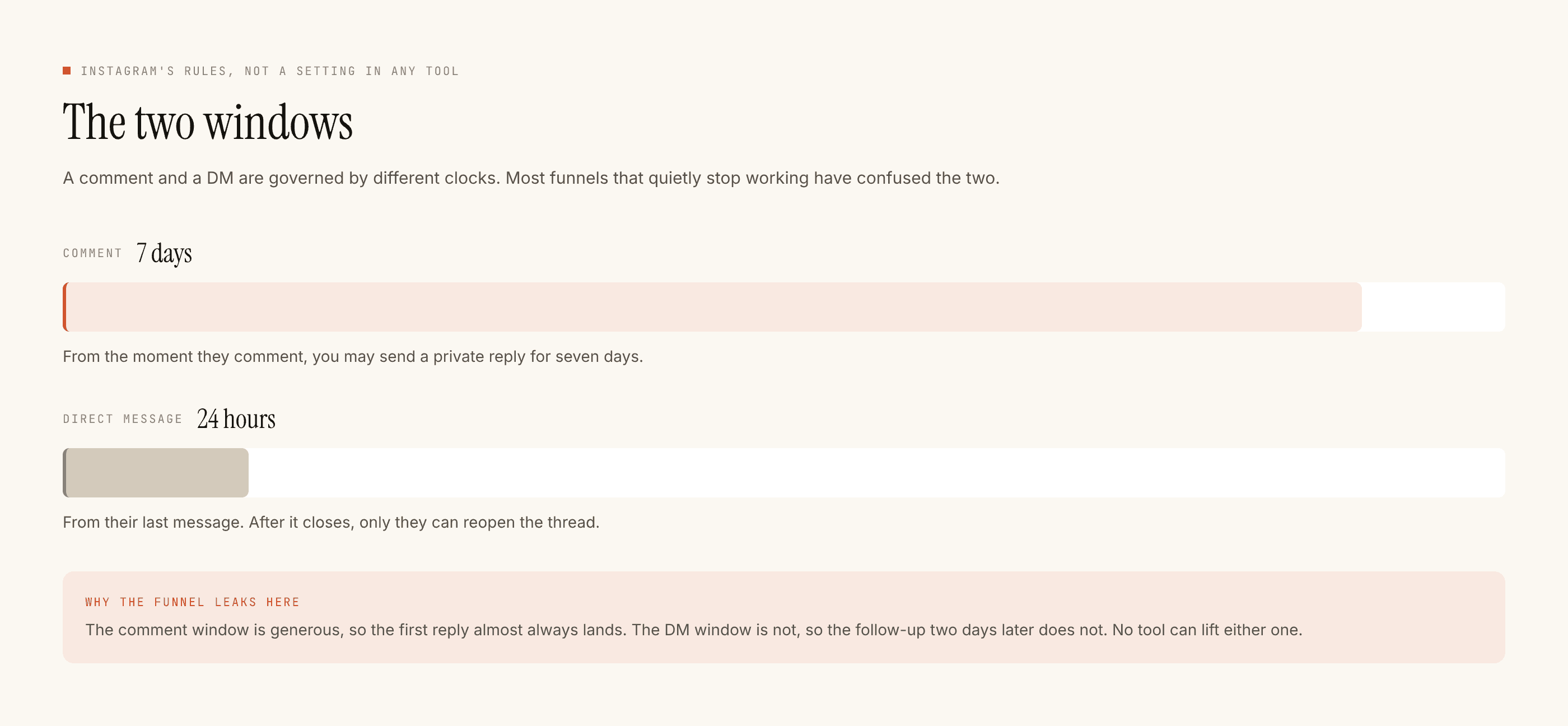
The two are easy to confuse because a single automation touches both. The comment gives you seven days to open a DM. The DM itself then runs on its own twenty four hour clock, restarted every time they send something, and never by anything you send. A follow-up you schedule for the next morning is a follow-up that will not arrive.
What you can trigger on
- A comment on one of your posts or Reels, optionally filtered by keyword.
- A direct message, optionally filtered by keyword.
- A story reply.
- A story mention.
Live comments and ad comments are separate permissions again. Start with the first two, which is where nearly all of the value is.
Setting it up
- Create an app in the Meta developer console and add the Instagram product.
- Add your Instagram account as a tester and accept the invitation from inside the Instagram app.
- Configure the OAuth redirect URI. This must point at whatever host actually serves the callback route.
- Subscribe to the
commentsandmessageswebhook fields and verify the callback. - Run the whole flow against your own account before you touch a client's.
Step three deserves its own paragraph, because it is where we lost a day. The redirect URI has to be a host that can serve an HTTP route. Pointing it at the frontend domain because that is where the user starts is an easy and entirely invisible mistake: the consent screen works, the redirect happens, and the user lands on a 404 with the authorisation code sitting unused in the query string.
The four mistakes worth avoiding
Not verifying webhook signatures. Meta signs every payload. Without checking the signature, anyone who learns your callback URL can send you fake comments and make you reply to nobody.
Treating a webhook as delivered once. Meta retries. If your handler is not idempotent, one retry becomes two identical DMs to the same person, which reads as a bot faster than anything else.
No cap on sends per hour. A post that unexpectedly does well will happily generate a thousand triggers. Decide in advance what your ceiling is.
Replying to yourself. Your own comments arrive on the same webhook as everyone else's. Filter them out, along with your team's, or your automation will hold a conversation with your community manager.
After it works
Getting the send to succeed is the easy half. The interesting problem is deciding when not to send, and no part of the API helps you with that. Meta will let you reply to the same person four times in a row. Your audience will not forgive it.