Playbooks · 5 min read
Your Content Calendar Is Also an Automation Schedule

There is no content calendar in this product. There is no scheduling, no publishing, no queue, no "best time to post", and no AI that decides what you should make in March. We do not touch your content at all — we reply to comments on posts that already exist, after you have posted them yourself.
So if you are choosing a calendar tool, choose one and come back. What follows is the one thing a calendar genuinely determines on our side, which is worth knowing before you plan a quarter: automations are attached to specific posts, and posts stay answerable for a week. That combination turns your publishing plan into an operating schedule whether or not you treat it as one.
Automations are tied to posts, not to your account
This surprises people who arrive from broadcast-shaped tools.
An automation is not a standing rule your account applies to everything. It is a trigger configured against a post or a set of posts, plus the words to watch for. Under Advanced, you restrict it to specific posts — and for most accounts that restriction is the difference between an automation that works and one that answers the wrong question confidently.
The practical shape: a launch post gets an automation about that launch. A recipe carousel gets one about the recipe. A general FAQ automation, running account-wide, is the exception and usually the thing people regret first, because price under a behind-the-scenes Reel does not mean what price means under a product photo.
The seven-day tail
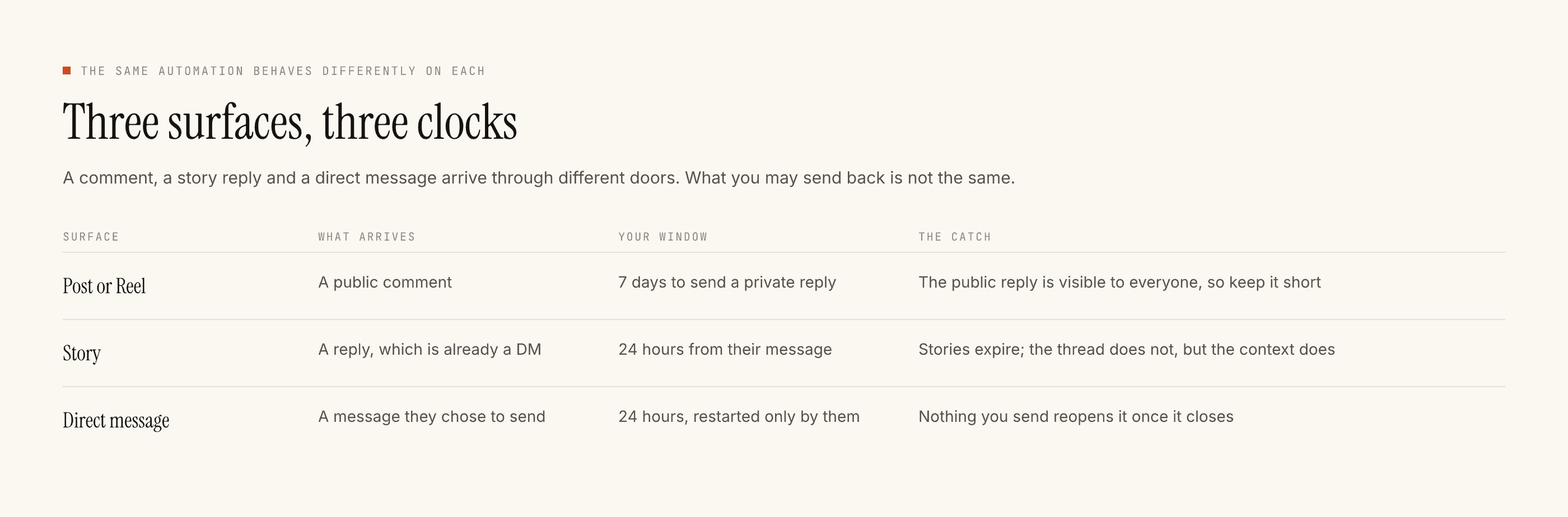
Here is the fact that makes a calendar matter operationally: a comment can be replied to for seven days after it is posted.
That is longer than most people's mental model of a post's life. You publish on Monday, get the burst that afternoon, and by Wednesday you have moved on. The post has not. It is still surfacing to people, still collecting comments, and every one of those comments is answerable until the following Monday.
Two consequences follow, and they pull in opposite directions.
The good one
The awkward one
The second one is the actual failure mode, and it is entirely a calendar problem. A flash sale automation that outlives the flash sale is a customer service incident generated by your own tooling.
What a calendar column for this looks like
You do not need a new tool for this. Add one column to whatever you already use, with three states.
- Needs an automation. The post asks people to comment a word. Before it goes out, the trigger exists, the keyword matches the caption exactly, and you have run Test on myself. A post that publishes ahead of its automation collects comments during the gap that nobody answers.
- Runs on an existing one. The post reuses an offer you already automate. Add the post to that automation's list of specific posts rather than building a second one.
- Retires on this date. Publish date plus the length of the offer plus seven days. Put the date in the cell, not in your head.
That is the whole integration. It is three states in a spreadsheet, and it removes the two mistakes that actually cost you: publishing before the automation exists, and leaving one running past its promise.
Planning around the windows rather than against them
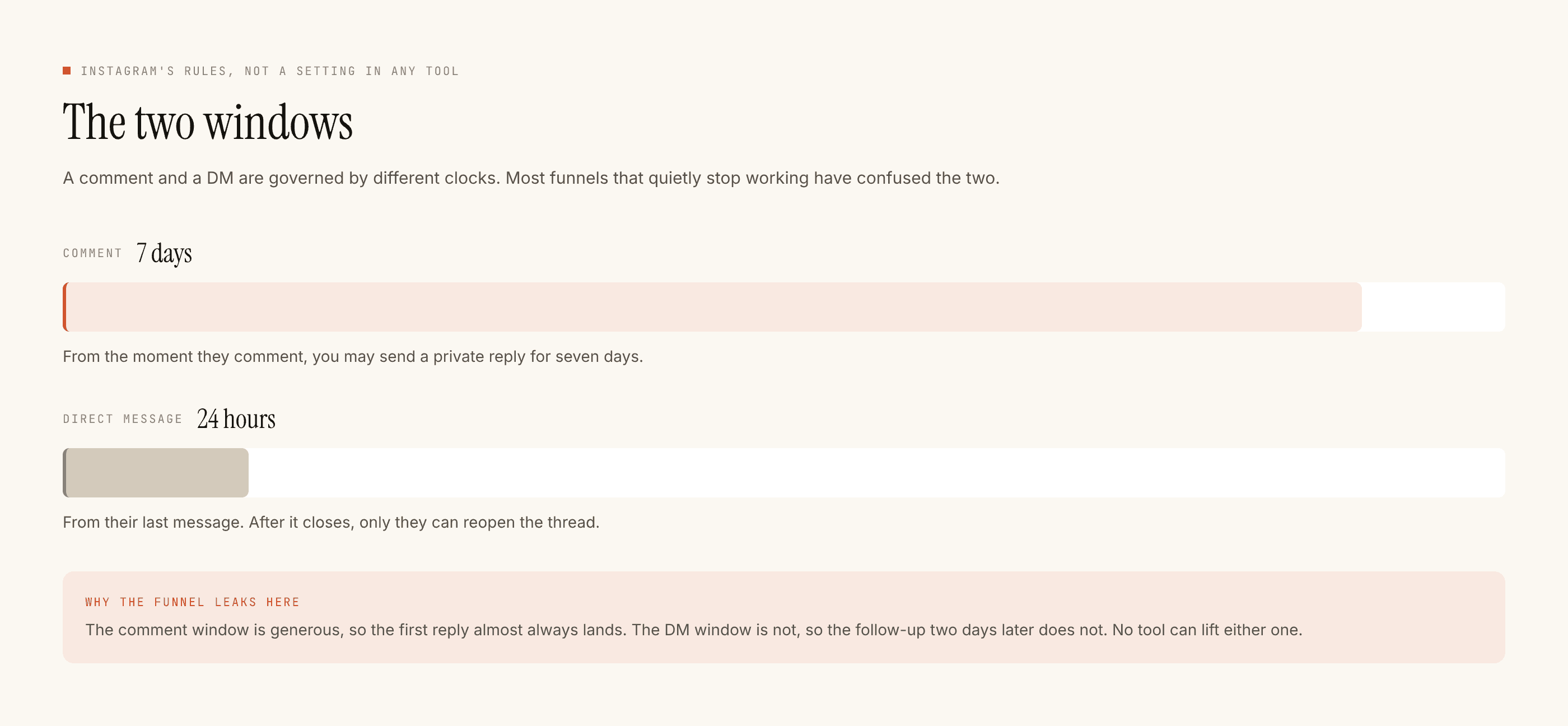
The other window is the one that shapes campaign design. Once somebody messages or comments, there is a 24-hour window in which you can message them, and only a message from them restarts it. There is no follow-up on day three unless they write to you on day three.
This kills a particular kind of calendar entry — the multi-touch nurture sequence planned across a fortnight. We do not build sequences, and even if we did, the platform's clock would not carry them. Anything you were going to say across five touches has to fit in the first reply.
Plan accordingly: one post, one offer, one complete answer. A campaign that depends on people receiving three messages over a week is a campaign for email, and the comparison between the two channels is honest about which is better at what.
Launch weeks versus ordinary weeks
The one place a calendar genuinely changes your configuration is volume.
A launch week concentrates comments. That is the point of a launch, and it is also when quiet hours and the rate budget start doing visible work — replies held until morning, replies paced rather than sent in a burst. Neither is a fault, but seeing a stack of them for the first time during your biggest week is unpleasant.
If you know a spike is coming, two things are worth doing beforehand. Make sure the reply for the expected question is templated rather than AI-written, because templated replies are free and unlimited while a generated reply spends a credit each. And check your quiet hours are set in your audience's timezone, so an evening launch does not spend its first six hours holding everything.
Ordinary weeks need none of this. One automation on the post that asks a question, retired when the question stops being relevant, is the entire operational overhead. If you are building your first one, the setup guide paces it across a week rather than an afternoon, for reasons that become obvious the first time you read the blocked list.