Product · 4 min read
One Number, Several People: The Shared Inbox Problem

PostEngage does not ship WhatsApp, and there is no shared inbox for that channel here to sell you. This post exists because the underlying problem is real, badly handled almost everywhere, and mostly misunderstood as a software feature when it is an operations question.
The problem: a business has one number, customers write to it, and more than one person has to answer. Everything difficult about this follows from the fact that the customer sees a single identity and your team is not one.
Where most businesses start, and why it breaks
The starting configuration in India is usually a phone on a desk, or the Business app installed on two devices, or — most commonly — one login shared by four people.
It works until it does not, and it fails in five specific ways.
- Collision. Two people answer the same customer within a minute of each other, differently. The customer now believes your business is disorganised, and they are not wrong.
- The dropped thread. A message arrives while everyone assumes somebody else has it. Nothing is assigned, so nothing is anybody's. These are the conversations you find three days later.
- No handover context. The evening shift opens a thread with no idea what was promised in the afternoon, and asks the customer to repeat themselves.
- No accountability. Something wrong was said, or something was promised that cannot be honoured, and there is no way to establish who said it. With a shared login there is genuinely no answer.
- Unbounded access. Everybody with the login can read every conversation, including the one from the customer discussing a payment problem or a medical query. That is a privacy exposure, not just an untidiness.
The fifth is the one businesses discover last and care about most once it is explained.
A shared login means every conversation your business has ever had is readable by everybody who has ever been given the password, including the people who left.
What a shared inbox is actually solving
Not "letting several people reply". That is easy. The work is in the four things around it.
What matters
What demos show
The right column is not useless. It is just not what makes the difference between a team that keeps up and one that keeps apologising.
Automation makes this harder, not easier
If any part of the inbox is automated, a sixth problem joins the five above: the automation is also an agent, and it does not know when a human has taken over.
This is the failure that damages customers most. A person writes in upset. A member of your team reads it, understands, and replies carefully by hand. Ninety seconds later the automation fires its cheerful templated answer on top of that reply, and the customer concludes nobody read anything.
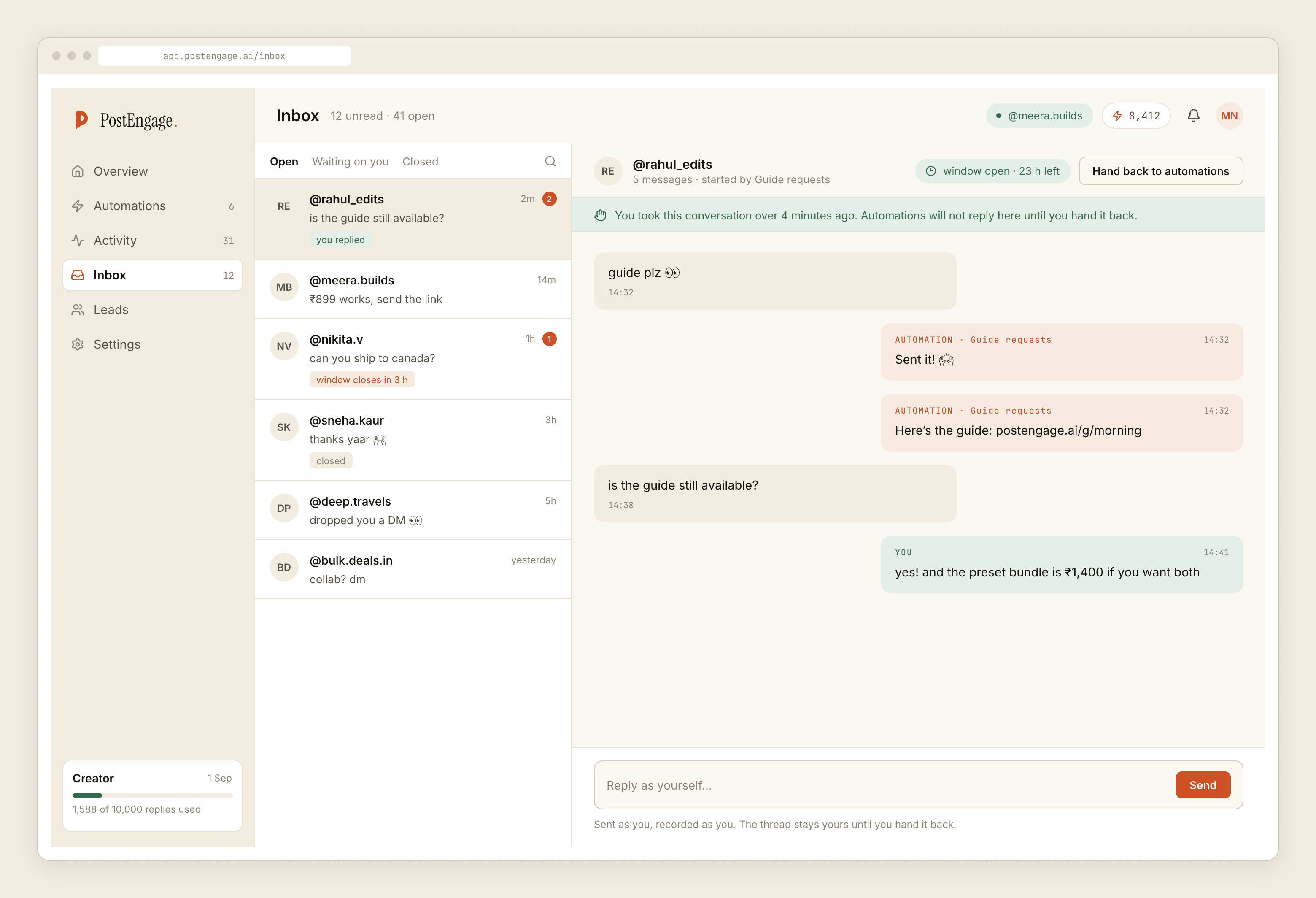
The rule that prevents it is simple to state and not universally implemented: the automation stands down the moment a human replies by hand, for that thread, with no switch for anybody to remember. It should be the default, it should be permanent for that conversation, and it should be visible.
Ask any vendor to demonstrate exactly that, live, rather than describe it.
The questions worth asking during evaluation
Are seats named, or is it one login? If the pricing model pushes you toward sharing a login to save money, the pricing model is creating your privacy problem.
Is there a record of who read what? Not only who replied. On a channel carrying payment queries and personal circumstances, read access is the sensitive part.
What happens when two people open the same thread? A warning, a lock, or nothing at all. All three exist in this category.
Can a conversation be assigned, reassigned and closed? And can you see the unassigned ones as a list, which is the actual queue your team is working.
Does the automation defer to a human, always? See above.
The Indian texture of this
Two details that matter here more than they do elsewhere.
Shift handover is common — a morning person and an evening person, often on different devices, sometimes in different locations. The tool has to make the handover carry information, because the alternative is a WhatsApp group where staff forward customer screenshots to each other, which is both how it usually works and a data problem worth reading about separately.
And staff turnover in small teams is quick. Named accounts you can revoke are the difference between an employee leaving and an employee leaving with access to every customer conversation on their personal phone.
What we run today
On Instagram, where we do run, there is an inbox with named staff accounts rather than a shared login, an append-only record of administrative actions written by the same guard that authorises them, and a takeover rule: automation stands down the instant somebody replies by hand. There is no WhatsApp here to put in the same view, and there is no multi-channel sidebar. One channel, done carefully, is the honest description.
If you are working out how a team should divide automated and human work, the team post covers it on the channel we run. And if you are an agency handling several accounts at once, that operational shape is here.