Playbooks · 5 min read
Your Comment Section Is a Public Document. Write It That Way
On this page
- What a stranger reads before they decide to ask
- The public reply has two jobs and most people only write for one
- Consistency matters because it is permanent and comparable
- The archive keeps working, which is the underrated part
- What must never be answered automatically in public
- What to actually do this week

Everybody plans the comment section as though the only person who matters is the one who typed something. They are the smaller audience. The larger one is everybody who read the comments, decided whether it was worth asking, and did not type anything either way.
That group leaves no trace. You will never count them, and they are still the reason a comment section is worth designing rather than merely clearing.
What a stranger reads before they decide to ask
Somebody lands on a Reel from an account they have never seen. They watch it, they are mildly interested, and before doing anything they scroll into the comments. Everyone does this. It takes four seconds and it answers a question the caption cannot: is this a real business that responds to people.
There are three things they can find down there.
Questions with answers. The best outcome, and not because of the answer. It tells them that asking works, which is the only thing standing between mild interest and a comment.
Questions with no answers. Six people asking price under a post from three weeks ago, nothing underneath any of them. A stranger reads that as an account that does not reply, and they are not wrong.
No questions at all. Ambiguous. Could be a new post, could be a dead account, and they will assume whichever one is cheaper for them.
The public reply has two jobs and most people only write for one
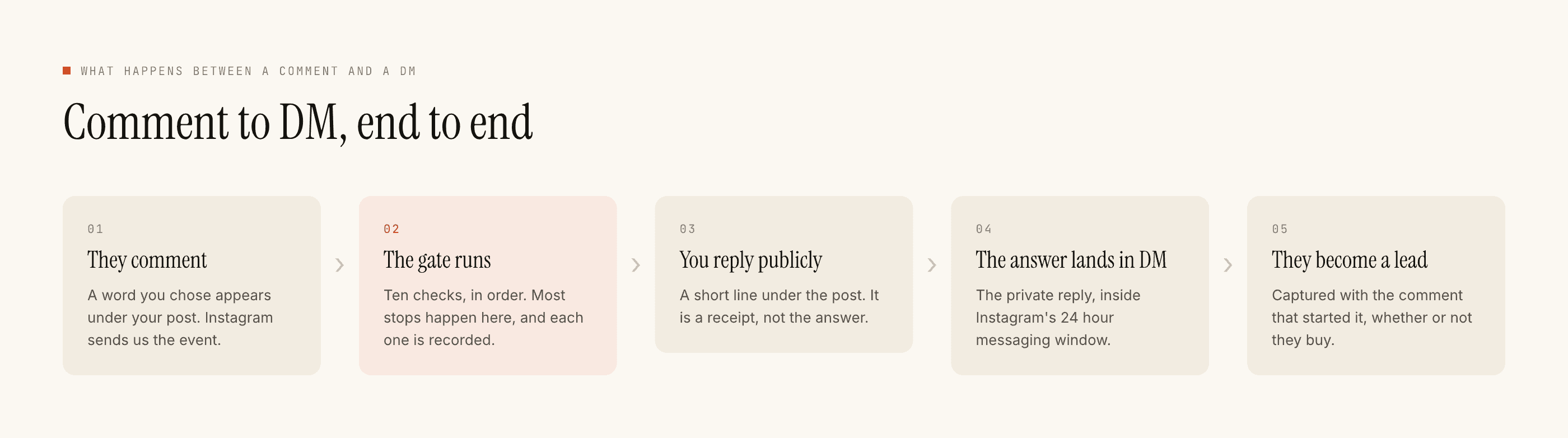
The private reply is for the person. The public reply is for everybody else, and treating it purely as a receipt — "check your DMs" — spends a slot that a hundred readers will look at.
It does not follow that the answer belongs in public. Often it cannot: a price that changes, stock that runs out, anything specific to one person. What follows is that the public reply should be legible to a stranger who did not ask, and there is a real difference between these two:
Written for the commenter
Written for the readers too
That second version is not a growth trick. It is the caption's instruction repeated in the one place where somebody is already looking for evidence that it works.
Consistency matters because it is permanent and comparable
A public reply sits under the post indefinitely. Every one you leave is next to every other one, so the comment section accumulates into a record of how the account handles people, and it is read as a whole rather than one row at a time.
Which means the register has to be the same on a Tuesday as on a bad Friday. This is one of the honest arguments for templates over improvisation: not speed, consistency. A templated public reply is the same sentence in the same voice for the hundredth person as for the first, and there is no version of it written by somebody who was tired.
The archive keeps working, which is the underrated part
The window for replying to a comment is seven days, and it runs per comment rather than per post. A comment arriving today on a post from March is answerable today, in full, publicly and privately.
So an old post that keeps getting found keeps producing conversations, and its comment section keeps being written. Accounts that only run automations on this week's posts leave that entirely on the floor. Scope an automation to the two or three older posts that people still land on — the ones search keeps sending traffic to — and the archive answers for itself.
A comment section is the only part of your marketing that strangers trust, because you obviously did not write both halves of it.
What must never be answered automatically in public
Complaints. Refund requests. Anything where a person is upset. A cheerful templated line under "still haven't received my order" is worse than silence, and it is permanent, and it is the screenshot that travels.
This is the whole reason the negative keyword field exists and the reason it should be filled before the trigger. refund, cancel, not received, payment failed, paisa kat gaya, scam. Any of those present and nothing sends, which leaves the comment for a person — which is correct, because that comment needs a person.
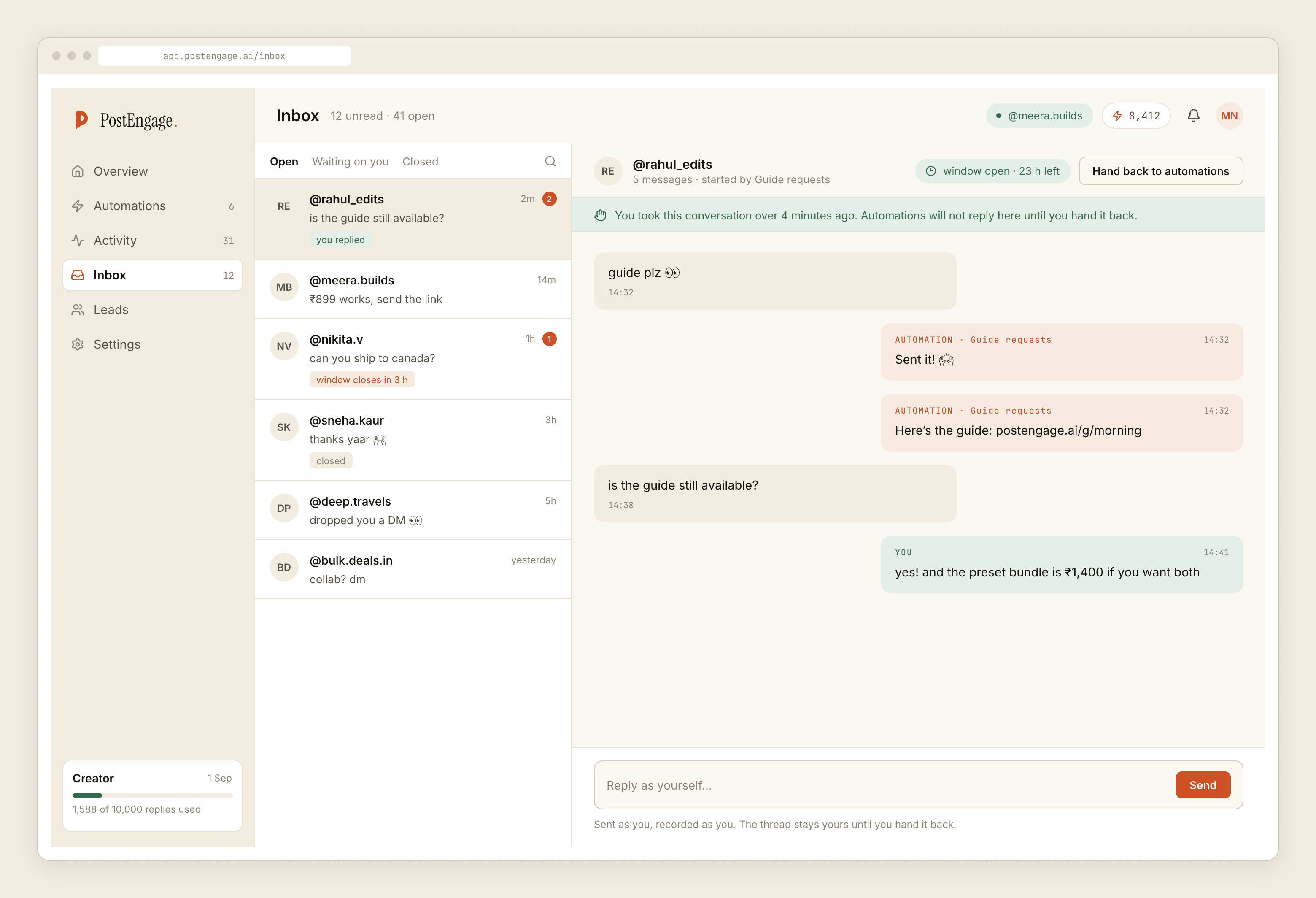
Takeover covers the other half of it. The moment you reply by hand in a thread, automation stands down there. A conversation a human has joined is one a human should finish.
What to actually do this week
Pick the post with the most unanswered questions in it. Read the comments as strings and write down the four things people ask. Build one automation for the most common one, with a public reply written for the readers rather than the asker, and negative keywords written before anything else.
Then leave it a week and read the section again. If it now reads like a place where questions get answered, it will start producing more of them, and that is the whole mechanism. If it produces comments but no conversations, there are six specific faults worth checking in order, and the funnel post covers where the losses sit.