Playbooks · 5 min read
Template Review on WhatsApp: How the Queue Behaves

The first template a business submits is usually approved and everybody concludes the process is a formality. The first one that gets rejected is usually the one attached to a campaign with a date on it, and that is when people learn what this queue actually is.
Templates are covered separately — why the mechanism exists at all is here. This post is about the review: how the queue behaves, what it does to your calendar, and the principles behind most refusals.
What kind of process this is
Three properties, and every planning mistake comes from ignoring one of them.
The outcome is not guaranteed. Submission is a request. A template that looks identical to one approved last month can be refused, and a category you declared can be changed for you.
The wait is not promised. How long review takes varies, and Meta does not publish a guarantee. Anyone quoting you a firm turnaround — a vendor, an agency, a blog post — is quoting a number they made up or an experience they had once. Plan against a range you cannot control rather than a figure somebody told you.
Rejection comes with a reason, and the reason is a starting point. It will tell you the class of problem. It will not usually tell you which line caused it, and resubmitting with a small tweak is how a two-day delay becomes a two-week one.
Treat template review as procurement lead time, not as a save button. Everything downstream of that assumption goes better.
What gets refused, in principle
The specific rules move. The reasons underneath them have been remarkably stable, because they follow from what the mechanism is for.
- The category does not match the content. By a distance the most common. A message declared as a transactional notification that also promotes something is a promotional message wearing a cheaper label. The reviewer reads the words, not your intention.
- The template carries no content of its own. Text that is almost entirely variables — a greeting and a placeholder — is a request to send arbitrary unreviewed content, and it is read that way.
- Variables in positions that make the message unreadable. A template that begins or ends with a placeholder can render as something that makes no sense, and a message that makes no sense to a recipient is a message that gets reported.
- Claims that overreach. Guarantees, medical or financial promises, urgency that is not real, anything that reads like the scam messages your customers already receive daily.
- The sender is unidentifiable. No business name, no context, nothing that answers "who is this" in the first line.
- Formatting and mechanics. Broken placeholders, mismatched sample values, buttons that do not correspond to anything. Unglamorous, avoidable, and a real share of refusals.
Note that the first and the last are opposite kinds of problem. One is a judgement about what your message is; the other is a mistake you can eliminate by proofreading. Fix the second class permanently and your refusals become informative.
What this does to your calendar
The operational consequence is simple and almost nobody plans for it: the template has to exist before the campaign is decided.
How teams usually work
How this channel requires you to work
The right-hand column is less creatively satisfying and it is the difference between a channel that works and a channel that produces a crisis every festival season.
A submission routine worth having
Write it, then read it as a stranger. Somebody who has forgotten they ever bought from you. If the first line does not establish who is writing, fix that before anything else.
Declare the category the content actually is. If there is an argument to be had about whether it is promotional, it is promotional. Declaring it correctly costs more per send and costs far less in refused templates and damaged standing.
Fill every variable with a realistic sample. Not "XXXX". A real-looking name, a real-looking order number. Half of the mechanical refusals come from samples nobody looked at.
Keep a record of what was submitted, when, and what came back. After a dozen templates you will have your own pattern of what this reviewer accepts, which is worth more than any general guide including this one.
Version the wording outside the platform. When a template is refused you want the previous draft and the change you made, not a memory of it.
Where we actually stand
PostEngage does not ship WhatsApp. There is no template queue here, no approval status to track, and nothing about this process we can make faster for you.
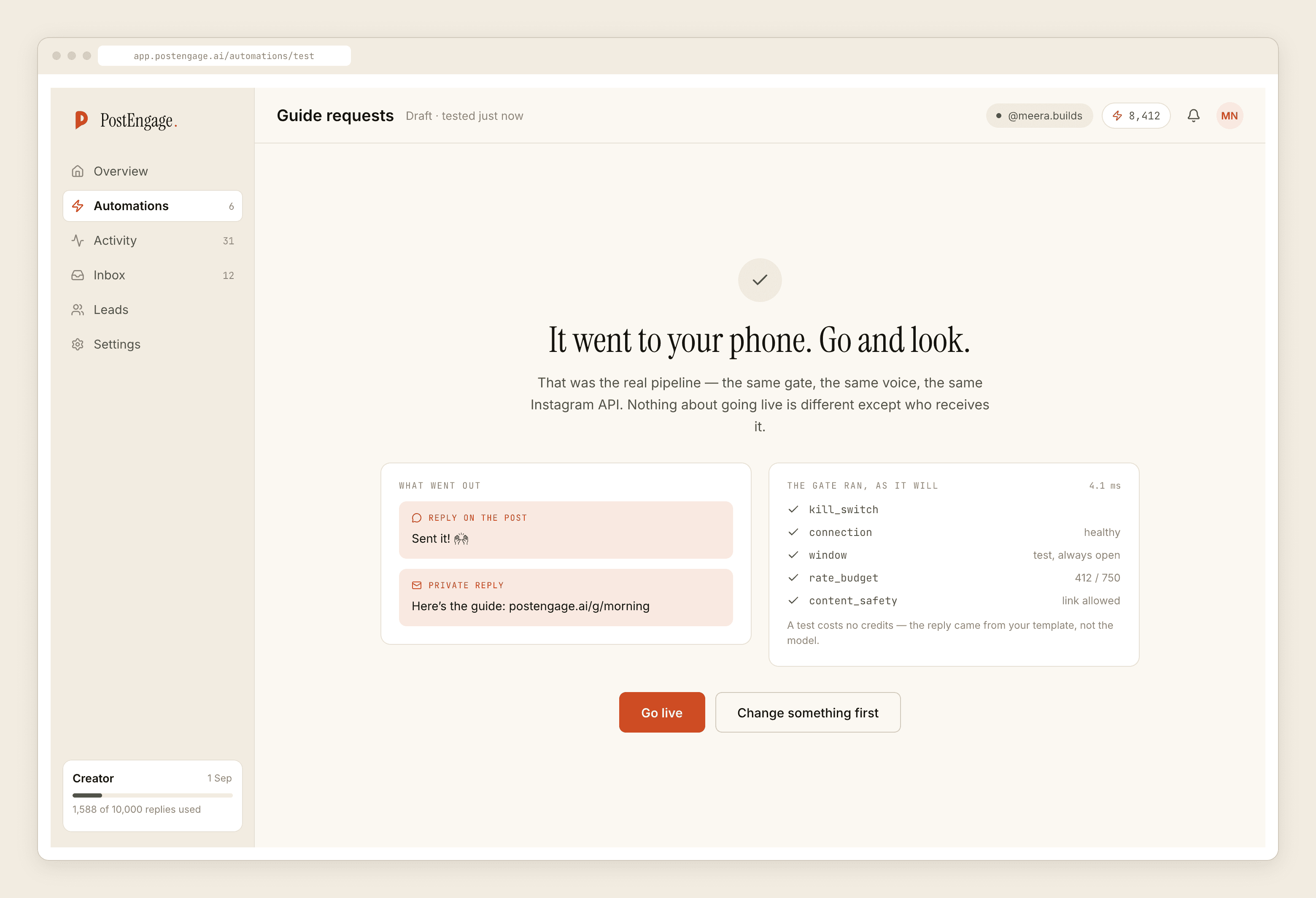
On Instagram, where we do run, there is no pre-approval mechanism at all, because there is no outbound — the product replies to people who contacted you first. The analogous discipline is a test send to yourself before going live, which is a button rather than a queue, and which we insist on for the same reason review exists: a message read by a stranger behaves differently from a message read by its author.
If you are evaluating tools and want the question demos skip, the template queue is it. And if you want the map of the policies the reviewer is applying, that is here.