Lead generation · 5 min read
Getting a Trial Signup Out of an Instagram DM Thread

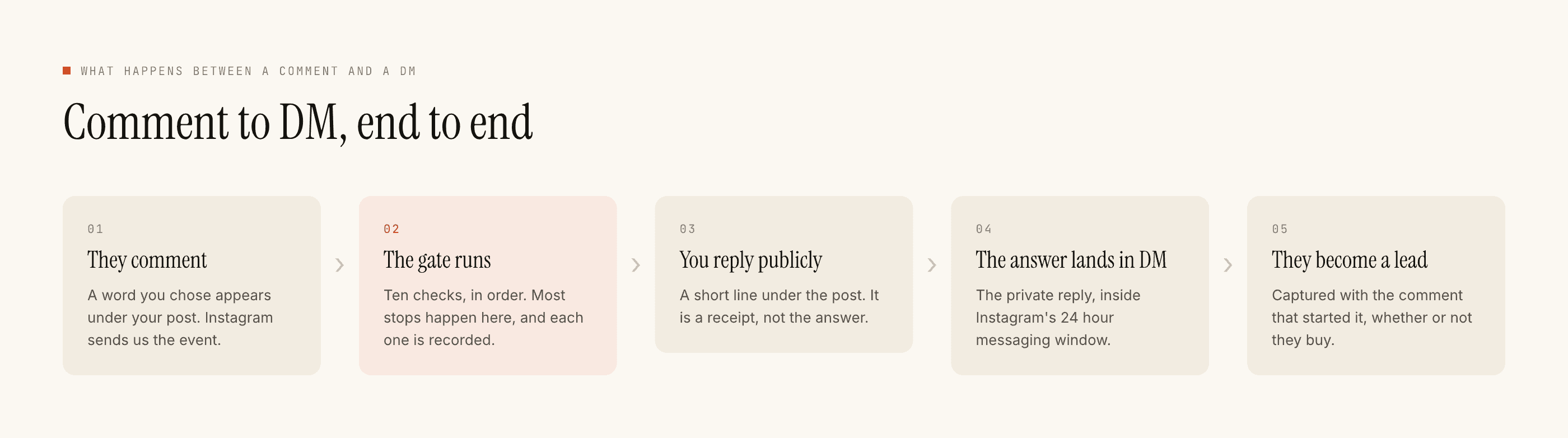
Sending someone a signup link in a DM takes about ninety seconds to set up. Keyword under a post, public reply saying check your DMs, private reply with the URL. Done, live, working.
The awkward parts are all downstream, and nobody writes about them because they are not features. You cannot see whether the link was clicked. You cannot message the person again on day three when they have not activated. You cannot tell your CRM that this trial came from a reel. Each of those is a genuine limitation, not a settings problem, and building a trial funnel on Instagram without knowing them is how teams end up disappointed in a channel that was working fine.
The two clocks, which are the whole design constraint
A comment can be replied to for seven days. A DM can be sent within twenty-four hours of that person's last message, and only their own next message restarts the clock.
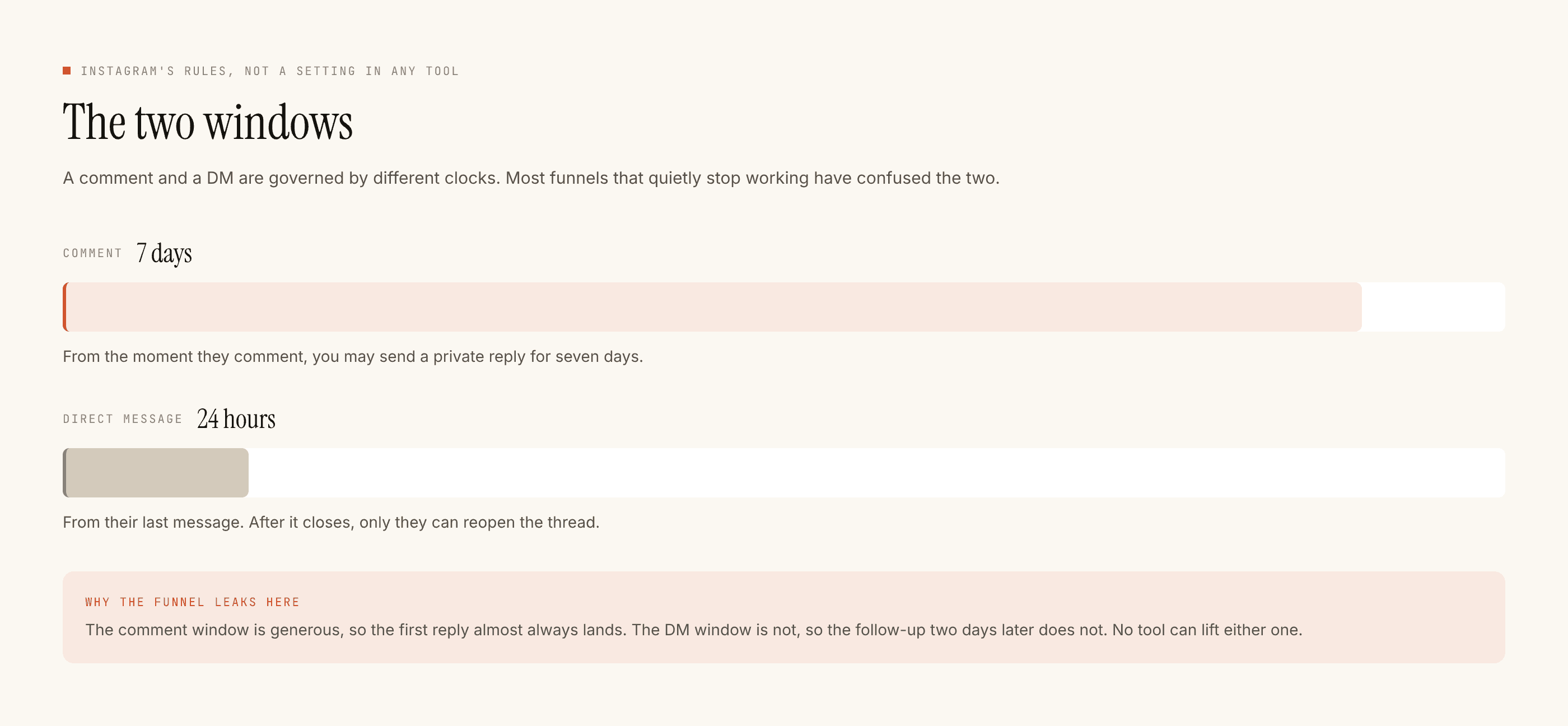
Read that as a rule rather than a spec: whatever you need from this person, you need it in the first exchange. There is no drip. There are no sequences or broadcasts in this product and there is no way to build them within the platform's messaging rules anyway.
Which means the goal of the automated reply is not the signup. It is to get one durable thing out of the conversation — usually an email address — so the relationship can continue somewhere you actually control.
Ask one question before the link, not after
The instinct is to send the link immediately and qualify later. Later does not exist here.
One question, and it should be the one that changes what you send. For most SaaS that is team size, current tool, or use case — whichever of those meaningfully forks your onboarding. If the answer would not change the next message, do not ask it.
- Public reply. A few words under the post. It is a receipt telling them to check their DMs, and it is visible to everyone, so it should read well to people who did not comment.
- Private reply, first message. Acknowledge, ask the one question. Keep it to two sentences on a phone screen.
- Their answer restarts the clock, which is the only thing that does. Now you have a fresh window and a reason to send something specific.
- Second message: the link, plus the email ask. "I'll send the setup notes to your email if you drop it here" is a smaller request than it looks and it is the one that survives the window closing.
Attribution, since you cannot see clicks
Nothing here tells you a link was opened. We are not an analytics product and there is no click tracking in a DM.
The workaround is entirely on your side and it is old-fashioned: send a distinct URL. A campaign parameter, or better, a dedicated path that only ever appears in Instagram DMs. Then your own analytics answers the question, which is where that question belonged anyway.
Do this per-automation rather than per-channel if you want the useful version. A trial link that differs between the pricing reel and the feature demo tells you which content produces trials rather than which platform does, and the second answer was never in doubt.
The signup that is not worth having
A trial started by someone who wanted the answer to a different question is a cost, not a win. It occupies an onboarding email sequence, it sits in your activation numbers as a zero, and if your sales team works trials it wastes a call.
So the qualifying question earns its place twice: it forks the message, and it filters. Some people will not answer it and will not sign up. Good. Those were not going to activate.
The measure is not how many trials the DMs produced. It is whether they behave like your other trials once they are inside.
This is also the argument against putting the link in the public reply where everyone can see it. It converts the maximum number of people at the minimum level of intent, and the number goes up while the cohort gets worse.
What to do about people who go quiet
Nothing automated. That is the honest answer.
Once the window closes you cannot message them. What you can do is set up so that going quiet costs less: get the email in the first exchange, and make the post they came from a place they can return to. If they comment again on a later post, they are back inside the window and a first-time-senders-only toggle under Advanced will correctly recognise that they are not new.
For the email side of this, building a list out of DM conversations is the piece that continues the thought, and what makes a lead worth chasing is worth reading before you decide these trials deserve a sales call.
The setup, end to end
One automation, on your best-performing explainer post. Keyword that a person would plausibly type. Public reply as a receipt. Private reply that asks one thing. Test on myself, which runs the full pipeline into your own account so you can read it on a phone the way a stranger would. Then live on that one post.
At the end of the first week, read the blocked activity rather than the sent count. A stack of window-closed entries on older posts is normal. Takeovers are a signal that someone on your team is beating the automation to the thread, which is fine, but it means the automation is decoration and should be narrower or aimed elsewhere.
If your inbox turns out to be mostly existing users rather than prospects — which happens sooner than most teams expect — the support-shaped version of this is the more useful post.